WooCommerce Lead Time
Antivirus scan
Powered by ClamAV
✅ Verified clean
This product file has passed our security filters.
Want to run a fresh ClamAV scan right now? Takes a few seconds and shows scanner version, signature DB and live result.
This can take 5 to 30 seconds.
Clean file Threat detected
No threats detected in this file.
- File
- Size
- Scanned
- ClamAV
- Signature database
⚡ Powered by ClamAV
Scan could not be completed
Report product
If you detected an issue (broken file, malware, inappropriate content, etc.) let us know and we'll review it ASAP.
Sign in to report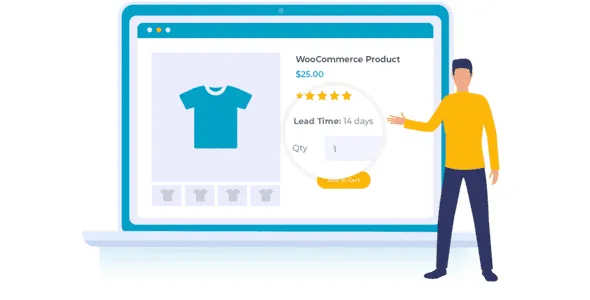
About WooCommerce Lead Time
When customers don't know how long they'll wait, they don't buy
Selling handmade, made-to-order or out-of-stock products has a problem that never shows up in the WooCommerce dashboard: buyers hesitate, can't find how long their order will take, and either abandon the cart or email you to ask. WooCommerce Lead Time shows that processing or delivery time where customers expect to see it.
It suits artisans, manufacturers, dropshipping stores and anyone who doesn't ship from their own stock.
Where the lead time appears and how you decide which one wins
The lead time can be shown on the product page, the shop page, categories, cart, checkout, order details and order confirmation emails. You can turn each location on or off separately. If you build product lists with blocks, it comes with its own lead time block.
It is configured at four levels, and the most specific always wins:
- Variation: overrides the product.
- Product: overrides the category.
- Category: overrides the global lead time.
- Global: the default lead time for the whole store.
That way you can set a general lead time and tweak only the exceptions. You can also assign different lead times by stock status: in stock, out of stock or backordered. The message appears as soon as the product sells out.
Fixed text or a countdown to a date
Static lead time
You write a text and it always displays the same: "5 days", "processing time: 4 hours" or "estimated delivery on July 1st". It's the most practical option if your products have consistent times. You can change the wording freely and the color with a picker in the settings (it shows in a dark grey by default). The typography style is inherited from your theme.
Dynamic lead time
You set a date when the product will be available and the plugin shows the days remaining. Careful here: the countdown runs toward a fixed date you set in advance. It does not calculate a lead time from the moment the customer places the order. If your workshop takes three weeks from the order, what you need is static text.
You can mix both types by product and stock status.
Decide whether this plugin is enough for you (and the questions that usually come up)
It is for informing, not for managing production. It shows a lead time, it doesn't control capacity or calculate shipping dates for each order. If you already use Barn2's WooCommerce Product Table or quick view, the lead time also appears there. With the WooCommerce Opening Hours & Chosen Times plugin, customers can only choose delivery slots after the longest lead time among the products in their cart.
Does it work with any theme?
It inherits your theme's style and works with any well-coded theme, with no code or theme file edits.
Can I set different lead times for each variation?
Yes. The variation takes priority over the product, the category and the global setting.
Does it calculate the lead time from the order date?
No. The dynamic mode counts down the days to a fixed date that you define. For lead times counted from the order, use static text.
Is it suitable for multilingual stores?
It is designed to work with translation plugins such as WPML, Weglot and TranslatePress.
Can I show it only on some pages?
Yes, each location (product, shop, categories, cart, checkout, order and emails) can be turned on or hidden separately.
Topics
Version history
-
v
2.2.3 Current 21 Oct 2026
-
v
2.2.2 29 Jul 2026
-
v
2.2.1 12 Feb 2026
Customer reviews
Sign in to leave a review. Only people who have the product can review it.
No reviews for this product yet.
Frequently asked questions
-
GPL (General Public License) is the license under which WordPress and most premium plugins/themes are distributed. It grants you the right to use, modify and redistribute the software in as many projects as you want, with no domain restrictions.
-
Yes. With membership you get automatic updates via our GPLClub Updater plugin (installed on your WP, detects new versions and applies them). With individual purchase, you get one year of manual updates from your account.
-
Depends on the plan. Monthly: 3 domains. Semi-annual: 7. Annual and Lifetime: 15. Individual purchase: 1 domain.
-
GPLClub offers its own support for installation, configuration and compatibility. For direct support from the original author (feature requests, product-specific bugs), a license purchased from the author is required.
Related products

Gravity Forms Multilingual
By Gravity Forms

Easy Digital Downloads Conditional Success Redirects Addon
By Easy Digital Downloads

BookingPress Mailchimp Integration Addon
By BookingPress