WooCommerce Mix and Match Products
Antivirus scan
Powered by ClamAV
✅ Verified clean
This product file has passed our security filters.
Want to run a fresh ClamAV scan right now? Takes a few seconds and shows scanner version, signature DB and live result.
This can take 5 to 30 seconds.
Clean file Threat detected
No threats detected in this file.
- File
- Size
- Scanned
- ClamAV
- Signature database
⚡ Powered by ClamAV
Scan could not be completed
Report product
If you detected an issue (broken file, malware, inappropriate content, etc.) let us know and we'll review it ASAP.
Sign in to report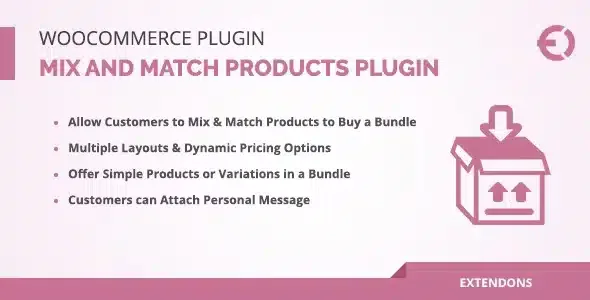
About WooCommerce Mix and Match Products
A box of twelve donuts doesn't sell like twelve loose donuts
Selling in packs usually goes wrong in one of two ways: you fix the contents and the customer ends up with flavors they don't want, or you let them buy loose and nobody reaches the bundle size that gives you margin. WooCommerce Mix and Match Products targets exactly that point: you set the pack size and the customer decides what goes inside.
What many people find out late is that, in a bundle business, what runs out is not the box but the specific flavors, sizes or varieties. That's why stock should keep being counted per product and not only per pack.
Size, contents, price and shipping: what you decide
You set up the assortment once and the customer fills it as they like. These are the pieces you control:
- Assortment size: the number of items needed to fill the container or pack.
- Contents: simple products or product variations, and as many items as you want in each assortment.
- Pricing: a fixed price for the whole pack, or a price per item and per total quantity.
- Shipping: the assortment can ship in a single package, separately, or not ship at all.
Inventory works like any standalone sale: the products in the assortment are stock-managed, and the container itself can be managed too.
Three stores, three ways to build the assortment
Food and drink
Dozens of donuts, wine cases or six bottles of soda. Whoever hates the sugar donut orders a cream-filled one, and you still sell the full pack instead of losing the order. If you prefer, you can enable plus and minus buttons in the customizer settings to choose quantities.
Fashion and basics
A pack of five T-shirts doesn't have to be a single color: the customer takes three red and two blue, and you keep the minimum bundle. Since variations are supported, size and color are chosen inside the assortment itself.
Seasonal baskets
A farm with weekly baskets uses product categories to feed the assortment, so the team renews what's available as the harvest changes, without rebuilding the pack every time.
Questions before building your first pack
Can I mix product variations? Yes, the assortment supports simple products and variations.
Does the price have to be fixed? No: it can be a fixed price or calculated per item and per total quantity.
How is stock controlled? The products in the assortment are managed like standalone sales, and the container can also be stock-managed.
Can I change how the table looks? Yes, each part of the table and the table itself can be customized with template overrides, like the rest of WooCommerce. That does require working with templates.
It looks like a grouped product, not a visual configurator
Once set up, the product looks similar to a grouped one: a list of all available products where the customer says how many of each they want. It is not a graphic builder where each piece is placed in a drawn box.
If you want a different presentation, you'll have to adapt it with templates. It's worth checking in the demo whether that list fits the way your customers choose.
Topics
Version history
-
v
2.9.5 Current 21 Oct 2026
-
v
2.9.4 7 Oct 2026
-
v
2.9.3 1 Oct 2026
-
v
2.9.2 10 Sep 2026
-
v
2.8.8 1 Jul 2026
-
v
2.8.7 7 Apr 2026
Customer reviews
Sign in to leave a review. Only people who have the product can review it.
No reviews for this product yet.
Frequently asked questions
-
GPL (General Public License) is the license under which WordPress and most premium plugins/themes are distributed. It grants you the right to use, modify and redistribute the software in as many projects as you want, with no domain restrictions.
-
Yes. With membership you get automatic updates via our GPLClub Updater plugin (installed on your WP, detects new versions and applies them). With individual purchase, you get one year of manual updates from your account.
-
Depends on the plan. Monthly: 3 domains. Semi-annual: 7. Annual and Lifetime: 15. Individual purchase: 1 domain.
-
GPLClub offers its own support for installation, configuration and compatibility. For direct support from the original author (feature requests, product-specific bugs), a license purchased from the author is required.