WooCommerce PostNL
Antivirus scan
Powered by ClamAV
✅ Verified clean
This product file has passed our security filters.
Want to run a fresh ClamAV scan right now? Takes a few seconds and shows scanner version, signature DB and live result.
This can take 5 to 30 seconds.
Clean file Threat detected
No threats detected in this file.
- File
- Size
- Scanned
- ClamAV
- Signature database
⚡ Powered by ClamAV
Scan could not be completed
Report product
If you detected an issue (broken file, malware, inappropriate content, etc.) let us know and we'll review it ASAP.
Sign in to report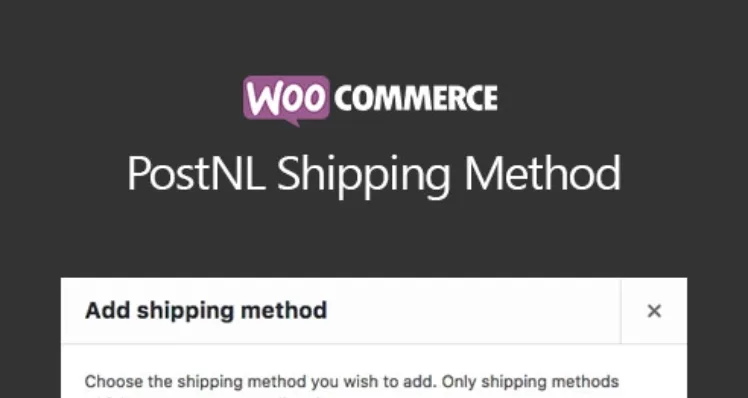
About WooCommerce PostNL
Delivery is promised at checkout and kept in the warehouse
You turn on morning delivery because it looks good on the checkout page. A week later, someone picks it on an order you pack in the afternoon. The customer has already seen a promise, and your team finds out when they open the order.
Every delivery option you show in your store is a commitment of your operation, not a design detail. PostNL for WooCommerce, the official PostNL plugin, connects your store orders to its parcel network. It pays to turn on only what your warehouse can deliver every day.
From order to label without leaving WooCommerce
The daily work happens on the orders screen:
- Single or batch shipments: you create the shipment for one order or several at once.
- Several shipments per order: one order can go out in more than one parcel.
- Changes before export: you adjust the PostNL options of each order when the case calls for it.
- Label formats: PDF, GIF, JPG and ZPL, in A4 and A6. On A4 you choose the start position, and A6 labels can be merged onto A4 sheets.
- Track & Trace: when the label is created, the code is added to the order and reaches the customer in the completed order email.
- Returns: you can share the return label with your customers.
Choices for your customer at checkout
- Home or a nearby PostNL point, with different fees for each and your preferred tab open by default.
- Delivery day, morning or evening, depending on what you enable. These surcharges are hidden when free shipping applies.
- Letterbox parcel, with 24-hour and 48-hour variants.
- Protected deliveries: insured shipping, signature on delivery and a delivery code at the door.
- Age check: if you mark a product as 18+, orders that include it apply ID Check automatically.
Address data can be requested separately: street, number and addition. Address validation for the Netherlands is free. The plugin works with the WooCommerce cart and checkout blocks.
Outside the Netherlands, and within which limits
Parcels can go to Belgium, the rest of Europe and the rest of the world. For shipments through customs there are fields for merchant customs codes and an HS tariff code per product, variations included. Merchants based in Belgium can use the plugin.
It works only with PostNL: it does not compare prices with other carriers. The letterbox parcel has a weight limit and insurance has amount caps inside and outside the EU, which the plugin checks. The Shipment & Return option, a single label for both ways, is no longer available because PostNL withdrew it.
API account, key and a test order
You need a PostNL API account. The key is found in the Mijn PostNL business portal or through your account manager. The online manual is in Dutch.
- Install the plugin and open WooCommerce, Settings, Shipping methods, PostNL.
- Enter your key and customer details. If the notice about the additional key field appears, fill it in with the Self Service key from the portal.
- Turn on only the delivery options your warehouse can meet, and set the fees for home and pickup point.
- Place a complete test order. Depending on how your checkout is built, the address fields may need position adjustments.
- Print a label on your actual printer and confirm that the final email carries the tracking code.
If your parcels do not leave only with PostNL
To calculate your own rates by weight, quantity or shipping class, without relying on one carrier, Flexible Shipping Pro organizes them into rules in a table. If you work with several companies, PluginHive's shipping services connect WooCommerce with the carriers and print labels from the order. And if you only need to send tracking details across many carriers, Advanced Shipment Tracking Pro adds the tracking number to the order and emails it to the customer.
Four cases when connecting PostNL
Does it work without a PostNL contract?
It needs a PostNL API account with its key.
Can I sell from Belgium?
Yes. Merchants based in Belgium can use it too.
Can I print on a label printer?
It supports ZPL as well as PDF, GIF and JPG. Test the format with your printer.
How is an adults-only product handled?
You mark the product as 18+ and orders that include it apply ID Check.
Topics
Version history
-
v
1.2.7 Current 14 May 2024
Customer reviews
Sign in to leave a review. Only people who have the product can review it.
No reviews for this product yet.
Frequently asked questions
-
GPL (General Public License) is the license under which WordPress and most premium plugins/themes are distributed. It grants you the right to use, modify and redistribute the software in as many projects as you want, with no domain restrictions.
-
Yes. With membership you get automatic updates via our GPLClub Updater plugin (installed on your WP, detects new versions and applies them). With individual purchase, you get one year of manual updates from your account.
-
Depends on the plan. Monthly: 3 domains. Semi-annual: 7. Annual and Lifetime: 15. Individual purchase: 1 domain.
-
GPLClub offers its own support for installation, configuration and compatibility. For direct support from the original author (feature requests, product-specific bugs), a license purchased from the author is required.