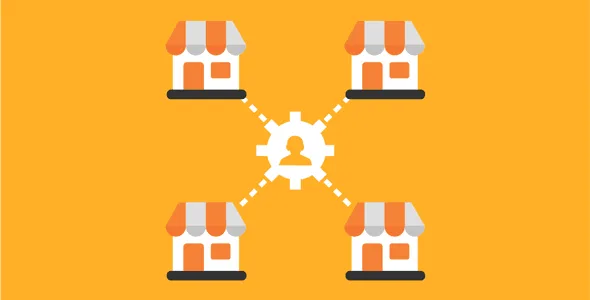
WooCommerce Product Vendors
Antivirus scan
Powered by ClamAV
✅ Verified clean
This product file has passed our security filters.
Want to run a fresh ClamAV scan right now? Takes a few seconds and shows scanner version, signature DB and live result.
This can take 5 to 30 seconds.
Clean file Threat detected
No threats detected in this file.
- File
- Size
- Scanned
- ClamAV
- Signature database
⚡ Powered by ClamAV
Scan could not be completed
Report product
If you detected an issue (broken file, malware, inappropriate content, etc.) let us know and we'll review it ASAP.
Sign in to report
About WooCommerce Product Vendors
Setting up a marketplace usually starts with a simple idea (let others sell on your site) and ends in a tangle: who uploads which product, how much each seller keeps, when they get paid and who sees customer data. Product Vendors turns a WooCommerce store into a multi-vendor space and organizes those four questions from the WordPress dashboard.
Your business becomes that of an intermediary
Whoever installs this doesn't make anything: you provide the storefront, the checkout and the community. That changes where your time goes. You no longer manage your own inventory, you manage people: recruiting vendors, reviewing what they publish and handling returns. If your store already has a loyal audience but no catalog, the model fits. You can keep selling your own products alongside the vendors' products.
Commissions per vendor, product or store
The commission can be a fixed amount or a percentage, and it is defined at three levels: the whole store, a specific vendor or a specific product. That way you can have a base rate and improve it for whoever brings in more sales or to attract your first sellers. You can also choose to assign the commission only once the order is completed, so you don't pay for sales that never close.
How vendors join and what they can do
- Registration: interested sellers fill in a form and you accept or reject the application; the approval notice reaches them by email.
- Roles: the vendor administrator has access to all settings; the manager has limited access and cannot see sales taxes or other settings.
- Products: each vendor creates and edits their own, and you can require your approval before they are published.
- Orders: they see their orders, add private notes or customer notes (for example, a tracking number), edit per-product shipping rules and check reports on their performance.
- Profile: they control their public profile, with logo and contact details.
What the shopper sees about each vendor
You can selectively show the vendor's name on each product, their profile photo, their information and an overall rating calculated from the ratings of all their products. It helps the store look like a marketplace and not a mixed catalog. It supports physical products, digital downloads and, with WooCommerce Bookings, time-based bookings.
Automatic payouts depend on PayPal and your country
This is the part that surprises people most. What the plugin solves and what is left to you:
- Solves: calculating each vendor's commission and showing you sales, commissions and monthly income per vendor.
- Solves: manual, weekly, biweekly or monthly payouts, and instant payment (a per-vendor setting only) with PayPal Payouts.
- Up to you: PayPal Payouts is subject to PayPal approval and requires an approved Business account; it is not available in every country (in Germany, for example, it does not work).
- Up to you: if your country doesn't support it, you pay manually outside the plugin with your own method.
- Up to you: payments and refunds always go through your store's gateways; vendors have no gateway of their own at checkout.
- Up to you: bookings only work if you have WooCommerce Bookings.
PayPal payments can be delayed in case of a return of physical products, which is useful if you sell merchandise that may come back.
Frequently asked questions about Product Vendors
Does the customer pay each vendor separately?
No. They make a single payment in your store and you distribute each vendor's share as commission.
What customer data do vendors see?
That of their own orders, such as shipping address, billing address and items, so they can fulfill them. You should mention it in your privacy policy and consult a professional about what you must disclose.
Can I assign my current products to a vendor?
Yes, you can assign existing products to vendors or let approved ones add their own.
Can I review what they publish?
Yes. You can require prior approval per vendor and new products arrive as pending review.
Do I have to pay with PayPal?
No. You can leave payouts on manual and pay vendors with the method you prefer.
Topics
Version history
-
v
2.6.2 Current 1 Oct 2026
-
v
2.6.1 5 Sep 2026
-
v
2.6.0 21 Jul 2026
-
v
2.5.1 23 Apr 2026
Customer reviews
Sign in to leave a review. Only people who have the product can review it.
No reviews for this product yet.
Frequently asked questions
-
GPL (General Public License) is the license under which WordPress and most premium plugins/themes are distributed. It grants you the right to use, modify and redistribute the software in as many projects as you want, with no domain restrictions.
-
Yes. With membership you get automatic updates via our GPLClub Updater plugin (installed on your WP, detects new versions and applies them). With individual purchase, you get one year of manual updates from your account.
-
Depends on the plan. Monthly: 3 domains. Semi-annual: 7. Annual and Lifetime: 15. Individual purchase: 1 domain.
-
GPLClub offers its own support for installation, configuration and compatibility. For direct support from the original author (feature requests, product-specific bugs), a license purchased from the author is required.