WP In Post Ads
Antivirus scan
Powered by ClamAV
✅ Verified clean
This product file has passed our security filters.
Want to run a fresh ClamAV scan right now? Takes a few seconds and shows scanner version, signature DB and live result.
This can take 5 to 30 seconds.
Clean file Threat detected
No threats detected in this file.
- File
- Size
- Scanned
- ClamAV
- Signature database
⚡ Powered by ClamAV
Scan could not be completed
Report product
If you detected an issue (broken file, malware, inappropriate content, etc.) let us know and we'll review it ASAP.
Sign in to report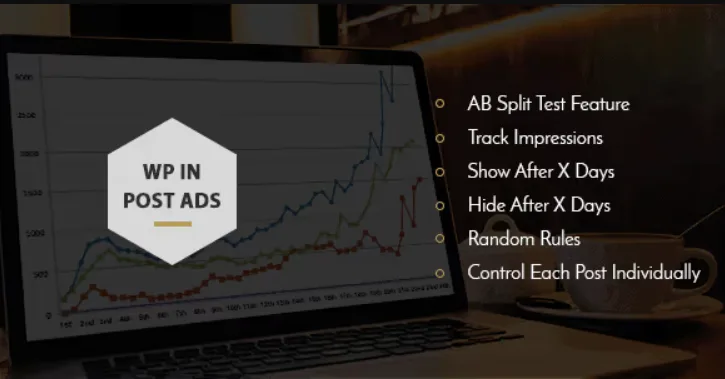
About WP In Post Ads
Your ad gained views and the revenue stayed put
You move a banner from the end of the article to the third paragraph and views go up. You celebrate the change. At the end of the month you open your ad network's dashboard and revenue has barely moved, or has even dropped. You had a real figure, but it answered a different question.
A banner can be seen more and earn less: views and revenue are two separate figures. WP In Post Ads, by MyThemeShop, gives you the tools to place ads inside posts, count their views and pit two versions against each other. That work supplies one side of the data. Its features include no revenue report, so the full reading comes from crossing its figures with those of whoever pays you.
Where and when each ad appears
Placement combines location and timing:
- After the title of the post.
- After the content, when the text ends.
- After a number of paragraphs you choose.
- With a shortcode, at the exact point where you paste it.
- Show after X days and hide after X days, so that the ad does not stay fixed.
- Random display, if you prefer to alternate ads.
It has a responsive design and works with any WordPress theme, so you do not need to switch themes to use it.
An A/B test that answers a single question
The plugin includes A/B testing of ads and view counting, along with Google Analytics integration. Getting value from them depends on how you set up the test:
- Change one thing only. If you vary the banner and the position at once, you will not know which of the two caused the difference.
- Note the start and end dates. With those dates you can look up the same period in your ad network.
- Compare on the same post or on similar posts. An article with heavy traffic can drown out the result of a small one.
These guidelines are a working method, not a plugin feature: adjust them to your traffic.
Rules for visitors and specific posts
Two controls avoid treating everyone the same:
- Hide ads from logged-in users. Useful if you have registered users and want them to read without advertising.
- Per-post options. Each article can have its own ad setting, for example a post with a commercial agreement of its own.
The plugin focuses on post content. If you need ads in the header, footer or sidebars with advanced rules, it is worth looking at the broader managers in the comparison section.
Setting up the first ad and checking it
- Install and activate the plugin, with no need to switch themes.
- Create an ad and place it after a number of paragraphs.
- Open a post as a visitor and another while logged in to see the difference.
- If you are going to use the days, check on a test post when they start counting.
- Connect Google Analytics and open your first A/B test with a single change.
When a broader ad manager serves you better
Ad Inserter Pro inserts codes before or after posts, paragraphs, images and comments, and also in the header and footer, with A/B testing and impression and click statistics.
Advanced Ads spreads AdSense, Amazon, affiliate or direct-sold ads across the whole site, with conditions by category, tag or page type. Its Advanced Ads Tracking add-on counts impressions and clicks per ad and group.
What to expect from its figures, placement and your theme
Does the plugin tell me which ad earns the most money?
It gives you views and the A/B test. You need to look up revenue in your ad network and cross it with those figures.
Can I place an ad at an exact point in a post?
Yes. With the shortcode, the ad appears where you paste it.
Do I need a specific theme?
No. It works with all WordPress themes and its design is responsive.
Topics
Version history
-
v
1.2.3 Current 18 May 2024
Customer reviews
Sign in to leave a review. Only people who have the product can review it.
No reviews for this product yet.
Frequently asked questions
-
GPL (General Public License) is the license under which WordPress and most premium plugins/themes are distributed. It grants you the right to use, modify and redistribute the software in as many projects as you want, with no domain restrictions.
-
Yes. With membership you get automatic updates via our GPLClub Updater plugin (installed on your WP, detects new versions and applies them). With individual purchase, you get one year of manual updates from your account.
-
Depends on the plan. Monthly: 3 domains. Semi-annual: 7. Annual and Lifetime: 15. Individual purchase: 1 domain.
-
GPLClub offers its own support for installation, configuration and compatibility. For direct support from the original author (feature requests, product-specific bugs), a license purchased from the author is required.