WP Latest Posts
Antivirus scan
Powered by ClamAV
✅ Verified clean
This product file has passed our security filters.
Want to run a fresh ClamAV scan right now? Takes a few seconds and shows scanner version, signature DB and live result.
This can take 5 to 30 seconds.
Clean file Threat detected
No threats detected in this file.
- File
- Size
- Scanned
- ClamAV
- Signature database
⚡ Powered by ClamAV
Scan could not be completed
Report product
If you detected an issue (broken file, malware, inappropriate content, etc.) let us know and we'll review it ASAP.
Sign in to report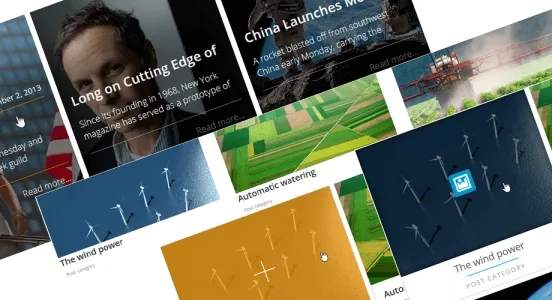
About WP Latest Posts
Your home page announces your publishing pace
You put a latest news block on the home page so the site would look alive. A few busy months go by, you write nothing, and that block shows every visitor the date of your last post. The section meant to signal activity now tells them you stopped.
A news block shows more than content: it shows how often you publish. If your pace is irregular, the useful decision is which source feeds that space, what data it shows and on which page it makes sense. WP Latest Posts, from JoomUnited, is made for those decisions: you create news blocks with their own source, date filter and design, and place them wherever you want.
Blocks with independent source, filter and design
You can create and configure an unlimited number of blocks separately. Each one brings together these options:
- Source: one or several categories, pages, tags and custom post types, plus WooCommerce products or categories.
- Dates: content before or after a specific day, or articles from the last years, months, days or hours.
- Order and offset: by date, title or at random, with a value to skip a number of news items before starting.
- Presentation: columns and lines, visible elements such as category, date and image, and cropping of titles and excerpts by words, characters or lines.
- Images: ratio, forced cropping, resizing and lazy loading.
- ACF fields: fields and field groups, optionally.
Three settings for a site that publishes in bursts
These are combinations of plugin features, so it is worth checking them with your own content:
Remove the date from the block if your articles stay valid for a long time. Readers will see the title and image without comparing them to the calendar.
Change the source. If one category on your site gathers guides or client cases, it can feed the home page, and short news can go to the blog page.
Use the offset to separate two blocks. The first shows the main story and the second starts after it, with a skip value that avoids repeating it.
Be careful with "last days" filters: if nothing was published within that margin, the block may end up with no content.
Design themes and places to insert it
The templates cover Default, Material vertical and horizontal, Smooth Hover, Grid, Masonry and an option for WooCommerce. Default and Smooth Hover work as a slider with a fade or slide animation, and Material horizontal supports infinite scroll. The addon adds the Timeline and Portfolio themes and a news slider, plus image sizing with dynamic cropping and custom spacing.
Each block is inserted with its own Gutenberg block, as a widget, with the generated shortcode or with a PHP snippet. There is integration with Elementor, Divi, WPBakery and Avada.
On an activated multisite network, content can come from any site in the network. With WPML or Polylang, you can filter news by language.
Setup order and the pieces that depend on other plugins
WooCommerce, ACF, WPML and Polylang are only needed if you will use their features. The block picks and shows what already exists: it does not write posts or schedule them.
To create the first one, follow this order:
- Create a news block and select its source.
- Apply the date filter and the order you need.
- Choose the design theme and decide which elements show.
- Insert it in the editor, in your page builder or as a widget.
- Review the page on a phone, with the real number of items.
Content Views Pro and the Essential Plugin slider
Content Views Pro is an option for more elaborate listings: it filters by taxonomies, author or ACF, Meta Box and Pods fields, and lets visitors filter from the page. WP Responsive Recent Post Slider Pro takes another route: you configure sliders and carousels with shortcode parameters to decide which posts enter the rotation.
Common cases when placing a news block
Does it work with content types from other plugins?
Yes, custom post types can be the source of a block.
Can I delay when a news item appears?
Yes, you can delay it by days, hours or minutes.
Topics
Version history
-
v
5.0.2 Current 28 May 2024
Customer reviews
Sign in to leave a review. Only people who have the product can review it.
No reviews for this product yet.
Frequently asked questions
-
GPL (General Public License) is the license under which WordPress and most premium plugins/themes are distributed. It grants you the right to use, modify and redistribute the software in as many projects as you want, with no domain restrictions.
-
Yes. With membership you get automatic updates via our GPLClub Updater plugin (installed on your WP, detects new versions and applies them). With individual purchase, you get one year of manual updates from your account.
-
Depends on the plan. Monthly: 3 domains. Semi-annual: 7. Annual and Lifetime: 15. Individual purchase: 1 domain.
-
GPLClub offers its own support for installation, configuration and compatibility. For direct support from the original author (feature requests, product-specific bugs), a license purchased from the author is required.