WP Sheet Editor WordPress Plugin
Antivirus scan
Powered by ClamAV
✅ Verified clean
This product file has passed our security filters.
Want to run a fresh ClamAV scan right now? Takes a few seconds and shows scanner version, signature DB and live result.
This can take 5 to 30 seconds.
Clean file Threat detected
No threats detected in this file.
- File
- Size
- Scanned
- ClamAV
- Signature database
⚡ Powered by ClamAV
Scan could not be completed
Report product
If you detected an issue (broken file, malware, inappropriate content, etc.) let us know and we'll review it ASAP.
Sign in to report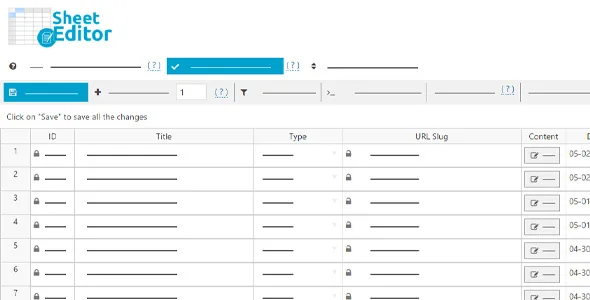
About WP Sheet Editor WordPress Plugin
Editing the catalog one item at a time is the hidden cost of a big store
Changing a price, a category or a text across a hundred listings means opening a hundred screens, waiting for a hundred page loads and hoping you did not skip any. The standard WordPress editor is built to work on one piece of content at a time, but a business with a catalog, members or events changes in batches: the supplier list arrives, the season starts, a category gets renamed. That is where time disappears without anyone noting it down, and where mistakes creep in.
WP Sheet Editor puts that information in a spreadsheet inside wp-admin itself. Changes are applied to the site live, without going through an intermediate file.
A spreadsheet inside WordPress, not a pasted-in Excel
You open the sheet and edit the cells directly. To work fast, you have several tools:
- Quick editing: auto-fill cells, copy values from one column to another and sort by any column.
- Advanced search: filter by any field, with several conditions and different operators, so you reach only the rows you want to touch.
- Bulk editing: change thousands of rows at once with math formulas, advanced replacements, regular expressions or by removing duplicates.
It is designed for large sites: the server resources it uses are configured in the advanced settings, to avoid errors and timeouts even on modest hosting.
Fields from other plugins show up as columns
You do not have to set up each custom field: the editor recognizes the fields that other plugins add, including the most complex serialized ones, and shows them as columns. You can hide, show and reorder columns to keep only what you use. It is also compatible with WPML and Polylang, which helps if your content is in several languages.
Export to Excel or Google Sheets, edit and import back
If you prefer to work outside WordPress, you export all the fields, edit them in Excel or Google Sheets and import them again. With a file exported by the plugin itself, the importer recognizes the fields and needs little configuration. It also works for moving information from one site to another or pulling data for client reports.
AI, Google Sheets sync and automations are separate add-ons
This is what the editor already solves and what you will have to cover with another piece:
- Already solved: live editing, advanced search, bulk editing with formulas, and exporting and importing with Excel or Google Sheets.
- Separate, AI: generating or editing values with artificial intelligence, creating content or images and translating in bulk is a different add-on.
- Separate, Google Sheets sync: scheduled exports and imports or real-time synchronization are a different service from manual export.
- Separate, automations: scheduling exports, imports or bulk edits in the background requires its own extension.
- One sheet per content type: WooCommerce products, orders, users, coupons, media or events are different editors; check in the demo that the one you install is the one you need.
Frequently asked questions about WP Sheet Editor
Are changes applied right away?
Yes, they are applied live to the site, without importing any file. Before a bulk edit it is wise to make a backup, because a mistake in a formula is repeated across every row.
Does it show the fields that other plugins add?
It automatically recognizes the fields added by other plugins and shows them as columns. If you depend on a specific one, check it in the demo.
Can I use it to translate content with WPML or Polylang?
It is compatible with both, so you can work on translated content from the same sheet.
Does it make sense on a small site?
It works the same, but you notice it mostly when you edit many items at once. If you only touch a listing now and then, the standard editor is enough.
Version history
-
v
2.27.1 Current 21 Oct 2026
-
v
2.26.1 20 Jan 2026
Customer reviews
Sign in to leave a review. Only people who have the product can review it.
No reviews for this product yet.
Frequently asked questions
-
GPL (General Public License) is the license under which WordPress and most premium plugins/themes are distributed. It grants you the right to use, modify and redistribute the software in as many projects as you want, with no domain restrictions.
-
Yes. With membership you get automatic updates via our GPLClub Updater plugin (installed on your WP, detects new versions and applies them). With individual purchase, you get one year of manual updates from your account.
-
Depends on the plan. Monthly: 3 domains. Semi-annual: 7. Annual and Lifetime: 15. Individual purchase: 1 domain.
-
GPLClub offers its own support for installation, configuration and compatibility. For direct support from the original author (feature requests, product-specific bugs), a license purchased from the author is required.