WP Subscribe Pro
Antivirus scan
Powered by ClamAV
✅ Verified clean
This product file has passed our security filters.
Want to run a fresh ClamAV scan right now? Takes a few seconds and shows scanner version, signature DB and live result.
This can take 5 to 30 seconds.
Clean file Threat detected
No threats detected in this file.
- File
- Size
- Scanned
- ClamAV
- Signature database
⚡ Powered by ClamAV
Scan could not be completed
Report product
If you detected an issue (broken file, malware, inappropriate content, etc.) let us know and we'll review it ASAP.
Sign in to report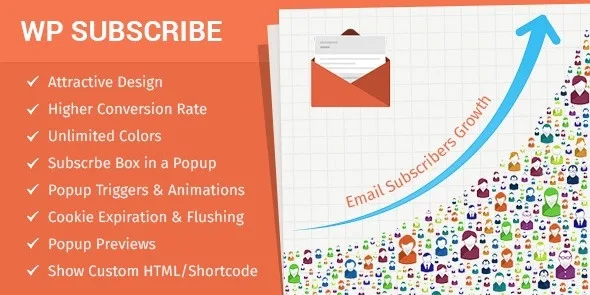
About WP Subscribe Pro
The fifth time you ask is no longer an offer
Your blog gets visits, the mailing list barely grows and someone recommends a popup. You add it, the list climbs a little and you start to fear you are driving away the readers who come back. That balance depends less on the popup design than on how you use it.
The first time it appears, a subscribe popup is an invitation. The fifth time, in front of the same reader, it is a toll. How many times you ask and at what moment weighs more than the button color, and this plugin lets you adjust both.
WP Subscribe Pro brings together in one plugin the places to ask for the email and the controls to decide when to ask. It does not send your newsletters: it collects subscribers for the email service you already use.
Where it asks for the email
- Popup with entrance and exit animations, form and overlay colors, and editable text.
- Exit intent: the popup appears when the visitor attempts to leave the site, as one last chance to subscribe.
- Box in posts, before or after the content.
- Sidebar widget with its own colors.
- Content of your own: HTML and shortcodes inside the popup, and related articles to keep those who do not subscribe.
The settings that decide how many times you ask
Delay. The popup does not have to appear on load: you can leave a small wait before showing it.
Cookie expiration. This is the frequency control: it sets how often the same visitor sees the popup again.
Flushing cookies. This makes them all expire at once so the box shows to your visitors again. It is useful when you change the offer, and worth using with care, because those already subscribed will see it too.
Exclusions. You can keep the popup or the box off specific posts or pages, such as those that already have their own goal.
It connects to your email service, it does not replace it
It works with services such as MailChimp, Aweber, Feedburner, GetResponse, MailerLite and Benchmark, among others. Double opt-in is available on supported services, including MailChimp, MailerLite and Benchmark, not on all of them.
Among its features there is no campaign sending, no email templates and no list management: all that stays in your service. Nor does it decide for you what works. You can change the wording, the frequency and the timing to compare results, but you do the comparing with your list figures.
How to set up the first popup without tiring anyone
You need an active account with your email service. After that, follow this order:
- Install the plugin and connect your email service.
- Write the popup text and adjust the colors.
- Choose the delay and exit intent, and set the cookie expiration.
- Exclude the pages where the popup would get in the way.
- Use the preview button before publishing it.
- Add the box before or after posts for those who do not react to the popup.
The design is responsive and the plugin includes a POT file for translation.
Direct Mailchimp, your own newsletters or more popups
If you only use Mailchimp, Mailchimp for WordPress Premium is dedicated to connecting that service with sign-up forms almost anywhere on the site. If you would rather create and send newsletters from WordPress itself, Mailster includes a visual editor, automated campaigns and subscriber management.
And if your need revolves around popups more than the mailing list, Master Popups is another option in the catalog.
Sending, frequency and popup content
Does it send emails to my subscribers?
No. It collects the subscriber and your email service handles the sending.
Can I control how often the popup shows?
Yes, with the cookie expiration, plus the delay before it appears.
Does the popup work when someone is about to leave?
Yes. Exit intent shows it when the visitor attempts to leave the site.
Can I hide it on certain pages?
Yes. You can exclude both specific posts and pages.
Can I put my own content in the popup?
Yes. It accepts custom HTML and shortcodes.
Does it work with caching and SEO plugins?
Yes, it has been tested with caching and SEO plugins. Still, test the popup with your cache active before calling it ready.
Topics
Version history
-
v
1.6.0 Current 28 May 2024
Customer reviews
Sign in to leave a review. Only people who have the product can review it.
No reviews for this product yet.
Frequently asked questions
-
GPL (General Public License) is the license under which WordPress and most premium plugins/themes are distributed. It grants you the right to use, modify and redistribute the software in as many projects as you want, with no domain restrictions.
-
Yes. With membership you get automatic updates via our GPLClub Updater plugin (installed on your WP, detects new versions and applies them). With individual purchase, you get one year of manual updates from your account.
-
Depends on the plan. Monthly: 3 domains. Semi-annual: 7. Annual and Lifetime: 15. Individual purchase: 1 domain.
-
GPLClub offers its own support for installation, configuration and compatibility. For direct support from the original author (feature requests, product-specific bugs), a license purchased from the author is required.