YayMail Pro + Add-ons
Antivirus scan
Powered by ClamAV
✅ Verified clean
This product file has passed our security filters.
Want to run a fresh ClamAV scan right now? Takes a few seconds and shows scanner version, signature DB and live result.
This can take 5 to 30 seconds.
Clean file Threat detected
No threats detected in this file.
- File
- Size
- Scanned
- ClamAV
- Signature database
⚡ Powered by ClamAV
Scan could not be completed
Report product
If you detected an issue (broken file, malware, inappropriate content, etc.) let us know and we'll review it ASAP.
Sign in to report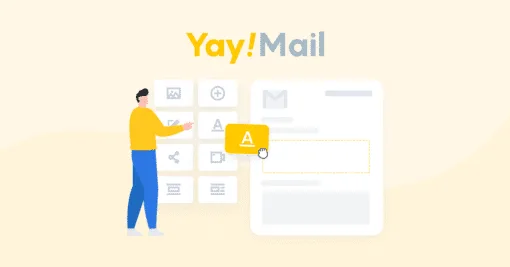
About YayMail Pro + Add-ons
The order email is the one your customer actually opens, and it usually goes out with the default design
You take care of the website, the product pages and the checkout, and the message the customer expects right after paying arrives looking generic, with no branding and with wording that is not what you would say. It is a common oversight: the order confirmation is one of the few emails someone really wants to read, and almost nobody works on it.
YayMail Pro is a customizer for WooCommerce emails: it lets you design them with a professional look, starting from premade patterns. The Add-ons extend that work to third-party plugins that also send their own emails.
Patterns, conditional logic and plugin compatibility in YayMail Pro
- Premade patterns: you design your emails starting from ready-made patterns.
- Conditional logic: it is one of YayMail Pro's features for designing your emails.
- Integration with more than 80 WooCommerce plugins: if you use extensions that add their own data or emails, this is where the Add-ons come in, so those emails also go out with your design.
It changes the design, not the delivery
YayMail Pro works on the look and content of WooCommerce emails. It is not a sending service: if your emails end up in spam or do not arrive, the problem lies in the server or sending configuration, not in the template. It also does not replace a newsletter tool: it is built for your store's emails, not for mass campaigns. And if a specific plugin is not among the compatible ones, do not assume its emails can be edited: check before you buy.
Frequently asked questions about YayMail Pro and its Add-ons
Do I need WooCommerce?
Yes. It is a customizer for WooCommerce emails and makes no sense without an active store.
What is the difference between YayMail Pro and the Add-ons?
YayMail Pro covers WooCommerce's own emails. The Add-ons are for integrating third-party plugins, so their emails can also be designed from the same place.
Can I use it to send newsletters?
No. It is built for the store's emails, not for mass campaigns.
Does it improve email delivery?
Not directly. It changes how emails look and what they say; delivery depends on how your hosting or your SMTP setup sends mail.
Activate only the Add-ons for the plugins you already use
The sensible way to start is to list the plugins in your store that send emails to the customer or to you: bookings, subscriptions, deliveries, whatever you have. Match that list against the available integrations and activate only the ones that apply. That way you avoid loading extensions you do not need.
Then redesign the order received and order completed emails first, since those are the ones your customer will see most often. Place a test order, check it on mobile and in a desktop email client, and only then move on to the secondary emails and the conditions by order type.
Topics
Version history
-
v
4.4.8 Current 2 Nov 2026
-
v
4.4.5 30 Sep 2026
-
v
4.4.4 5 Sep 2026
-
v
4.4.3 26 Aug 2026
-
v
4.4.0 25 Apr 2026
Customer reviews
Sign in to leave a review. Only people who have the product can review it.
No reviews for this product yet.
Frequently asked questions
-
GPL (General Public License) is the license under which WordPress and most premium plugins/themes are distributed. It grants you the right to use, modify and redistribute the software in as many projects as you want, with no domain restrictions.
-
Yes. With membership you get automatic updates via our GPLClub Updater plugin (installed on your WP, detects new versions and applies them). With individual purchase, you get one year of manual updates from your account.
-
Depends on the plan. Monthly: 3 domains. Semi-annual: 7. Annual and Lifetime: 15. Individual purchase: 1 domain.
-
GPLClub offers its own support for installation, configuration and compatibility. For direct support from the original author (feature requests, product-specific bugs), a license purchased from the author is required.