YITH Woocommerce Popup Premium
Antivirus scan
Powered by ClamAV
✅ Verified clean
This product file has passed our security filters.
Want to run a fresh ClamAV scan right now? Takes a few seconds and shows scanner version, signature DB and live result.
This can take 5 to 30 seconds.
Clean file Threat detected
No threats detected in this file.
- File
- Size
- Scanned
- ClamAV
- Signature database
⚡ Powered by ClamAV
Scan could not be completed
Report product
If you detected an issue (broken file, malware, inappropriate content, etc.) let us know and we'll review it ASAP.
Sign in to report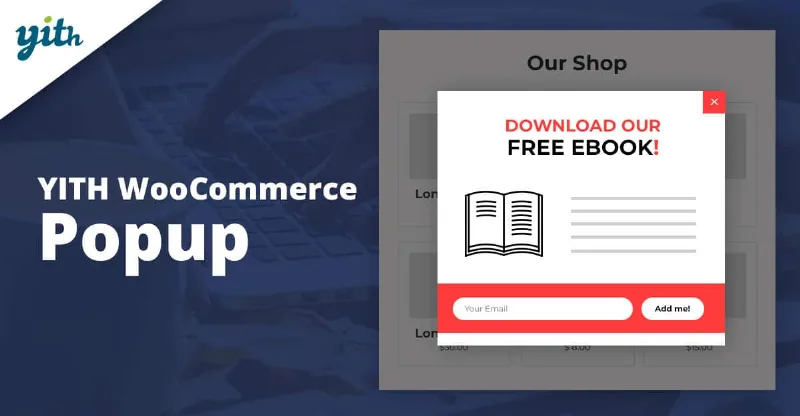
About YITH Woocommerce Popup Premium
One window per page: the limit that forces you to decide
YITH Woocommerce Popup Premium starts from a useful restriction: you can only assign one popup to each page. Before configuring anything you have to decide which message deserves to interrupt a browsing visitor: an offer, a subscription or a product.
It is a plugin designed for WooCommerce stores, so besides text and forms the popup can show products from your catalog: a specific one, a random one or one from a category.
A subscription campaign with YITH Woocommerce Popup Premium, step by step
Imagine you want to collect emails in exchange for a coupon. This is how the process would go, limits included.
1. Pick one of the six templates
There are six designs (Layout 1 to 6), and on top of them you adjust the look, the close button and the layout. You cannot start from a blank canvas: if your brand needs a very different design, you will have to settle for adapting the template.
2. Decide what goes inside
The premium version offers five content types: text, newsletter, form, WooCommerce and social networks. For list building you choose newsletter. The automatic coupon email is sent by an external tool such as MailChimp, which you link to the popup; the plugin alone does not send that email.
3. Set when it appears
You can show it when the page loads, under a condition, or when the user is about to leave the store, and add a delay.
4. Choose where
You define the position on screen and the pages where it shows. If you want it on a product page, it is not chosen in the popup settings: each product has a metabox where you select which popup to show.
5. Check mobile
You can show or hide the popup on mobile devices. Watch out: the popups are not fully responsive, so test it in the demo and on your own phone before publishing.
Questions before buying: coupons, repeats and multiple windows
Does the popup disappear forever once someone subscribes? No. The visitor must tick the checkbox to stop seeing it; until the cookie expires, it will not show again. If they do not tick it, it may appear again.
Can I have different popups on different pages? Yes, one per page, but not several on the same page. If you planned to chain two messages on one page, that is not possible here.
Can I show a specific product? Yes. With the WooCommerce content you choose a specific product, a random one or one from a category.
Can I design the popup from scratch? No, only with the included templates.
When six templates are not enough
This plugin fits if you want a simple, controlled popup: an offer, a form or a subscription, with timing and position in your hands. It falls short if you need several windows on the same page, a completely free design or flawless behavior on every mobile screen without tweaks. In that case, try the demo with your real use case before deciding.
Topics
Version history
-
v
1.58.0 Current 24 Jun 2026
-
v
1.56.0 1 Apr 2026
Customer reviews
Sign in to leave a review. Only people who have the product can review it.
No reviews for this product yet.
Frequently asked questions
-
GPL (General Public License) is the license under which WordPress and most premium plugins/themes are distributed. It grants you the right to use, modify and redistribute the software in as many projects as you want, with no domain restrictions.
-
Yes. With membership you get automatic updates via our GPLClub Updater plugin (installed on your WP, detects new versions and applies them). With individual purchase, you get one year of manual updates from your account.
-
Depends on the plan. Monthly: 3 domains. Semi-annual: 7. Annual and Lifetime: 15. Individual purchase: 1 domain.
-
GPLClub offers its own support for installation, configuration and compatibility. For direct support from the original author (feature requests, product-specific bugs), a license purchased from the author is required.