Hi everyone!
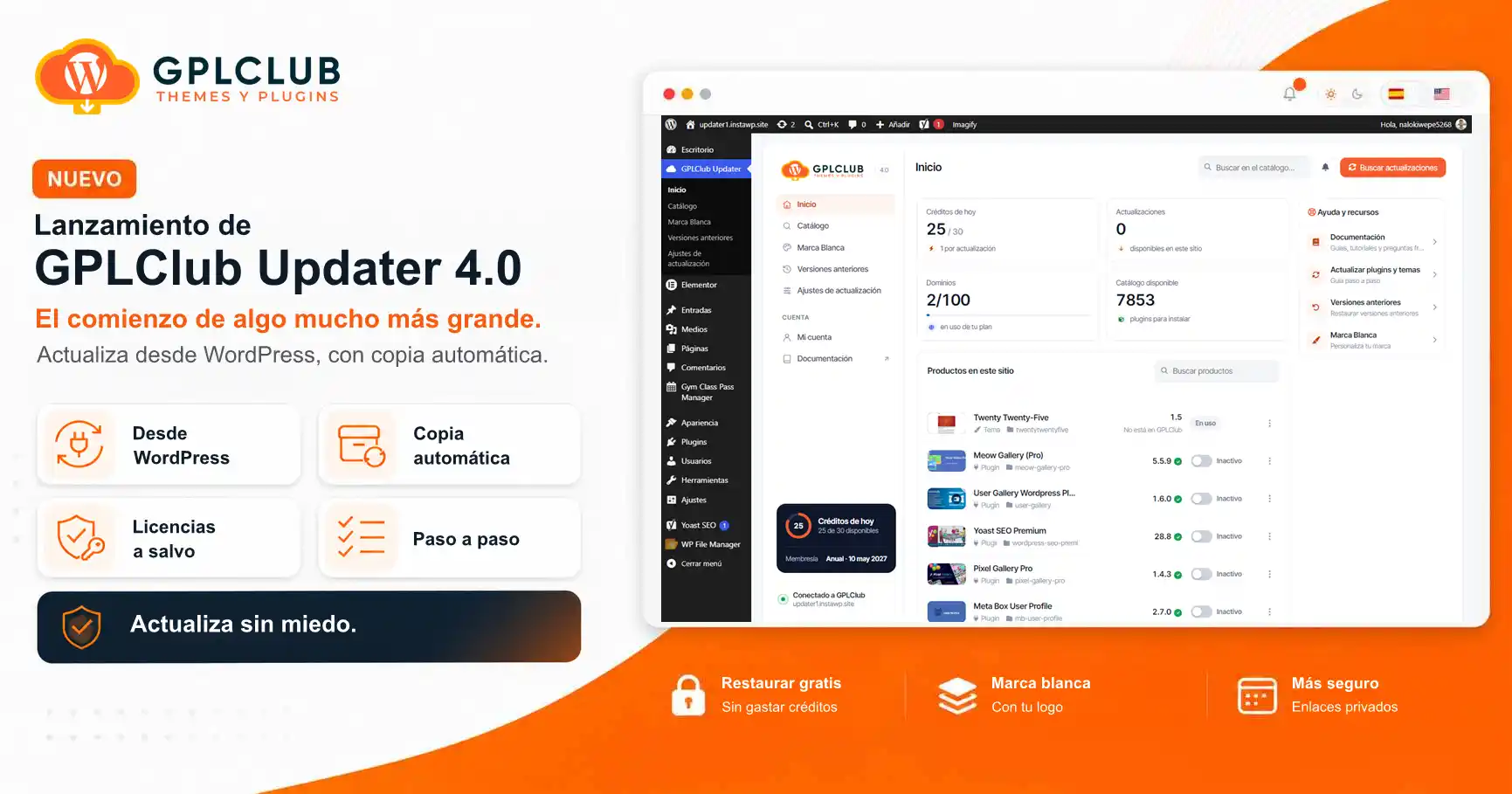
Today we're releasing GPLClub Updater 4.0, the biggest update we've ever made to the Updater. We redesigned it from top to bottom with one goal: keeping your plugins and themes up to date should be as easy as in WordPress, and safer.
What's new?
🔄 Update from WordPress. Your GPLClub updates now show up in Dashboard > Updates, in the Plugins list and in tools like MainWP or Modular DS. One click, like any other plugin. Themes too.
🛡️ Your official licenses, kept safe. If a product has the developer's license active, the Updater detects it and lets it update with the official download, without spending credits. You can also choose, product by product, where each one updates from.
📦 A backup before every update. If something doesn't feel right, go back to the previous version from Previous versions, without spending credits.
👀 Every step in view. When you update, you see what happens in real time: verify, backup, download, install and check. If something fails, we tell you which step, and your site keeps the version it had.
🧭 A new panel. A side menu with Home, Catalog, Previous versions, Update settings and My account. The Catalog searches as you type, filters by category and lets you install, update or activate without leaving the screen.
⚙️ Automatic updates, if you want them. They come turned off. If you turn them on, you choose which versions install on their own, always with a backup.
🏷️ White label with your logo. Add your own logo and no trace of GPLClub is left in the panel.
🔒 Safer. Downloads use private links that expire within minutes, and only users allowed to install or update can do it.
How do I get it?
If you have 3.3 or 3.4: WordPress will show you the new version within the next few hours. Go to Plugins or Dashboard > Updates and click “Update”. Your connection and settings are kept.
If you have an older version: download it from the product page and install it in Plugins > Add New > Upload Plugin, choosing “Replace current with uploaded”.
Downloading or updating the Updater doesn't cost credits.
→ Download GPLClub Updater 4.0
Thanks for being here. If you have ideas for the next version, write to us.
Update today and tell us what you think!