8Degree Circular Menu - Responsive Circular Menu Plugin for WordPress
Antivirus scan
Powered by ClamAV
✅ Verified clean
This product file has passed our security filters.
Want to run a fresh ClamAV scan right now? Takes a few seconds and shows scanner version, signature DB and live result.
This can take 5 to 30 seconds.
Clean file Threat detected
No threats detected in this file.
- File
- Size
- Scanned
- ClamAV
- Signature database
⚡ Powered by ClamAV
Scan could not be completed
Report product
If you detected an issue (broken file, malware, inappropriate content, etc.) let us know and we'll review it ASAP.
Sign in to reportNewer version out, or a problem?
About 8Degree Circular Menu - Responsive Circular Menu Plugin for WordPress
A circular menu to navigate your website
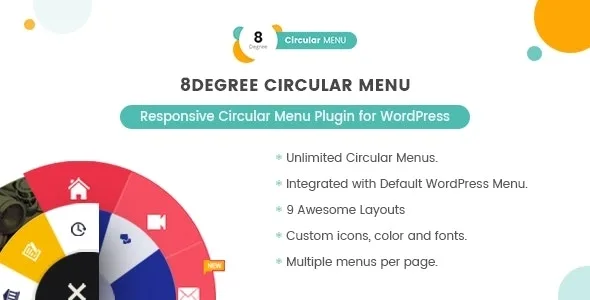
8Degree Circular Menu is a premium circular menu for easy and quick navigation around your website. It opens with a toggle button.
If you need a menu with dozens of entries, the limit of twelve items per menu will be too tight.
How the circular menu is built from the WordPress menu
8Degree Circular Menu uses the menu function that WordPress already includes, so links are managed from that function. Each menu accepts up to twelve items, and you can add an icon and a tooltip to each one.
You can create several circular menus on the same page, and there is also a shortcode mode. With the option to use it only as a shortcode, the menu stops appearing on the rest of the website.
Nine templates: five draggable and four fixed
The plugin includes nine ready-to-use templates. The five draggable ones let you move the menu button around the screen, while the four fixed ones keep it in one position. For the fixed ones there are nine menu positions to choose from.
On phones, the menu can display as a full-screen flat grid. If you'd rather not use that design on small screens, there is an option to disable the responsive design on small devices, or to hide the menu on them.
Icons, tooltips and labels to highlight options
Icons can come from icon fonts (Genericon, Font Awesome, Dashicons, Themify Icons and Linear Icons) or be your own images. Tooltips can be shown, hidden or customized with your own text.
To draw attention to a specific option, there are five notification label templates with their own background and text color, and five animations for those labels.
Who sees the menu and on which pages it appears
You can decide whether the menu is visible to logged-in users, visitors who haven't signed in or everyone, and you can also restrict it by user role, both in regular menus and in those shown by shortcode. The display options let you hide it on specific pages, on default pages or on archive pages.
If you need finer control, there is a custom CSS field for adjusting details the settings don't cover.
Colors, typography and animations to match your brand
Every part of the menu has its own colors. The opening button, with its open, closed and hover states, has configurable color, background and border. The menu items do too, in their normal, active and hover states, and you can add a background image to each one.
Typography is adjusted by font family, weight and text transform. There are four entrance animations for the menu and five for the toggle button. Google fonts load from your own server, and the plugin is ready for translation.
Frequently asked questions about 8Degree Circular Menu
Can I add icons to each menu item?
Yes. Each item accepts an icon font or an image, and also a tooltip.
How many items can each menu have?
Up to twelve. Each circular menu accepts a maximum of twelve items.
Does it work well on mobile?
It includes a full-screen flat grid for mobile devices. If you prefer a different behavior on small screens, you can hide the menu there or disable the responsive design in the settings.
Can I show the menu only on some pages?
Yes. You can hide it on specific pages, on default pages or on archive pages, or use it only as a shortcode.
Can I change the colors and typography to match my brand?
Yes. The colors of each part of the menu, the typography and the tooltips are customizable, and the plugin is ready for translation.
Version history
-
v
1.0.5 Current 12 May 2024
Customer reviews
Sign in to leave a review. Only people who have the product can review it.
No reviews for this product yet.
Frequently asked questions
-
GPL (General Public License) is the license under which WordPress and most premium plugins/themes are distributed. It grants you the right to use, modify and redistribute the software in as many projects as you want, with no domain restrictions.
-
Yes. With membership you get automatic updates via our GPLClub Updater plugin (installed on your WP, detects new versions and applies them). With individual purchase, you get one year of manual updates from your account.
-
Depends on the plan. Monthly: 3 domains. Semi-annual: 7. Annual and Lifetime: 15. Individual purchase: 1 domain.
-
GPLClub offers its own support for installation, configuration and compatibility. For direct support from the original author (feature requests, product-specific bugs), a license purchased from the author is required.