AAWP for AMP
Antivirus scan
Powered by ClamAV
✅ Verified clean
This product file has passed our security filters.
Want to run a fresh ClamAV scan right now? Takes a few seconds and shows scanner version, signature DB and live result.
This can take 5 to 30 seconds.
Clean file Threat detected
No threats detected in this file.
- File
- Size
- Scanned
- ClamAV
- Signature database
⚡ Powered by ClamAV
Scan could not be completed
Report product
If you detected an issue (broken file, malware, inappropriate content, etc.) let us know and we'll review it ASAP.
Sign in to report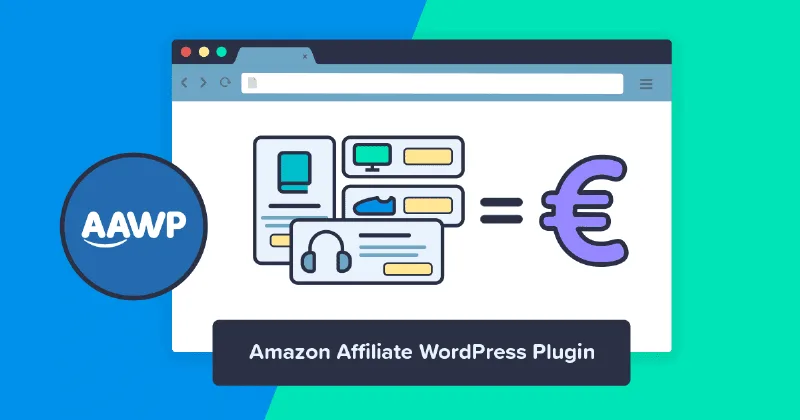
About AAWP for AMP
On a site with AMP, every article exists twice and you only review one
People who live off Amazon comparisons check their articles from the version in front of them: they open the post, see the product boxes, see the buttons, and call the job done. If the site also serves AMP pages, that check covers only half. A reader who lands on the AMP version is on another page, with other rules, and what shows up there need not match what you reviewed.
On an affiliate site this matters more than on an ordinary blog, because the product block is exactly what earns. An article that reads well but does not show the box or the link serves the reader and leaves you nothing.
AAWP for AMP, by AMPforWP, exists for that gap: it brings the content of the AAWP plugin to AMP pages, so the visitor sees the same thing in both versions.
What AAWP for AMP brings to your AMP pages
- Brings AAWP to AMP: it adds Amazon Affiliate for WordPress functionality to AMP pages.
- Shows what you already have: affiliate links, product boxes and bestseller lists, with the same content as the non-AMP version.
- Uses your setup: it recognizes your existing AAWP installation and adapts it to AMP with the corresponding validation.
- Works on activation: it adds compatibility automatically.
- Built for both screens: its output is prepared for desktop and mobile.
Three plugins that must be there at once
This is the point to be clearest about, because on its own it does nothing visible. The full chain has three pieces:
- AAWP, which brings the Amazon data and creates the boxes and lists.
- AMPforWP, which generates the AMP pages.
- AAWP for AMP, which connects the two.
If you use another plugin to generate AMP pages, test it before relying on it, because this compatibility is set out with AMPforWP.
What AAWP for AMP leaves to other plugins and to you
It does not replace AAWP. It does not connect to Amazon or generate boxes on its own: it adapts the ones AAWP already produces.
It does not create AMP pages. That part belongs to AMPforWP. If your site does not serve AMP, this add-on gives you nothing.
It does not save you the check. Its aim is to show the same content. Each AAWP feature is worth seeing on your own site, with your combination of WordPress, PHP and AAWP versions.
What to check on a real AMP version
Open one of your most visited articles, in its AMP version, and look at these things one by one. Some are AAWP features worth confirming on your own site:
- Every format you use: product box, bestseller list, new releases and comparison table.
- The link: press the button and confirm it carries your affiliate ID.
- AAWP geolocation: if you use it, check which Amazon store a reader from another country reaches.
- Click tracking: verify whether clicks made on AMP appear in the AAWP statistics.
- Your own CSS: if you customized AAWP templates, see whether that look holds.
- Validation: run the URL through an AMP validator.
Uploading and activating the add-on
You need AAWP and AMPforWP already installed and working. Setup is short:
- In WordPress, go to Plugins, Add New, Upload Plugin.
- Upload the add-on file and press Install Now.
- Activate it. There are no settings to configure for it to start working.
- Clear the site cache and review the AMP version of an article with product boxes.
What usually goes along with an AMP site
The essential piece is AAWP, which keeps price, image and rating of Amazon products up to date.
For the rest of what has to work on AMP, the catalog includes Advanced AMP Ads, MonsterInsights AMP Analytics and Contact Form 7 for AMP. And if you are building a publication from the theme up, JNews has full AMP support.
Questions about AAWP and AMP pages
Does it work without AAWP?
No. It is an add-on for AAWP and needs it installed.
Do I also need AMPforWP?
Yes. It is one of the three plugins required.
Is there anything to configure?
No. Once activated, it adds compatibility and recognizes your AAWP setup.
Do product boxes show on AMP?
Yes, along with affiliate links and bestseller lists.
Does it work on mobile?
Yes, it is prepared for mobile and desktop.
What if my site does not use AMP?
Then you do not need it: AAWP already works on your normal pages.
Topics
Version history
-
v
1.3.12 Current 7 Sep 2026
-
v
1.0.5 23 Sep 2025
Customer reviews
Sign in to leave a review. Only people who have the product can review it.
No reviews for this product yet.
Frequently asked questions
-
GPL (General Public License) is the license under which WordPress and most premium plugins/themes are distributed. It grants you the right to use, modify and redistribute the software in as many projects as you want, with no domain restrictions.
-
Yes. With membership you get automatic updates via our GPLClub Updater plugin (installed on your WP, detects new versions and applies them). With individual purchase, you get one year of manual updates from your account.
-
Depends on the plan. Monthly: 3 domains. Semi-annual: 7. Annual and Lifetime: 15. Individual purchase: 1 domain.
-
GPLClub offers its own support for installation, configuration and compatibility. For direct support from the original author (feature requests, product-specific bugs), a license purchased from the author is required.