Advance Menu Manager Premium (Premium)
Antivirus scan
Powered by ClamAV
✅ Verified clean
This product file has passed our security filters.
Want to run a fresh ClamAV scan right now? Takes a few seconds and shows scanner version, signature DB and live result.
This can take 5 to 30 seconds.
Clean file Threat detected
No threats detected in this file.
- File
- Size
- Scanned
- ClamAV
- Signature database
⚡ Powered by ClamAV
Scan could not be completed
Report product
If you detected an issue (broken file, malware, inappropriate content, etc.) let us know and we'll review it ASAP.
Sign in to reportNewer version out, or a problem?
About Advance Menu Manager Premium (Premium)
Menus with hundreds of items that nobody wants to edit by hand
When a WordPress menu has hundreds of pages, categories and sub-items, you need a UI that offers a complete view of the menu.
Searching, adding and recovering menu changes with Advance Menu Manager
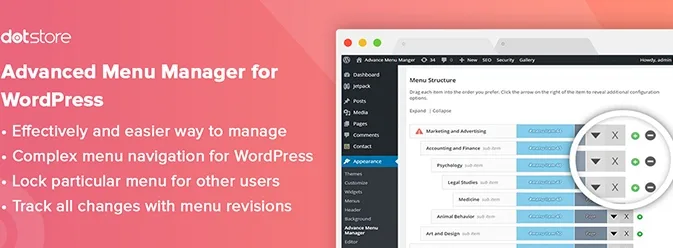
Advance Menu Manager lets you edit big WordPress navigation menus without scrolling through hundreds of items. It shows the complete menu with its parent items and their children, lets you collapse and expand the branches to see at a glance how many children each item has, and lets you reorder items by dragging them to the position you want.
- Search and filters: you find pages and posts even if you have hundreds, and you can filter the ones already in the menu.
- Details for each item: you see the ID, slug, author and template names of each page.
- Create without leaving: you can create new pages from the add menu item screen.
- Revisions: the plugin saves a revision for each change, lets you compare the current menu with an earlier one and restore the entire menu if you make a mistake.
When Advance Menu Manager pays off for a menu with hundreds of items
It fits especially well with restaurants that manage many sections and dishes from their WordPress menu, with websites that have large category hierarchies and with sites where several administrators share the dashboard.
Menu Lock lets you lock a particular menu for other users, so only the people you choose can change the main navigation. If your site has several administrators and you do not want just anyone touching the menu, this feature can be handy.
To display a menu inside a page or post, you only add its shortcode to the content. The custom parameters for each item depend on the theme you have installed.
Frequently asked questions about Advance Menu Manager
How do I limit who can edit the main menu?
You enable Menu Lock, choose one or more users from the list and save the settings. Those users lose access to that menu, so only the people you select can change the main navigation.
How do I add a menu inside a page?
With the menu shortcode. Once the menu is ready, you edit the page or post where you want it to appear and paste the shortcode into the content.
Can I go back to an earlier version of the menu?
Yes, as long as revisions are enabled in the plugin's admin panel. With them, each change is saved, you can view earlier versions and restore the complete menu.
Can I delete several items at once?
Yes. At the end of the menu there is a bulk delete option, where you select specific items or the whole menu and remove it.
Version history
-
v
3.0.6 Current 12 May 2024
Customer reviews
Sign in to leave a review. Only people who have the product can review it.
No reviews for this product yet.
Frequently asked questions
-
GPL (General Public License) is the license under which WordPress and most premium plugins/themes are distributed. It grants you the right to use, modify and redistribute the software in as many projects as you want, with no domain restrictions.
-
Yes. With membership you get automatic updates via our GPLClub Updater plugin (installed on your WP, detects new versions and applies them). With individual purchase, you get one year of manual updates from your account.
-
Depends on the plan. Monthly: 3 domains. Semi-annual: 7. Annual and Lifetime: 15. Individual purchase: 1 domain.
-
GPLClub offers its own support for installation, configuration and compatibility. For direct support from the original author (feature requests, product-specific bugs), a license purchased from the author is required.