Advanced Themer for Bricks
Antivirus scan
Powered by ClamAV
✅ Verified clean
This product file has passed our security filters.
Want to run a fresh ClamAV scan right now? Takes a few seconds and shows scanner version, signature DB and live result.
This can take 5 to 30 seconds.
Clean file Threat detected
No threats detected in this file.
- File
- Size
- Scanned
- ClamAV
- Signature database
⚡ Powered by ClamAV
Scan could not be completed
Report product
If you detected an issue (broken file, malware, inappropriate content, etc.) let us know and we'll review it ASAP.
Sign in to report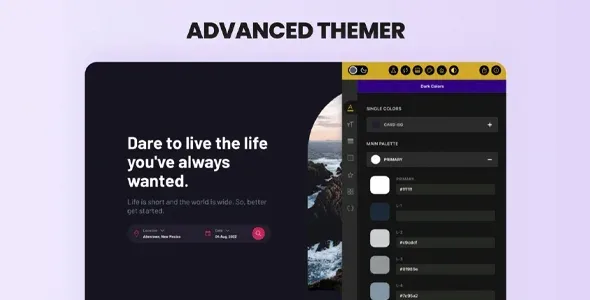
About Advanced Themer for Bricks
Bricks gives you freedom, and freedom leaves orphaned classes behind
Anyone who builds with Bricks every day knows the pattern: by the third project of the month, classes pile up, colors repeat with small variations, every responsive tweak is redone across several breakpoints and the client ends up touching what they shouldn't. None of that is a Bricks flaw, it's the price of working fast without a system.
Advanced Themer for Bricks is a utility plugin for the builder: it doesn't change what you design, it changes how much effort it takes to keep it tidy.
What changes inside Bricks with Advanced Themer
It brings together more than 170 features grouped by category. These are the ones that matter most day to day:
- Classes and styles: class manager, bulk actions, a list of unused global classes, where each active class is used, a class converter, exporting an ID's styles to a class and importing CSS stylesheets.
- CSS variables: variable manager, a picker with hover preview, autocomplete and fluid scales that adapt to all devices without repeating styles per breakpoint.
- Colors: global color manager, a one-click shade generator, dynamic colors and no-code dark mode.
- Builder tweaks: drag-and-drop CSS Grid builder, quick search, shortcuts, responsive helpers, a global query manager and style indicators in the structure panel.
- AI: generate HTML, CSS and JavaScript code from text or an image, improve an element's CSS and create content or images without leaving the builder.
It needs Bricks and ships no designs
It's an add-on for the builder: without Bricks it does nothing. It also includes no templates or site demos, so it doesn't save you the design work, only the repetitive work around it. And since part of the features revolve around variables, CSS and SASS, it pays off more if you're already comfortable with CSS.
Frequently asked questions before installing it
Does it slow down the site?
It's designed not to: it loads less than 1 KB of inline CSS, has no dependencies and only loads JavaScript on the front end when strictly necessary.
Does it force a specific CSS framework on me?
No. It works with reusable variables instead of utility classes and lets you import your own variable framework.
Is it useful if I only build my own sites?
Yes, if you repeat class, color and variable tasks. The strict view for clients only matters if you hand over sites that others edit.
Do I have to use all the features?
No, each one can be turned on or off separately, with no effect on the rest of the site.
Strict mode: the client edits the text, not the design
The strict view limits which style controls the client sees and which element types they can act on. You choose, element by element, what stays within their reach. It's useful for handing over a site the client can maintain without undoing the layout you took care over.
It turns off feature by feature, so start with a few
With so many options, the sensible move is to activate at first the ones you already miss (for example, the class and variable managers) and leave the rest off. That way the builder doesn't fill up with noise and you add tools as you need them.
If you already have a setup you like, you can export your Advanced Themer settings and import them into the next project, so each site starts with your way of working.
Version history
-
v
3.5 Current 30 Sep 2026
-
v
3.4.1 23 Sep 2026
-
v
3.3.15 25 Apr 2026
Customer reviews
Sign in to leave a review. Only people who have the product can review it.
No reviews for this product yet.
Frequently asked questions
-
GPL (General Public License) is the license under which WordPress and most premium plugins/themes are distributed. It grants you the right to use, modify and redistribute the software in as many projects as you want, with no domain restrictions.
-
Yes. With membership you get automatic updates via our GPLClub Updater plugin (installed on your WP, detects new versions and applies them). With individual purchase, you get one year of manual updates from your account.
-
Depends on the plan. Monthly: 3 domains. Semi-annual: 7. Annual and Lifetime: 15. Individual purchase: 1 domain.
-
GPLClub offers its own support for installation, configuration and compatibility. For direct support from the original author (feature requests, product-specific bugs), a license purchased from the author is required.