AIKit AI Writing Assistant / OpenAI GPT-3
Antivirus scan
Powered by ClamAV
✅ Verified clean
This product file has passed our security filters.
Want to run a fresh ClamAV scan right now? Takes a few seconds and shows scanner version, signature DB and live result.
This can take 5 to 30 seconds.
Clean file Threat detected
No threats detected in this file.
- File
- Size
- Scanned
- ClamAV
- Signature database
⚡ Powered by ClamAV
Scan could not be completed
Report product
If you detected an issue (broken file, malware, inappropriate content, etc.) let us know and we'll review it ASAP.
Sign in to report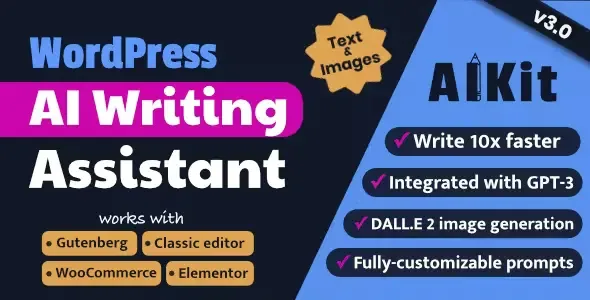
About AIKit AI Writing Assistant / OpenAI GPT-3
The advantage is not that it writes: it is where it writes
Anybody today can ask a model for text in another tab, copy it and paste it. It works, and it is free or nearly. So the honest question about a writing plugin is what it adds over that.
AIKit's answer is friction. It sits inside the editor and inside Elementor, so you generate where you are already working, with the context of what you are writing, without changing window and without losing the thread twenty times a day.
It sounds like little and it is not: the difference between a tool you use and one you do not is usually exactly that.
What it brings
- An Elementor widget, with text and image generation from the builder itself.
- Classic editor integration in WordPress.
- Image generation to accompany the content, through the text-to-image service.
- WooCommerce compatibility, for writing product descriptions.
The concrete risk: five hundred descriptions that all sound the same
Here is the part that has to be said, and it is specific to shops.
The temptation with a large catalogue is generating every description at once. The result is predictable: five hundred texts with the same structure, the same adjectives and the same rhythm, saying nothing that is not already in the specification. A search engine assessing whether a page contributes anything finds nothing to value, and those pages do not rank.
What does work is using it as a first draft and adding what only you know: what it is genuinely for, what it is not compatible with, what people buy alongside it, what the typical mistake is when fitting it. That is two sentences per product and they are the two sentences that make the difference.
And a useful technical note: search engines do not penalise the use of artificial intelligence. They penalise content that contributes nothing, however it was written. The distinction matters because it changes where the effort belongs.
Requirements
It needs WordPress and an API key from the model provider. The licence and the usage are two separate costs: the plugin is the interface, the text is billed by the provider.
One point of context: the product name mentions a model generation that is now old. Since the plugin runs on your own key, what determines the text quality is the model you have configured, not what the name says.
Alternatives in the catalogue
If as well as writing you want a conversational assistant, a knowledge base from your documentation and spend control, AI Engine Pro is more complete and is the catalogue's general option.
If you only want the generate-articles button with nothing else around it, Sage AI is simpler. And if the aim is selling generation as a service to your own customers, with plans and consumption, that is MagicAI.
For shops, WoowBot takes artificial intelligence to the other side: not writing the product page, but helping the visitor find the product.
And a distinction that saves money: if what you want is the same text in several languages, that is not writing, it is translating. TranslatePress manages the language versions with their addresses and their markup, which a text generator does not.
Frequently asked questions
Does it work inside Elementor?
Yes, with its own widget for generating text and images from the builder.
Does it generate images?
Yes, through the provider's text-to-image service.
Is it useful for product descriptions?
Yes, it is WooCommerce compatible. Worth editing them afterwards so they do not all sound alike.
Does Google penalise generated content?
It penalises content that contributes nothing. How it was written is not the criterion.
Is the usage included?
No. You supply your own key and the spend is separate from the licence.
Is it useful for translating the site?
That is not its job. For that you need a translation plugin with language versions.
Version history
-
v
4.17.5 Current 2 Apr 2025
Customer reviews
Sign in to leave a review. Only people who have the product can review it.
No reviews for this product yet.
Frequently asked questions
-
GPL (General Public License) is the license under which WordPress and most premium plugins/themes are distributed. It grants you the right to use, modify and redistribute the software in as many projects as you want, with no domain restrictions.
-
Yes. With membership you get automatic updates via our GPLClub Updater plugin (installed on your WP, detects new versions and applies them). With individual purchase, you get one year of manual updates from your account.
-
Depends on the plan. Monthly: 3 domains. Semi-annual: 7. Annual and Lifetime: 15. Individual purchase: 1 domain.
-
GPLClub offers its own support for installation, configuration and compatibility. For direct support from the original author (feature requests, product-specific bugs), a license purchased from the author is required.