Asgard Twitch Alerts Builder
Antivirus scan
Powered by ClamAV
✅ Verified clean
This product file has passed our security filters.
Want to run a fresh ClamAV scan right now? Takes a few seconds and shows scanner version, signature DB and live result.
This can take 5 to 30 seconds.
Clean file Threat detected
No threats detected in this file.
- File
- Size
- Scanned
- ClamAV
- Signature database
⚡ Powered by ClamAV
Scan could not be completed
Report product
If you detected an issue (broken file, malware, inappropriate content, etc.) let us know and we'll review it ASAP.
Sign in to reportNewer version out, or a problem?
About Asgard Twitch Alerts Builder
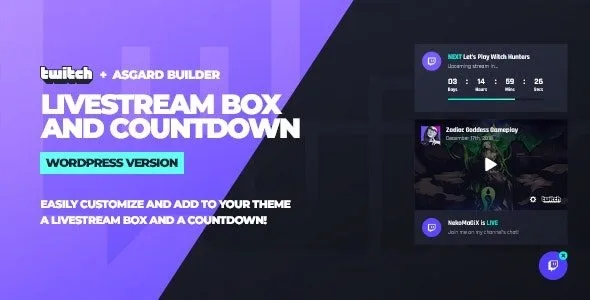
A floating live notice that visitors can always easily reach
A streamer who uses their website as a showcase often loses visits to a simple detail: whoever arrives while you are live does not know it, and whoever wants to watch the broadcast has to go looking for the link. Asgard Twitch Alerts Builder adds a floating box, always within reach of the visitor, that shows the status of your channel.
When you connect your Twitch account, the plugin fills in the channel name and the stream status, online or offline, inside the box. You can set it to start open or closed, depending on how you want visitors to see it when they arrive.
Colors, fonts and icons so the box matches your brand
The Asgard builder lets you change colors, icons, fonts and text, and add Google Fonts and Font Awesome icons with no fuss. Each alert group can be saved and loaded, so you can keep several configurations and return to the one you need to change the information, edit the boxes or adjust the colors.
Countdown to announce the next broadcast
It includes a countdown box to tell people about upcoming streams or important events you want to communicate. It is added with one click, and all the alerts and profiles you create can be activated in your theme from the manage alerts tab.
What you need to connect Twitch and what limits the API has
For the channel status to update on its own, you need to connect your Twitch account. In addition, to retrieve the information, the plugin needs the Client Secret of your Twitch application, which you enter and save on its credentials page.
The Twitch API limits how many requests can be made in a set period of time. Those quotas determine how many queries the plugin can make, and the official Twitch API page explains how they work and how to extend them.
Frequently asked questions about the Twitch box and alerts in WordPress
What can I customize in the box?
Colors, icons, fonts and text, as well as choosing whether the box starts open or closed.
Does the live status update on its own?
Yes, once your Twitch account is connected, the plugin automatically shows whether the channel is online or offline.
Can I have several configurations?
Yes. You can save and load different alert groups, and create all the alerts and profiles you want.
What happens if the Twitch API limits are reached?
Twitch limits the number of requests in a period of time. If you need more, the official Twitch API page explains how to extend those limits.
Topics
Version history
-
v
1.0.0 Current 30 May 2024
Customer reviews
Sign in to leave a review. Only people who have the product can review it.
No reviews for this product yet.
Frequently asked questions
-
GPL (General Public License) is the license under which WordPress and most premium plugins/themes are distributed. It grants you the right to use, modify and redistribute the software in as many projects as you want, with no domain restrictions.
-
Yes. With membership you get automatic updates via our GPLClub Updater plugin (installed on your WP, detects new versions and applies them). With individual purchase, you get one year of manual updates from your account.
-
Depends on the plan. Monthly: 3 domains. Semi-annual: 7. Annual and Lifetime: 15. Individual purchase: 1 domain.
-
GPLClub offers its own support for installation, configuration and compatibility. For direct support from the original author (feature requests, product-specific bugs), a license purchased from the author is required.