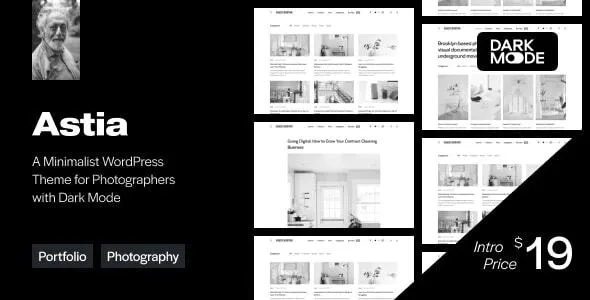
Astia – Minimal Portfolio WordPress Theme for Photographers
Antivirus scan
Powered by ClamAV
✅ Verified clean
This product file has passed our security filters.
Want to run a fresh ClamAV scan right now? Takes a few seconds and shows scanner version, signature DB and live result.
This can take 5 to 30 seconds.
Clean file Threat detected
No threats detected in this file.
- File
- Size
- Scanned
- ClamAV
- Signature database
⚡ Powered by ClamAV
Scan could not be completed
Report product
If you detected an issue (broken file, malware, inappropriate content, etc.) let us know and we'll review it ASAP.
Sign in to reportNewer version out, or a problem?
About Astia – Minimal Portfolio WordPress Theme for Photographers
Eight demos to change the look without touching your content
Astia is a modern, clean WordPress theme for photography and videography portfolios, and its Demo Switcher lets you apply any of its eight importable demos at any time without affecting your content.
If you get tired of a demo, apply another one and your photos and videos will show a completely different appearance.
Dark mode and colors that adjust on their own
Dark mode is designed for viewing your images in low light. It uses a dark color scheme that is easy on the eyes and helps you focus on the content. It turns on automatically based on the visitor's browser preferences, or manually with a toggle.
For colors, just pick a dark background for the header or footer: the text and links switch to white automatically. You don't need to adjust many options, since most of them adapt to your selection.
Customize the theme and see changes instantly
All options are set with WordPress's native customizer, so there are no separate settings pages or constant page reloads. You can see each change live before saving it.
Fonts are chosen from a dropdown among more than 800 Google Fonts, with an instant preview on your site. The additional content feature lets you place an ad spot below the header, a short description before the featured posts, or a subscribe form at the end of each post, without changing template files or creating a child theme.
Menus designed for mobile and navigation
The dropdown menu can show your recent posts with a thumbnail. Those posts are requested only when the visitor hovers over the parent item, so the menu does not slow down your site. The main menu supports unlimited levels and, if there isn't room for a submenu on screen, it opens on the opposite side.
On mobile it slides out from the hamburger icon and can include social links, a subscribe form or any widget, just as in a sidebar. Sticky navigation can appear only when scrolling up, stay fixed all the time, or be turned off. There is built-in support for RTL languages such as Arabic, Hebrew or Persian.
What Astia already covers and what needs a separate plugin
- Included in the theme: the eight demos, dark mode, automatic colors, live customizer, Google Fonts, multi-level menu, sticky navigation and styles for native WordPress galleries.
- Needs the official WordPress AMP plugin to enable AMP pages with your site's styles.
- Needs Yoast SEO for breadcrumbs, which are activated with one click in Yoast and appear with the theme's styles.
- Related posts appear only when there are enough posts in the same category.
Post loading and optimized images
The "Load More" button and infinite load let visitors keep reading the archive without reloading the page. Posts are fetched with the WordPress REST API, and if you prefer numbered pagination, that is available too.
Astia generates few thumbnails, which saves hosting disk space and speeds up thumbnail regeneration. It never downscales images: they are served at their original size or close to it, so visitors don't download more than they need. Vector elements and retina-ready images look sharp.
The CSS has no dependencies such as Bootstrap or other external libraries, and the theme was checked with Query Monitor to avoid excessive database requests.
Frequently asked questions about Astia
Can I switch demos without losing my posts?
Yes. Applying another demo does not affect your content, so you can change the look whenever you want.
Which plugins do I need for AMP and breadcrumbs?
For AMP pages, the official WordPress AMP plugin. For breadcrumbs, Yoast SEO.
Can I add a banner below the header without editing template code?
Yes. Additional content places the element in the template parts you choose, without changing template files or using a child theme.
When do related posts appear?
They show below each post as soon as there are enough publications in the same category.
Topics
Version history
-
v
1.0.8 Current 8 Jan 2025
Customer reviews
Sign in to leave a review. Only people who have the product can review it.
No reviews for this product yet.
Frequently asked questions
-
GPL (General Public License) is the license under which WordPress and most premium plugins/themes are distributed. It grants you the right to use, modify and redistribute the software in as many projects as you want, with no domain restrictions.
-
Yes. With membership you get automatic updates via our GPLClub Updater plugin (installed on your WP, detects new versions and applies them). With individual purchase, you get one year of manual updates from your account.
-
Depends on the plan. Monthly: 3 domains. Semi-annual: 7. Annual and Lifetime: 15. Individual purchase: 1 domain.
-
GPLClub offers its own support for installation, configuration and compatibility. For direct support from the original author (feature requests, product-specific bugs), a license purchased from the author is required.