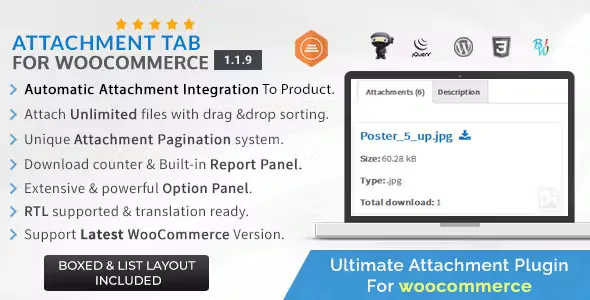
Attachment Tab For Woocommerce
Antivirus scan
Powered by ClamAV
✅ Verified clean
This product file has passed our security filters.
Want to run a fresh ClamAV scan right now? Takes a few seconds and shows scanner version, signature DB and live result.
This can take 5 to 30 seconds.
Clean file Threat detected
No threats detected in this file.
- File
- Size
- Scanned
- ClamAV
- Signature database
⚡ Powered by ClamAV
Scan could not be completed
Report product
If you detected an issue (broken file, malware, inappropriate content, etc.) let us know and we'll review it ASAP.
Sign in to reportNewer version out, or a problem?
About Attachment Tab For Woocommerce
Technical sheets and manuals the customer finds without searching
In many WooCommerce stores, manuals, data sheets and certificates end up linked in emails or pasted by hand into the description, and the customer who needs them has to ask for them. Attachment Tab For Woocommerce moves those files into a dedicated tab inside each product, where the buyer finds them while looking at the product page.
One tab per product for any type of file
When installed, the plugin automatically creates a dedicated tab on every product page. You can change its position and title from the options panel, and each file shows an icon according to its type. It accepts any format, such as .pdf, .doc, .xls, .jpg, .png, .mp3, .csv or .mov.
Files are uploaded from a box of their own in each product's edit screen, and you can reorder them by dragging. If you upload many documents, the list paginates automatically, with the number of items per page you set in the panel, and adapts to mobile with a grid layout. It only needs WooCommerce active, because the tab is added to product pages.
Downloads counted and a report by date
Knowing which document really interests your customers is information almost no store has. The plugin counts every download and generates a report in the admin panel with daily statistics for each file. You can filter the report by date range and export it as CSV to work with it in a spreadsheet.
Documents only for registered customers
If some files should only reach registered customers, such as a user guide or a restricted technical document, you can limit their download to users who are logged in. When someone is not logged in, the plugin shows an access box on the product page itself so they can log in and download the file from there.
Frequently asked questions about Attachment Tab For Woocommerce
Do I need to configure anything to get started?
No. The plugin requires no configuration: installing and activating it is enough for it to work.
Can I upload as many files as I need to one product?
Yes. Uploading from the admin panel has no file limit, and if there are many, the list is split into pages.
Does it work on sites in Arabic?
Yes, it supports RTL, so it adapts to Arabic sites.
Can I change the title of the tab?
Yes. From the options panel you set a custom title for the tab and decide where it appears.
WooCommerce stores with documentation per product
It fits best in catalogs where each product has its own documentation, whether technical sheets, manuals, certificates or files to download, and where you want to know which ones get downloaded most. What you need is WooCommerce active, and everything else is set up from the plugin itself, without touching code.
Before deciding, look at the preview to see how the tab looks in boxed view and list view.
Topics
Version history
-
v
1.2.7 Current 7 Jun 2025
Customer reviews
Sign in to leave a review. Only people who have the product can review it.
No reviews for this product yet.
Frequently asked questions
-
GPL (General Public License) is the license under which WordPress and most premium plugins/themes are distributed. It grants you the right to use, modify and redistribute the software in as many projects as you want, with no domain restrictions.
-
Yes. With membership you get automatic updates via our GPLClub Updater plugin (installed on your WP, detects new versions and applies them). With individual purchase, you get one year of manual updates from your account.
-
Depends on the plan. Monthly: 3 domains. Semi-annual: 7. Annual and Lifetime: 15. Individual purchase: 1 domain.
-
GPLClub offers its own support for installation, configuration and compatibility. For direct support from the original author (feature requests, product-specific bugs), a license purchased from the author is required.