Barn2 Media Document Library Pro
Antivirus scan
Powered by ClamAV
✅ Verified clean
This product file has passed our security filters.
Want to run a fresh ClamAV scan right now? Takes a few seconds and shows scanner version, signature DB and live result.
This can take 5 to 30 seconds.
Clean file Threat detected
No threats detected in this file.
- File
- Size
- Scanned
- ClamAV
- Signature database
⚡ Powered by ClamAV
Scan could not be completed
Report product
If you detected an issue (broken file, malware, inappropriate content, etc.) let us know and we'll review it ASAP.
Sign in to report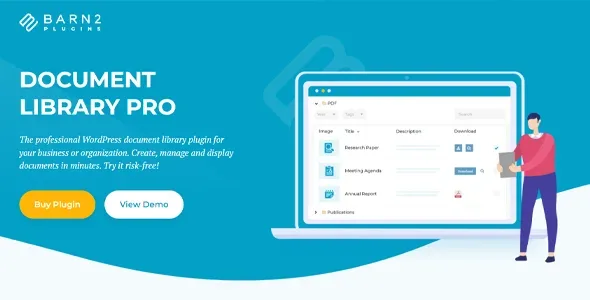
About Barn2 Media Document Library Pro
When the PDF in circulation isn't the current one
Anyone who publishes policies, guidance and minutes tends to face two problems at once: the documents are on the website but nobody can find them, and those who do sometimes download an old copy someone saved months ago. Document Library Pro tackles both: it organizes everything in a searchable library and lets you decide which version is shown and for how long.
With version history you replace a file and keep the earlier ones, with the same title and web address; you can rename each version and roll back whenever needed. With an expiry date, a document leaves the library on the day you set.
Searching inside PDFs and filtering without getting lost
Search is instant: results narrow as the visitor types. It looks through the document data and also the text inside PDF, Word, Excel, PowerPoint and OpenDocument files.
Filters can appear as dropdowns above the library or inside the column headings. Visitors filter by category, tag, file type, author or any custom field (year, department), with several values at once and a count next to each option. Every view has its own URL, so you can link straight to this year's minutes.
Table, grid or folders in Document Library Pro
Tables suit minutes and reports, grids suit visual resources, and folders reproduce the hierarchy of Windows File Explorer or the Finder. You build columns by dragging and, in the grid, choose what appears on each card. By default it uses your theme's styling, and if you want, you adjust colors, fonts and sizes.
Each document supports up to three files or links, each with its own button. You host them on your site or link to Dropbox, Google Drive, OneDrive, SharePoint or any web address. Audio and video play in the library, in the preview or on the document's own page, and PDFs get a cover image from their first page.
Downloads can be a customizable button, an icon or a text link, with optional zip for several files. If you prefer people to read but not keep a file, you remove the buttons and leave only the lightbox preview. You will also see how many times each document has been downloaded.
Private documents, password-protected or in exchange for an email
You can restrict the whole library, a category or a single document by role, by individual user or with a password, or show each user only what they uploaded themselves. Attached files can be protected so nobody downloads them from their direct address.
Another option is to show everything to everybody and ask for a name and email when they click download. If you do, tell people what you will use that data for.
Categories, dates and metadata are for you to fill in
- Already solved: search, filters, three layouts, access by role or password, versions, expiry and tracked downloads.
- You cover it: clear titles, consistent categories and fields, deciding who sees what and reviewing what should expire.
- If your site isn't WordPress: this plugin won't work as is; there is a cloud-hosted version you can embed in Squarespace, Wix or an intranet.
Frequently asked questions about Document Library Pro
Can I bring my current library over?
Yes. Import a CSV with categories, tags and fields already included, or convert the files you already have in the media library.
Can other people upload documents?
Yes, through a form on your site (front-end).
Does it work with my theme?
It works with any theme or page builder and adopts your theme's styling by default.
Version history
-
v
4.2.1 Current 30 Oct 2026
-
v
4.2.0 17 Oct 2026
-
v
4.1.1 26 Sep 2026
-
v
4.1.0 5 Sep 2026
-
v
4.0.1 14 Aug 2026
-
v
3.2.0 18 Apr 2026
Customer reviews
Sign in to leave a review. Only people who have the product can review it.
No reviews for this product yet.
Frequently asked questions
-
GPL (General Public License) is the license under which WordPress and most premium plugins/themes are distributed. It grants you the right to use, modify and redistribute the software in as many projects as you want, with no domain restrictions.
-
Yes. With membership you get automatic updates via our GPLClub Updater plugin (installed on your WP, detects new versions and applies them). With individual purchase, you get one year of manual updates from your account.
-
Depends on the plan. Monthly: 3 domains. Semi-annual: 7. Annual and Lifetime: 15. Individual purchase: 1 domain.
-
GPLClub offers its own support for installation, configuration and compatibility. For direct support from the original author (feature requests, product-specific bugs), a license purchased from the author is required.