Barn2 Media WooCommerce Protected Categories
Antivirus scan
Powered by ClamAV
✅ Verified clean
This product file has passed our security filters.
Want to run a fresh ClamAV scan right now? Takes a few seconds and shows scanner version, signature DB and live result.
This can take 5 to 30 seconds.
Clean file Threat detected
No threats detected in this file.
- File
- Size
- Scanned
- ClamAV
- Signature database
⚡ Powered by ClamAV
Scan could not be completed
Report product
If you detected an issue (broken file, malware, inappropriate content, etc.) let us know and we'll review it ASAP.
Sign in to report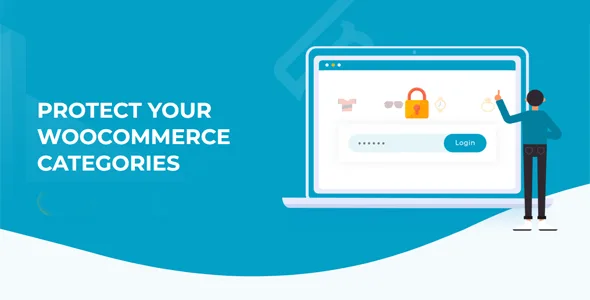
About Barn2 Media WooCommerce Protected Categories
A private catalog without building a second store
Selling to specific customers from the same store usually ends in workarounds: a separate website just for wholesalers, draft products nobody can see, or links sent by email that anyone can forward. WooCommerce does not include a built-in way to hide whole categories, and that is where Barn2 Media WooCommerce Protected Categories comes in.
The idea behind it: in sales by customer or by group, what you control is access. Each person must reach their own products without seeing anyone else's, and getting in has to be so simple that your inbox does not fill up with "I can't see my products". The plugin handles it from the category edit screen itself: you choose "Protected" in the visibility dropdown and decide whether access is by password, by user or by role. No coding and no theme template editing needed.
Three profiles, three ways to hand out access
Photographers, schools and clubs: one category per customer
You can create one or more hidden categories for each customer and lock them to their account or their password. A photographer, for example, sells personal photos to each client without anyone else seeing them. The customer uses the login form and lands directly on their own products.
Wholesalers and B2B: wholesale and retail on the same site
Pre-approve whoever you want by giving them a password or assigning them a role (for example wholesale_customer). Anyone without access does not get into that area, and you do not need a separate wholesale store. If you also want customers to place bulk orders, you can combine it with WooCommerce Product Table to list the hidden products in a searchable order form.
Memberships and tiers: role-based protection
Roles fit member tiers or customer types. Whoever logs in automatically sees the categories that belong to them, without typing anything else.
Temporary access or shared passwords
A password works for one-off access or for a group that shares credentials. A category can have several different passwords, and the same password can unlock several categories.
What happens with subcategories, menus and repeated products
- Subcategories: protecting a parent category protects its subcategories and products. You do not have to go one by one.
- Product in both a public and a protected category: it stays protected, even if someone arrives from the public category.
- Visibility: by default, protected categories appear in the public store, but a password is needed to enter. If you untick the box in the settings, they disappear from the store, from related products and from sidebar widgets.
- Menus and widgets: you can hide links to protected categories and have them appear when the customer logs in or enters the correct password.
- Login form: there is a single one for everyone and it redirects each customer to their category. It can be customized, and you can choose whether names carry the "Protected" prefix.
It works with WPML, WeGlot and TranslatePress, so the login page and the protected categories can be translated. It is designed for well-coded themes.
Questions before protecting your first category
Do customers need an account? Not always. With a password, typing it into the form is enough. An account is needed for user or role protection.
Can I give different customers different passwords for the same category? Yes, each category accepts one or more passwords.
Will visitors know the category exists? It depends on the setting: if you hide it completely, it does not appear in the public areas of the store. If not, the name is visible but nobody gets in without the key.
Do I have to protect each subcategory? No, they inherit the protection from the parent category.
Only one password-protected category per product
A product can only be in one password-protected category. You can add it to several user-protected or role-protected categories. Keep that in mind if you plan to share the same product among several groups with different passwords: use roles or users. And remember that the plugin controls who gets access; it is not a complete wholesale solution on its own.
Topics
Version history
-
v
2.8.3 Current 9 Oct 2026
-
v
2.8.2 18 Jul 2026
-
v
2.8.1 25 Mar 2026
Customer reviews
Sign in to leave a review. Only people who have the product can review it.
No reviews for this product yet.
Frequently asked questions
-
GPL (General Public License) is the license under which WordPress and most premium plugins/themes are distributed. It grants you the right to use, modify and redistribute the software in as many projects as you want, with no domain restrictions.
-
Yes. With membership you get automatic updates via our GPLClub Updater plugin (installed on your WP, detects new versions and applies them). With individual purchase, you get one year of manual updates from your account.
-
Depends on the plan. Monthly: 3 domains. Semi-annual: 7. Annual and Lifetime: 15. Individual purchase: 1 domain.
-
GPLClub offers its own support for installation, configuration and compatibility. For direct support from the original author (feature requests, product-specific bugs), a license purchased from the author is required.