Bopo - WooCommerce Product Bundle Builder Premium
Antivirus scan
Powered by ClamAV
✅ Verified clean
This product file has passed our security filters.
Want to run a fresh ClamAV scan right now? Takes a few seconds and shows scanner version, signature DB and live result.
This can take 5 to 30 seconds.
Clean file Threat detected
No threats detected in this file.
- File
- Size
- Scanned
- ClamAV
- Signature database
⚡ Powered by ClamAV
Scan could not be completed
Report product
If you detected an issue (broken file, malware, inappropriate content, etc.) let us know and we'll review it ASAP.
Sign in to reportNewer version out, or a problem?
About Bopo - WooCommerce Product Bundle Builder Premium
Selling the camera with its lens and memory card
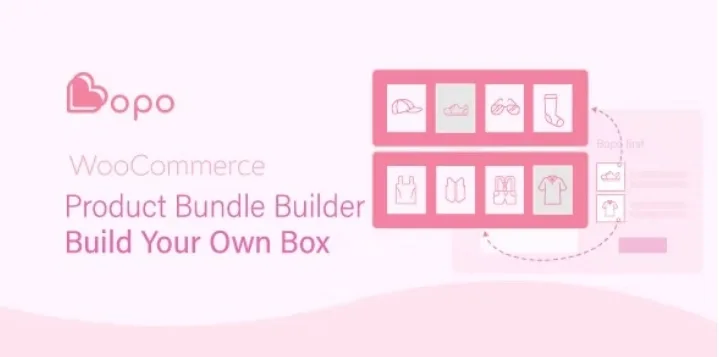
When a customer buys a main product, it often lacks what makes it truly useful: the memory card, the lens, the case. Bopo groups those items into a bundle with a discount you decide.
We follow a shop example: a camera you want to sell together with a lens and a memory card in a single bundle.
Creating the bundle and choosing what can fill each slot
You create a new bundle or build one on products you already have in WooCommerce. Each bundle item is a slot the customer fills with an option from a list: in the lens slot, the lenses in your catalog; in the memory card slot, the cards. It needs WooCommerce active, because it works on your products, and it works with both simple and variable products. In the premium version you can create as many bundle items as you want.
To decide what appears in each slot you use rules. You can set a default product, choose which categories or tags are allowed and which are left out, and include or exclude specific products and variations. If the memory card slot should only offer certain models, the product inclusion rule handles it.
Frequently asked questions about Bopo WooCommerce Product Bundle Builder
Can I build bundles with variable products?
Yes. It works with simple and variable products, and for variable ones you can include or exclude specific variations.
Can a bundle item be optional?
Yes. If you mark it as optional, the customer can buy the bundle without adding it.
Can customers change bundle items in the cart?
You decide whether they can edit the items from the cart and from the checkout page.
Where can I place the bundle?
Wherever you want, because it is displayed with a shortcode.
Discount, price and shipping for the bundle
The bundle discount can be a percentage or a fixed price. In shipping you choose whether it is calculated for the whole bundle or for each item separately, and you set the default quantity of each one.
How Bopo displays the bundle and what the customer sees in each item
You place the bundle wherever you want with a shortcode. You choose between a vertical and a horizontal template, and decide which details the customer sees in each item: quantity, stock, rating, short description or the full description under each one. When the customer clicks an item title, you can set the product page to open in a new tab or show a popup with other suggested items. For the image you pick one of the available sizes.
When the customer must choose required items, the alert message can appear before or after each item, and you can rewrite it in your language. The popup shows all variations of a variable product when its image is clicked, and a category filter helps customers find the item they are looking for.
Out-of-stock products, the cart and the pages where the bundle appears
Switches let you show or hide out-of-stock products and repeat the same product within the bundle. You also decide whether the customer can modify the items from the cart and the checkout page. With conditional tags you choose on which pages each bundle appears.
Topics
Version history
-
v
1.1.7 Current 16 Mar 2025
Customer reviews
Sign in to leave a review. Only people who have the product can review it.
No reviews for this product yet.
Frequently asked questions
-
GPL (General Public License) is the license under which WordPress and most premium plugins/themes are distributed. It grants you the right to use, modify and redistribute the software in as many projects as you want, with no domain restrictions.
-
Yes. With membership you get automatic updates via our GPLClub Updater plugin (installed on your WP, detects new versions and applies them). With individual purchase, you get one year of manual updates from your account.
-
Depends on the plan. Monthly: 3 domains. Semi-annual: 7. Annual and Lifetime: 15. Individual purchase: 1 domain.
-
GPLClub offers its own support for installation, configuration and compatibility. For direct support from the original author (feature requests, product-specific bugs), a license purchased from the author is required.