BP Maps for Members
Antivirus scan
Powered by ClamAV
✅ Verified clean
This product file has passed our security filters.
Want to run a fresh ClamAV scan right now? Takes a few seconds and shows scanner version, signature DB and live result.
This can take 5 to 30 seconds.
Clean file Threat detected
No threats detected in this file.
- File
- Size
- Scanned
- ClamAV
- Signature database
⚡ Powered by ClamAV
Scan could not be completed
Report product
If you detected an issue (broken file, malware, inappropriate content, etc.) let us know and we'll review it ASAP.
Sign in to reportNewer version out, or a problem?
About BP Maps for Members
BuddyPress groups where location matters
Many communities organize their groups around a place: a club, an association, a regional branch or a neighborhood collective. When the address shows up in a message lost among others, every member ends up asking again where it is. BuddyPress Simple Google Map puts that place in plain view, right inside the group.
A map on every group and a sidebar widget
The plugin adds a map to the group's tab. The location is set from the administration of each group, and the map can be turned off group by group. It also includes a widget to show the map in the sidebar, which only appears on group pages when the group has a location and its map is not disabled.
Groups only, for now
The current version only adds maps to groups. Member profiles do not show one.
Size, zoom and map type settings
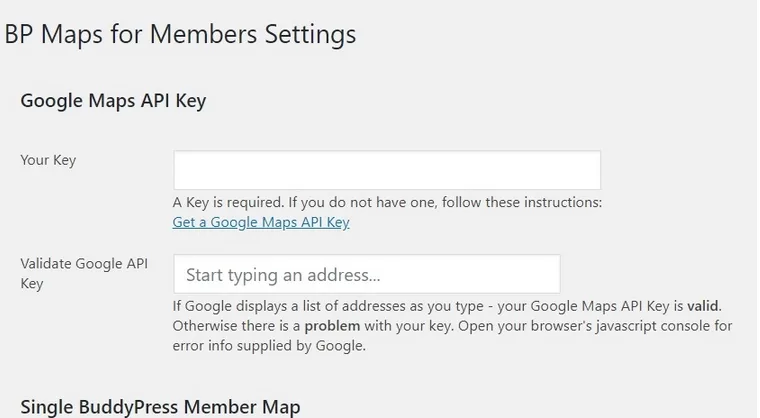
From the BuddyPress panel you set the map height and width, and the zoom level, which can go up to 21. You can choose between four map types:
- Roadmap
- Terrain
- Satellite
- Hybrid
Static map, no extra JavaScript
The map is generated with Google's static maps API, so the plugin does not add extra JavaScript to your site. The basic settings are saved in the admin panel.
BuddyPress Simple Google Map questions
Do I need a Google key?
Yes. Google requires an API key to show maps, so you need to have it ready for them to appear.
Can I turn off the map for one specific group?
Yes. You can disable it for the group you choose from the administrator settings.
How far can the zoom go?
Up to level 21, the highest available.
Why doesn't the widget show on a group?
Because it only appears when the group has a defined location and the map is not disabled for that group.
BuddyPress, a Google key and groups with a physical place
This plugin needs BuddyPress installed and active, because it works on the groups of your network. You also need a Google API key to display the maps.
A group without a defined location will not show the map widget, so it is worth setting the location for each group from its admin area, in the Map tab.
Topics
Version history
-
v
6.9 Current 14 May 2024
Customer reviews
Sign in to leave a review. Only people who have the product can review it.
No reviews for this product yet.
Frequently asked questions
-
GPL (General Public License) is the license under which WordPress and most premium plugins/themes are distributed. It grants you the right to use, modify and redistribute the software in as many projects as you want, with no domain restrictions.
-
Yes. With membership you get automatic updates via our GPLClub Updater plugin (installed on your WP, detects new versions and applies them). With individual purchase, you get one year of manual updates from your account.
-
Depends on the plan. Monthly: 3 domains. Semi-annual: 7. Annual and Lifetime: 15. Individual purchase: 1 domain.
-
GPLClub offers its own support for installation, configuration and compatibility. For direct support from the original author (feature requests, product-specific bugs), a license purchased from the author is required.