Bricksforge WordPress Plugin
Antivirus scan
Powered by ClamAV
✅ Verified clean
This product file has passed our security filters.
Want to run a fresh ClamAV scan right now? Takes a few seconds and shows scanner version, signature DB and live result.
This can take 5 to 30 seconds.
Clean file Threat detected
No threats detected in this file.
- File
- Size
- Scanned
- ClamAV
- Signature database
⚡ Powered by ClamAV
Scan could not be completed
Report product
If you detected an issue (broken file, malware, inappropriate content, etc.) let us know and we'll review it ASAP.
Sign in to report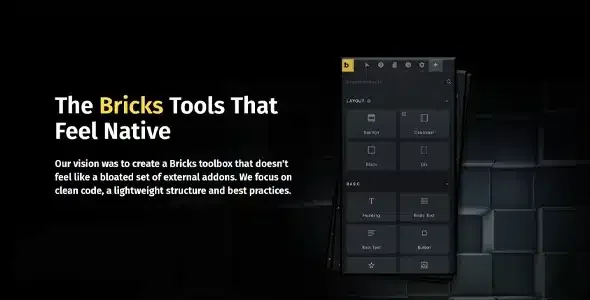
About Bricksforge WordPress Plugin
When Bricks falls short and you end up adding one plugin for everything
Forms in one plugin, animations in another, page transitions in a third. Anyone building with Bricks tends to reach that point, and the problem is not just weight: it is several pieces to maintain on every client project.
Bricksforge brings all of that into a single plugin designed for Bricks Builder. It is built with pure JavaScript, without jQuery, and starts from a simple idea: each project loads only what it uses.
What Bricksforge adds to the builder and what it needs to work
It is an add-on: there is no point installing it without Bricks Builder. These are its main pieces:
- Pro Forms: forms created inside the builder with nestable elements and a wide set of actions.
- GSAP animations: a panel to build complex animations in a structured way, without writing code.
- Node Editor: visual interactions built by dragging lines between nodes.
- Page transitions: based on swup.js (pjax), so navigation between pages feels smooth.
- API Query Builder: connects to any REST API and turns its data into dynamic tags to lay out content.
- Email Designer: email templates with drag and drop.
- Backend Designer and Admin Pages: customize the WordPress dashboard and login screen, and create admin menus designed with Bricks templates.
- Builder Customizer: a different builder look depending on the user role, and control over which elements each user sees.
There is also a terminal with shortcuts (for example to add element structures or global classes) and interactive 3D models. The limit is clear: it is not a theme and does not replace Bricks, and with so many features there is a learning curve. If you only need a simple contact form, it is probably more than you need.
Common questions about Bricksforge
Does it work without Bricks Builder?
No. It is designed as an add-on for Bricks and relies on its nestable elements system.
Does it slow the site down with so many features?
Only the features you activate are loaded; the rest stay deactivated. It also uses pure JavaScript instead of jQuery.
Can I extend the logic with my own code?
Many features include a Custom Code area to extend what they already do.
Can I change what my client sees in the dashboard?
Yes, with the Backend Designer and Admin Pages you can redesign the dashboard and login, and create your own menus.
The client lives in the dashboard, not in your builder
At an agency or as a freelancer, delivery often fails in the last stretch: the site looks polished, but the client opens the dashboard and finds a generic WordPress, with menus they do not need and elements they can break. This is where Bricksforge works in your favor: you can design admin pages with Bricks templates, customize the login, and use the Builder Customizer to limit which elements each role sees. What it does not do is decide for you what each client should see: you have to plan that setup yourself.
Activate one feature, test it and leave the rest off
The sensible approach is to start with a concrete goal: forms, animations or transitions, whatever the project needs. Activate only that feature, test it on a staging copy and leave the others deactivated.
If you use page transitions, check that other plugins' scripts keep working when the page changes. And if you build animations, review them on mobile before handing over.
Version history
-
v
4.0.2 Current 17 Oct 2026
-
v
4.0.1 9 Oct 2026
-
v
4.0.0 18 Sep 2026
-
v
3.1.8.9 5 Sep 2026
-
v
3.1.8.8 3 Aug 2026
-
v
3.1.8.5 8 Apr 2026
Customer reviews
Sign in to leave a review. Only people who have the product can review it.
No reviews for this product yet.
Frequently asked questions
-
GPL (General Public License) is the license under which WordPress and most premium plugins/themes are distributed. It grants you the right to use, modify and redistribute the software in as many projects as you want, with no domain restrictions.
-
Yes. With membership you get automatic updates via our GPLClub Updater plugin (installed on your WP, detects new versions and applies them). With individual purchase, you get one year of manual updates from your account.
-
Depends on the plan. Monthly: 3 domains. Semi-annual: 7. Annual and Lifetime: 15. Individual purchase: 1 domain.
-
GPLClub offers its own support for installation, configuration and compatibility. For direct support from the original author (feature requests, product-specific bugs), a license purchased from the author is required.