BuddyPress Auto Join Groups
Antivirus scan
Powered by ClamAV
✅ Verified clean
This product file has passed our security filters.
Want to run a fresh ClamAV scan right now? Takes a few seconds and shows scanner version, signature DB and live result.
This can take 5 to 30 seconds.
Clean file Threat detected
No threats detected in this file.
- File
- Size
- Scanned
- ClamAV
- Signature database
⚡ Powered by ClamAV
Scan could not be completed
Report product
If you detected an issue (broken file, malware, inappropriate content, etc.) let us know and we'll review it ASAP.
Sign in to report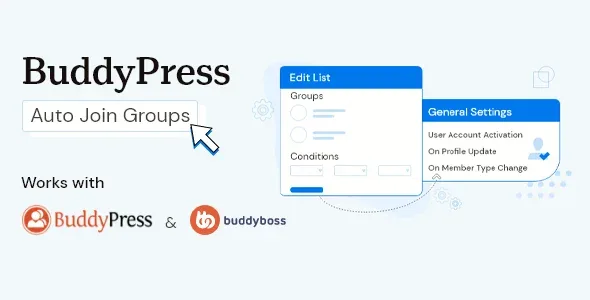
About BuddyPress Auto Join Groups
A new community with empty groups looks like a dead community
You set up the groups, the first members arrive and nobody joins any of them. Joining a group is an extra step many people never take, and anyone who lands in an empty group rarely comes back. If you also try to sign up each person by hand, you end up as the doorman of your own community.
BuddyPress Auto Join Groups solves exactly that: you decide which groups each person should be in and the plugin adds them automatically, based on what they filled in on their profile, their role or their member type.
Global and conditional lists in BuddyPress Auto Join Groups
Everything is organized in lists, and each list can have any groups you want associated with it:
- Global list: it has no conditions, so any user who joins the site counts as a match. You can create several.
- Conditional list: it adds people to the groups only if they meet the conditions you define, based on profile fields, member type, user role or basic WordPress fields such as the email address.
A list can have one or several conditions, and if it has several the user must meet all of them. If you need an "or" (for example, two different roles that go to the same group), create one list for each case. And if a user fits several lists, they join all the groups from all of them.
Comparisons include equality as well as "starts with" and "ends with", handy for things like assigning by email domain.
What it does not do: it does not create the groups, profile fields or member types. All of that must exist beforehand, because the plugin only connects people to what you have already built. It needs BuddyPress active (it is also compatible with BuddyBoss Platform), and its scope is adding users to groups, not moderating them or managing their activity.
Four moments to check each user
In the settings you choose when a user is evaluated against the lists:
- When they activate their account.
- When they register.
- When they update their profile.
- When their member type changes.
The timing matters more than it seems. If your condition depends on a field the user fills in after signing up, the check at registration will not see it yet; the profile update trigger is the one you want. If you map groups by email address, checking at registration is the most direct option.
Frequently asked questions before installing it
Can I add all new users to a general group?
Yes, with a global list without conditions. Everyone who joins the site will be added to the groups in that list.
Can a user end up in several groups at once?
Yes. If they fit more than one list, they are added to all the groups from all of them.
Does it work with BuddyBoss?
Yes, it is compatible with BuddyBoss Platform as well as BuddyPress.
Can I require two conditions at the same time?
Yes: add the conditions to the same list and the user will have to meet all of them.
Bulk sync adds the users you already had
Installing the plugin does not touch people who were already registered. Each list has a bulk sync button that checks all existing users and adds to the groups those who meet that list's conditions.
A sensible order of work: create the groups first, check that the profile fields or member types you will use exist, define the list, choose when to check, and finally run the sync. Test first with a dummy account to confirm the condition does what you expect, especially if you use text comparisons such as "starts with".
Topics
Version history
-
v
1.3.0 Current 5 Sep 2026
-
v
1.2.6 12 Feb 2026
Customer reviews
Sign in to leave a review. Only people who have the product can review it.
No reviews for this product yet.
Frequently asked questions
-
GPL (General Public License) is the license under which WordPress and most premium plugins/themes are distributed. It grants you the right to use, modify and redistribute the software in as many projects as you want, with no domain restrictions.
-
Yes. With membership you get automatic updates via our GPLClub Updater plugin (installed on your WP, detects new versions and applies them). With individual purchase, you get one year of manual updates from your account.
-
Depends on the plan. Monthly: 3 domains. Semi-annual: 7. Annual and Lifetime: 15. Individual purchase: 1 domain.
-
GPLClub offers its own support for installation, configuration and compatibility. For direct support from the original author (feature requests, product-specific bugs), a license purchased from the author is required.