BuddyPress User Badges
Antivirus scan
Powered by ClamAV
✅ Verified clean
This product file has passed our security filters.
Want to run a fresh ClamAV scan right now? Takes a few seconds and shows scanner version, signature DB and live result.
This can take 5 to 30 seconds.
Clean file Threat detected
No threats detected in this file.
- File
- Size
- Scanned
- ClamAV
- Signature database
⚡ Powered by ClamAV
Scan could not be completed
Report product
If you detected an issue (broken file, malware, inappropriate content, etc.) let us know and we'll review it ASAP.
Sign in to reportNewer version out, or a problem?
About BuddyPress User Badges
BuddyPress communities that want to recognize their members
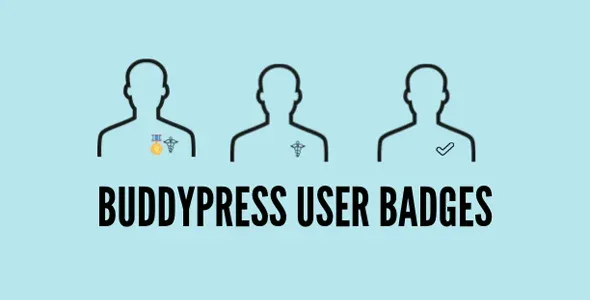
In an internal social network, the member who contributes most often goes unnoticed among hundreds of identical profiles. Badges give that person a visible signal in the member list and on their profile.
It suits BuddyPress communities where you want to thank, distinguish or classify users according to their role. If your site doesn't use BuddyPress, this plugin won't help you. It needs BuddyPress installed and active, because it adds badges to its profiles and directories.
Badges per user, per WordPress role or per member type
You can create as many badges as you need and assign them manually or automatically. WordPress role badges reach every user who holds that role, and member type badges reach everyone in that member type. Each role or member type badge can be enabled or disabled separately, and any badge can be marked as active or deactivated when needed.
Where badges appear and in what order
From the settings you choose the screens where they show: the members directory, the member list of a group or a single user's profile. You can also decide whether the badge goes before or after the name.
Order is changed by dragging and dropping, and that order is reflected in the list visitors see. As an icon you can upload a PNG, JPG or SVG file; by default it displays at 32 px, but you control the size with CSS.
Listing members with a badge using a shortcode
The shortcode [bp-user-badges] displays all members who hold a specific badge. You only need to give the badge slug, for example [bp-user-badges slug='king'].
For role or member type badges you add the context parameter with the value role or member_type, and max limits how many users appear. With view='list' the list is shown vertically, with avatars. Custom badges don't need context.
Badge ideas for sports, classrooms and hobbies
You can create, for example, a badge with a bat icon and assign it to all baseball fans. You can create and assign as many badges as you like.
Frequently asked questions about BuddyPress User Badges
Do I need anything else to use it?
Yes, BuddyPress. The plugin extends BuddyPress, so it has to be installed and active. If you want badges per member type, your community also has to use member types.
Can badges be assigned automatically?
Yes. Badges can be assigned manually or automatically, and role or member type badges reach all users who meet that condition on their own.
Can I hide a badge without deleting it?
Yes. You can deactivate it whenever you need and reactivate it later.
What icon formats are accepted?
PNG, JPG and SVG are accepted. By default the icon is 32 px, and you can change that size with CSS.
Topics
Version history
-
v
1.2.9 Current 3 May 2024
Customer reviews
Sign in to leave a review. Only people who have the product can review it.
No reviews for this product yet.
Frequently asked questions
-
GPL (General Public License) is the license under which WordPress and most premium plugins/themes are distributed. It grants you the right to use, modify and redistribute the software in as many projects as you want, with no domain restrictions.
-
Yes. With membership you get automatic updates via our GPLClub Updater plugin (installed on your WP, detects new versions and applies them). With individual purchase, you get one year of manual updates from your account.
-
Depends on the plan. Monthly: 3 domains. Semi-annual: 7. Annual and Lifetime: 15. Individual purchase: 1 domain.
-
GPLClub offers its own support for installation, configuration and compatibility. For direct support from the original author (feature requests, product-specific bugs), a license purchased from the author is required.