BWL Pro Voting Manager
Antivirus scan
Powered by ClamAV
✅ Verified clean
This product file has passed our security filters.
Want to run a fresh ClamAV scan right now? Takes a few seconds and shows scanner version, signature DB and live result.
This can take 5 to 30 seconds.
Clean file Threat detected
No threats detected in this file.
- File
- Size
- Scanned
- ClamAV
- Signature database
⚡ Powered by ClamAV
Scan could not be completed
Report product
If you detected an issue (broken file, malware, inappropriate content, etc.) let us know and we'll review it ASAP.
Sign in to reportNewer version out, or a problem?
About BWL Pro Voting Manager
An article with no reader signals can stay unchanged for years
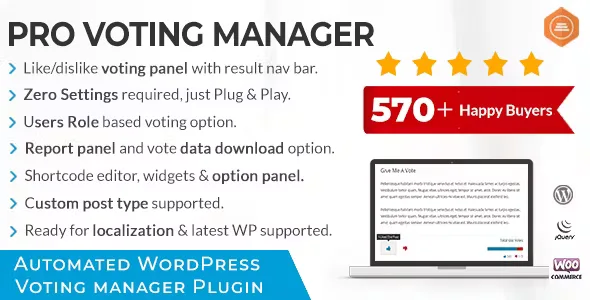
Many sites publish content and then forget about it. A post can get visits and still give no clue about whether it helps, confuses or falls short. BWL Pro Voting Manager adds a voting box to WordPress posts, pages and custom post types so readers can say what they think.
Who gets value from a voting box on their site
Blogs that want to rewrite what does not convince
With like and dislike votes, and a comment form that appears when someone votes negatively, readers tell you what is missing or what sits badly. Those suggestions go to the administrator's email.
Stores with WooCommerce and catalogues of their own content
The plugin supports any custom post type, WooCommerce included, so you can enable voting only on the content types you choose and leave the rest without a voting box.
Sites with a lot of older content
The custom columns it adds to each content type show like and dislike votes, whether a feedback comment has arrived and whether the voting box is active or hidden. That way you can spot at a glance what needs a review.
How the reader votes and what they see
Once installed, the voting box appears automatically below each post, and you can choose whether it goes before or after the content. Votes are sent with Ajax, without reloading the page, and the result appears in an animated bar that updates live. The box resizes to the screen, so voting from a phone is comfortable too.
The like and dislike icons are six Font Awesome icons, although you can upload your own as an image. After voting, readers can share the post on social networks, and the share buttons are also customizable.
Controls in BWL Pro Voting Manager for the vote and the widget
If you only want to collect positive opinions, turn off the dislike button from the panel. The custom widget shows the most and least voted posts in the sidebar.
The extended options panel lets you adjust the layout of the voting boxes.
Frequently asked questions about BWL Pro Voting Manager
Do I need to add shortcodes or code to show the voting box?
No code is needed: the box appears automatically below each post. From the panel you decide whether it goes before or after the content.
Can I use it only on some content types?
Yes. From the options panel you enable or disable voting for each custom post type, WooCommerce included.
What happens when someone votes negatively?
They are offered a comment box, and that message is sent to the administrator by email. From the plugin settings you can change the destination address or turn those notifications off.
Vote reports for each post, downloadable as CSV
The reports panel shows the vote details for every post. From there you can download the report in CSV format.
Version history
-
v
1.4.9 Current 24 Jan 2026
Customer reviews
Sign in to leave a review. Only people who have the product can review it.
No reviews for this product yet.
Frequently asked questions
-
GPL (General Public License) is the license under which WordPress and most premium plugins/themes are distributed. It grants you the right to use, modify and redistribute the software in as many projects as you want, with no domain restrictions.
-
Yes. With membership you get automatic updates via our GPLClub Updater plugin (installed on your WP, detects new versions and applies them). With individual purchase, you get one year of manual updates from your account.
-
Depends on the plan. Monthly: 3 domains. Semi-annual: 7. Annual and Lifetime: 15. Individual purchase: 1 domain.
-
GPLClub offers its own support for installation, configuration and compatibility. For direct support from the original author (feature requests, product-specific bugs), a license purchased from the author is required.