Flexible Checkout Fields PRO
Antivirus scan
Powered by ClamAV
✅ Verified clean
This product file has passed our security filters.
Want to run a fresh ClamAV scan right now? Takes a few seconds and shows scanner version, signature DB and live result.
This can take 5 to 30 seconds.
Clean file Threat detected
No threats detected in this file.
- File
- Size
- Scanned
- ClamAV
- Signature database
⚡ Powered by ClamAV
Scan could not be completed
Report product
If you detected an issue (broken file, malware, inappropriate content, etc.) let us know and we'll review it ASAP.
Sign in to report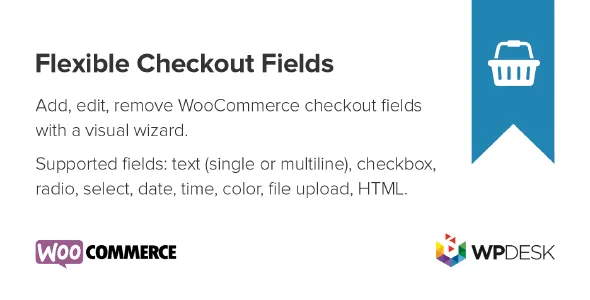
About Flexible Checkout Fields PRO
A checkout with too many fields costs you orders
Many WooCommerce stores ask for the phone number, the second address line and the company name from someone buying a T-shirt, and then wonder why carts are abandoned right at the end. Every field the customer doesn't understand is a small doubt at the last step. Flexible Checkout Fields PRO lets you edit, add or hide fields in the checkout form so it only asks for what your business really needs.
What you can change in each Flexible Checkout Fields PRO field
- Order: drag and drop to reorder, both WooCommerce's own fields and the ones you add.
- Labels and placeholders: if you want "Company" to read differently, edit the label and it shows up at checkout.
- Show or hide: remove the phone number or the second address line if you don't use them.
- Required or optional: a checkbox in each field's settings.
- Custom CSS class: to style a specific field from your theme's stylesheet.
- Validation: email, phone and postcode rules, WooCommerce's default one, or none. If they aren't enough, you can create your own rules for each field.
New fields, pricing and conditional logic depending on who buys
This is where the plugin goes beyond a simple label editor. Pick the profile that looks most like yours.
A store with extras charged separately
Each custom field has a pricing tab. You can assign it a fixed amount, a percentage of the total or a percentage of the subtotal (excluding or including VAT). It works, for example, to offer an extra that the customer chooses at checkout and that is added to the order.
A store with several shipping and payment methods
Conditional logic lets you show or hide a field, or make it required, depending on the shipping method, the payment method, the cart contents, the user role, the date or other filled-in fields. Conditions are combined with "and" and "or", and can be grouped. That way a field only appears for those who need it, and everyone else sees a shorter form.
A store that needs data WooCommerce doesn't ask for
There are 22 field types: text, option and picker fields, plus headings, paragraphs, images, HTML or hidden fields. Besides billing, shipping and order, you can place them in 17 other checkout positions, such as before payment or after the order notes, and choose which page they appear on.
What to do with the fields you do need
Hiding fields is not always the best idea. If your courier needs a phone number to deliver, keep it and mark it as required. If you only ask for it out of habit, remove it. A practical rule: for each field, ask yourself who reads it afterwards and what decision they make with it. If nobody does, it's surplus.
It needs WooCommerce and configuration work
It's a plugin for the WooCommerce checkout form and doesn't work without that store. It's not a visual page builder: fields are managed from the settings panel. With complex conditional rules, it's wise to test every shipping and payment combination on the real checkout before going live. If your theme or a payment plugin changes the form on its own, check in the demo how your fields behave.
Frequently asked questions
Can I reorder the fields WooCommerce includes?
Yes. Both the default fields and the ones you add can be reordered.
Can I charge an extra from a field?
Yes, by assigning a price to the field: fixed, or as a percentage of the total or the subtotal.
Can I show a field only with a certain shipping method?
Yes, conditional logic supports the shipping method, payment method, cart, user role and date.
Do I need to know how to code?
No, everything is set up from the settings. CSS is only needed if you want a custom design.
Topics
Version history
-
v
4.0.32 Current 24 Oct 2026
-
v
4.0.31 7 Oct 2026
-
v
4.0.30 5 Sep 2026
-
v
4.0.29 4 Aug 2026
-
v
4.0.25 29 Jan 2026
Customer reviews
Sign in to leave a review. Only people who have the product can review it.
No reviews for this product yet.
Frequently asked questions
-
GPL (General Public License) is the license under which WordPress and most premium plugins/themes are distributed. It grants you the right to use, modify and redistribute the software in as many projects as you want, with no domain restrictions.
-
Yes. With membership you get automatic updates via our GPLClub Updater plugin (installed on your WP, detects new versions and applies them). With individual purchase, you get one year of manual updates from your account.
-
Depends on the plan. Monthly: 3 domains. Semi-annual: 7. Annual and Lifetime: 15. Individual purchase: 1 domain.
-
GPLClub offers its own support for installation, configuration and compatibility. For direct support from the original author (feature requests, product-specific bugs), a license purchased from the author is required.