Code Profiler Pro
Antivirus scan
Powered by ClamAV
✅ Verified clean
This product file has passed our security filters.
Want to run a fresh ClamAV scan right now? Takes a few seconds and shows scanner version, signature DB and live result.
This can take 5 to 30 seconds.
Clean file Threat detected
No threats detected in this file.
- File
- Size
- Scanned
- ClamAV
- Signature database
⚡ Powered by ClamAV
Scan could not be completed
Report product
If you detected an issue (broken file, malware, inappropriate content, etc.) let us know and we'll review it ASAP.
Sign in to report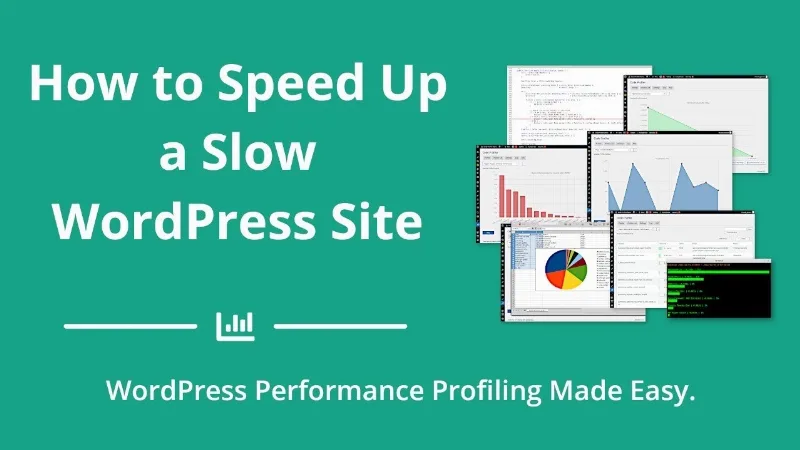
About Code Profiler Pro
Caching hides slowness, it doesn't remove it
A slow WordPress site usually ends the same way: you install a caching plugin, hire a CDN or upgrade your hosting plan, and the problem is still there, just better disguised. There is almost always a specific cause: a poorly coded plugin, a heavy SQL query buried among hundreds of lines of PHP or a child theme function that uses too much.
Code Profiler Pro puts a code profiler inside the WordPress dashboard so you measure before you spend. Install it, activate it and start profiling, even on shared hosting.
With Code Profiler Pro, from "it's slow" to the guilty function
This is what a typical walkthrough looks like on a site that loads slowly:
1. Profile the page that worries you
You can measure the frontend, the backend, a custom URL or cron events, and add your own GET/POST methods, cookies and HTTP headers.
2. See who takes the time
The first chart splits execution time between the active plugins and the current theme, in seconds and percentage. It helps you compare similar plugins and keep the lightest one, or check whether your hosting is the real problem.
3. Drill down into scripts, methods and functions
Each PHP script, class, method or function appears with its time and a bar showing the percentage. The callers column tells you who calls what, and from each row you can view the function and the list of its callers.
4. Check queries, connections and disk
- Database queries, with their time and the trail of scripts and functions that led to them, in execution order.
- Outgoing HTTP connections with their response code.
- File operations (open, delete, rename, create directories, change permissions and others), including logs or temporary files a plugin writes.
- Total disk reads and writes, in bytes.
5. You decide
The plugin shows you where time is lost, but it does not fix it. With the result you can remove or replace a plugin, or take the report to whoever writes the code so they correct that specific function.
Common questions before installing Code Profiler Pro
Does it slow down my site if I leave it active?
You don't need to deactivate it when you aren't using it: it does not affect performance.
Does it work on multisite?
Yes, but only the super admin can run it.
Does it replace a caching plugin?
No. It is a diagnostic tool: it doesn't speed anything up by itself, it tells you what to fix.
Is it only for developers?
No. Site owners and agencies can use it to detect slow plugins or themes, although reading functions and queries takes some technical skill. Developers can also run it from WP-CLI.
Measure after every change, not only when something breaks
It is worth profiling after each plugin or theme update and comparing with the previous measurement. That way you catch the culprit the day it appears, not weeks later.
All tables and charts export to CSV so you can build your own graphs in a spreadsheet, and charts can also be exported as PNG images. For an agency, it is a data-backed report to show the client before proposing a plugin or hosting change.
Topics
Version history
-
v
1.6.8 Current 15 May 2024
Customer reviews
Sign in to leave a review. Only people who have the product can review it.
No reviews for this product yet.
Frequently asked questions
-
GPL (General Public License) is the license under which WordPress and most premium plugins/themes are distributed. It grants you the right to use, modify and redistribute the software in as many projects as you want, with no domain restrictions.
-
Yes. With membership you get automatic updates via our GPLClub Updater plugin (installed on your WP, detects new versions and applies them). With individual purchase, you get one year of manual updates from your account.
-
Depends on the plan. Monthly: 3 domains. Semi-annual: 7. Annual and Lifetime: 15. Individual purchase: 1 domain.
-
GPLClub offers its own support for installation, configuration and compatibility. For direct support from the original author (feature requests, product-specific bugs), a license purchased from the author is required.