Creative Timeline for WordPress
Antivirus scan
Powered by ClamAV
✅ Verified clean
This product file has passed our security filters.
Want to run a fresh ClamAV scan right now? Takes a few seconds and shows scanner version, signature DB and live result.
This can take 5 to 30 seconds.
Clean file Threat detected
No threats detected in this file.
- File
- Size
- Scanned
- ClamAV
- Signature database
⚡ Powered by ClamAV
Scan could not be completed
Report product
If you detected an issue (broken file, malware, inappropriate content, etc.) let us know and we'll review it ASAP.
Sign in to report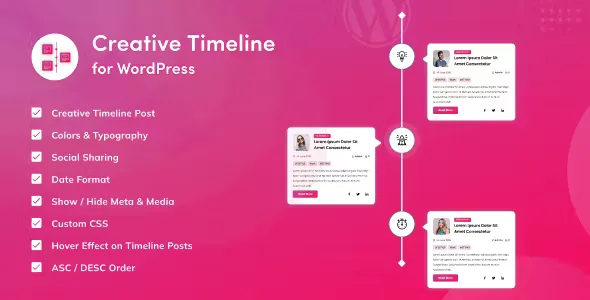
About Creative Timeline for WordPress
A story full of dates that nobody finishes reading
Telling the story of a company, an author's career or a project schedule in one long paragraph ends up as a wall of text where the dates get lost. A timeline solves the ordering, but the real problem is usually different: someone with twenty years of events wants to include them all, and the timeline becomes endless.
Creative Timeline for WordPress provides the order and the design, but choosing the milestones is still up to you. It works better with a few well-chosen moments, each with its own image and a clear sentence, than with a full archive of everything that happened.
Creative Timeline for WordPress: two styles and control over each milestone
It comes with two ready-made styles:
- Classic Timeline: designed to tell a path of goals in a direct way.
- Artistic Timeline: more expressive, geared towards telling the story of a business.
Each milestone can show a date, image, title, description, button, social sharing icons, comments and author. There are more than 35 options: colour of all the content, box shadow, borders, a hover effect on the buttons and a horizontal mode. You place it wherever you want with a shortcode, and the shortcode builder saves you from typing it by hand in any page builder.
What to keep in mind: there are only two base styles, so customisation stays within colours, borders and shadows, not new layouts. Also, each milestone is a custom post that you will have to create with its own text and image. It is a visual presentation of content: it does not handle registrations, bookings or ticket sales for an event.
Questions before installing Creative Timeline
Does it work with any theme?
It is designed to work with any WordPress theme and the design is responsive. Even so, check how it looks on mobile with your own theme before publishing it.
Do I need to know how to code?
No. It is configured with options and the shortcode builder, without touching code.
Can I make a horizontal timeline?
Yes, it includes a horizontal mode in addition to the usual layout.
Can the plugin be translated?
It includes a .pot file, so you can translate its texts into the language of your site.
Where it fits: company history, biographies and projects
- A company's history on the About us page.
- An author's biography, with their works and milestones in order.
- A timeline of events.
- A to-do list or a new storyline.
- Any content where the order in time is part of the message.
If chronological order adds nothing to what you are telling, a timeline only adds scrolling. Use it when the before and after matter.
The shortcode is generated in the plugin and pasted where you need it
Before you start, prepare the texts and images for each milestone and decide which ones really make the cut. Then create the content, choose between Classic and Artistic, adjust colours, borders and which data is shown, and generate the shortcode with the builder. Paste it into the page or the block of your page builder and check the result on desktop and mobile. If you hesitate between the two styles, try both with your own images: the effect changes a lot depending on the size and visual weight of each one.
Version history
-
v
1.0.5 Current 29 Jul 2026
-
v
1.0.2 8 May 2024
Customer reviews
Sign in to leave a review. Only people who have the product can review it.
No reviews for this product yet.
Frequently asked questions
-
GPL (General Public License) is the license under which WordPress and most premium plugins/themes are distributed. It grants you the right to use, modify and redistribute the software in as many projects as you want, with no domain restrictions.
-
Yes. With membership you get automatic updates via our GPLClub Updater plugin (installed on your WP, detects new versions and applies them). With individual purchase, you get one year of manual updates from your account.
-
Depends on the plan. Monthly: 3 domains. Semi-annual: 7. Annual and Lifetime: 15. Individual purchase: 1 domain.
-
GPLClub offers its own support for installation, configuration and compatibility. For direct support from the original author (feature requests, product-specific bugs), a license purchased from the author is required.