DeBlocker – Anti AdBlock for WordPress
Antivirus scan
Powered by ClamAV
✅ Verified clean
This product file has passed our security filters.
Want to run a fresh ClamAV scan right now? Takes a few seconds and shows scanner version, signature DB and live result.
This can take 5 to 30 seconds.
Clean file Threat detected
No threats detected in this file.
- File
- Size
- Scanned
- ClamAV
- Signature database
⚡ Powered by ClamAV
Scan could not be completed
Report product
If you detected an issue (broken file, malware, inappropriate content, etc.) let us know and we'll review it ASAP.
Sign in to reportNewer version out, or a problem?
About DeBlocker – Anti AdBlock for WordPress
A blog with ads loses income every time a visitor uses a blocker
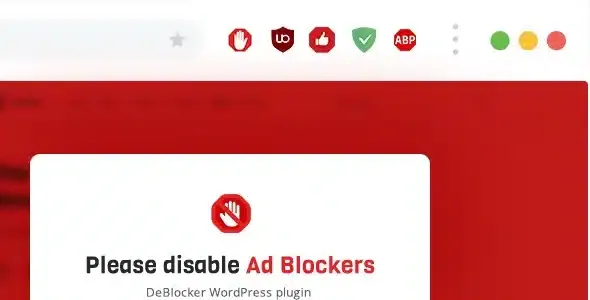
If your website earns money from advertising, every visitor who browses with an extension that blocks ads is an ad that never gets seen and income that never arrives. DeBlocker is a WordPress plugin that asks that visitor to disable the extension before continuing to read.
It detects most well-known extensions, such as AdBlock, Adblock Plus, uBlock, uBlocker, AdGuard AdBlocker, Poper Blocker, Ads Killer, Adaware Ad Block or Easy Ad Blocker. It recognizes the best-known ad blockers and uses a dynamic script that is hard for any blocking extension to detect.
It is designed for blogs, portfolios, corporate websites, e-commerce projects, creative agencies, real estate listings, personal CVs, restaurants and retail companies.
Modal window or full-screen lock: how the notice looks to your visitor
You can choose the colors and size of the pop-up window, change the text and title, and hide the message if you don't need it. DeBlocker comes with two templates: a modal window and a full-screen lock.
What it blocks while the notice stays active
Until the visitor disables the ad blocker, they cannot open the context menu, select or copy anything on the page, or use keyboard shortcuts. The lock is deliberately strong: the content stays restricted until the extension is turned off.
Enabling it across the whole site or only on the pages with the most ads
DeBlocker works both for the entire site and for individual pages. It is compatible with WooCommerce, with Gutenberg and with builders such as Elementor, Visual Composer, Beaver Builder, Divi, Themify Builder, WP Bakery Page Builder and Layers WP, as well as with themes and frameworks such as Genesis, Gantry or Unyson.
It works on sites with RTL direction and does not depend on jQuery, because it uses native JavaScript. It adapts well to phones and tablets.
Keep the browser scope in mind: the plugin only supports desktop and mobile versions of browsers with more than 3% market share, and it does not guarantee operation on game consoles, projection glasses, smartwatches, smart TVs or appliances with built-in screens.
Frequently asked questions about DeBlocker
Which browsers does it cover?
Chrome, Firefox, Safari, Edge and Opera, on both desktop and mobile. Remember that compatibility is limited to browsers with more than 3% market share.
Can I change the notice text and its look?
Yes. You can change the window's colors, size, text and title, or hide the message if you don't need it.
Does it work for WooCommerce stores?
Yes, it is compatible with WooCommerce, so you can apply the notice to a store the same way you would to a blog or a corporate website.
Can I apply it only to some pages?
Yes. It works for the entire site or for individual pages, so you can reserve it for the pages that concentrate the most ads.
Topics
Version history
-
v
3.4.12 Current 21 Feb 2025
Customer reviews
Sign in to leave a review. Only people who have the product can review it.
No reviews for this product yet.
Frequently asked questions
-
GPL (General Public License) is the license under which WordPress and most premium plugins/themes are distributed. It grants you the right to use, modify and redistribute the software in as many projects as you want, with no domain restrictions.
-
Yes. With membership you get automatic updates via our GPLClub Updater plugin (installed on your WP, detects new versions and applies them). With individual purchase, you get one year of manual updates from your account.
-
Depends on the plan. Monthly: 3 domains. Semi-annual: 7. Annual and Lifetime: 15. Individual purchase: 1 domain.
-
GPLClub offers its own support for installation, configuration and compatibility. For direct support from the original author (feature requests, product-specific bugs), a license purchased from the author is required.