Super Forms - Popups
Antivirus scan
Powered by ClamAV
✅ Verified clean
This product file has passed our security filters.
Want to run a fresh ClamAV scan right now? Takes a few seconds and shows scanner version, signature DB and live result.
This can take 5 to 30 seconds.
Clean file Threat detected
No threats detected in this file.
- File
- Size
- Scanned
- ClamAV
- Signature database
⚡ Powered by ClamAV
Scan could not be completed
Report product
If you detected an issue (broken file, malware, inappropriate content, etc.) let us know and we'll review it ASAP.
Sign in to report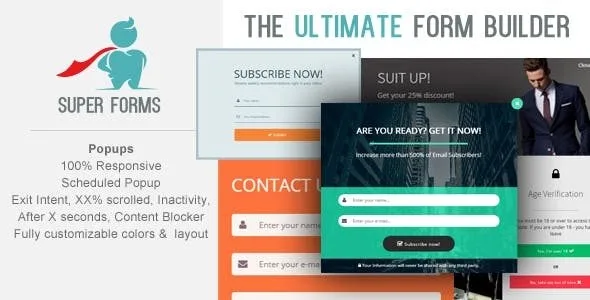
About Super Forms - Popups
Your form is finished, but it is waiting on the wrong page
You spent hours on a multi-step quote form and placed it on the contact page. Someone reading an article or comparing your services would have to stop and go looking for it. Meanwhile the form sits there, complete, and that person never sees it.
A form performs when it appears at the moment someone is willing to answer it, and that moment depends on what the person did on the page. Super Forms Popups shows forms built with Super Forms, the builder by Rens Tillmann, in a popup or modal window. The form stays the same: what changes is when and to whom it is presented. Nor is it a standalone popup builder, because it needs Super Forms to work.
The signals that open the window and who it targets
- On page load: direct opening, best switched off if you prefer to open it by hand.
- Exit intent: with its own message for someone about to leave.
- Scrolling: it opens once the visitor has gone through part of the page.
- Time: it waits the seconds you set.
- Inactivity: it reacts when the visitor stops interacting.
- Link, button or menu: whoever chooses to click opens it, through an address or a shortcode.
The settings separate logged-in visitors from those who are not, so a registered customer can be left out of an offer meant for someone who has not signed up yet. There is also scheduling with a start and end date, useful for a campaign that must switch off on a specific day without anyone having to remember it. Review these options under Popup Settings on your installation before planning a campaign around them.
A window with its own look
- Size and background: width in pixels, background color or image, and inner padding.
- Dark overlay: color and opacity of what stays behind.
- Animation: a sliding entrance, for example from the top, with fade-in and fade-out, each with its own duration.
- Closing: a button with its own label and colors.
- Borders and shadows: thickness, color, rounded corners, offset, blur and opacity.
Which signal to choose for each page
These combinations are a starting point, and they are worth testing with your visitors:
- Long article: scrolling waits until the person has read part of it before asking for anything.
- Pricing page: exit intent offers one last route to someone who was already leaving.
- Long multi-step form: a button leaves the opening to someone who already wants to start.
Setting it up so the first opening does not fail
There is a detail that is easy to forget: the popup only exists where the form shortcode is. A button without that shortcode on the same page opens nothing.
- Create the form in Super Forms and go to Form Settings, Popup Settings section.
- Define when it opens and how it looks.
- Paste the form shortcode into the pages where it should appear.
- To have it across the whole site, place it in a text widget in the footer.
- To open it by hand, use a link to
#super-popup-XXXor the shortcode[super-popup id=XXX], with XXX as the form ID, and switch off opening on load.
Super Forms as the base and two popup builders
Super Forms is the base needed to create the forms, with calculations, multiple steps and conditional logic. If you do not use that builder yet and only want to collect email addresses, Brave Popup Builder Pro comes with a visual editor and its own forms, and another option in the catalog is Master Popups.
How far each popup reaches across your site
Does it work with forms from other plugins?
It shows Super Forms forms, and its settings live inside each of them.
Does Super Forms already include popups?
Opening a form in a popup is a built-in feature of Super Forms, so check whether your installation already shows the Popup Settings section.
Can I open it from the WordPress menu?
Yes. In Appearance, Menus, add a custom link with the address #super-popup-XXX. The form shortcode must be on that page or in the footer.
Can it show on every page?
Yes, with the shortcode in a footer text widget, which loads the popup and the form across the site.
Does it suit a campaign with an end date?
That is what the start and end date settings are for. Test the cutoff on your site before the campaign.
Topics
Version history
-
v
1.7.1 Current 8 Jan 2025
Customer reviews
Sign in to leave a review. Only people who have the product can review it.
No reviews for this product yet.
Frequently asked questions
-
GPL (General Public License) is the license under which WordPress and most premium plugins/themes are distributed. It grants you the right to use, modify and redistribute the software in as many projects as you want, with no domain restrictions.
-
Yes. With membership you get automatic updates via our GPLClub Updater plugin (installed on your WP, detects new versions and applies them). With individual purchase, you get one year of manual updates from your account.
-
Depends on the plan. Monthly: 3 domains. Semi-annual: 7. Annual and Lifetime: 15. Individual purchase: 1 domain.
-
GPLClub offers its own support for installation, configuration and compatibility. For direct support from the original author (feature requests, product-specific bugs), a license purchased from the author is required.