dflip
Antivirus scan
Powered by ClamAV
✅ Verified clean
This product file has passed our security filters.
Want to run a fresh ClamAV scan right now? Takes a few seconds and shows scanner version, signature DB and live result.
This can take 5 to 30 seconds.
Clean file Threat detected
No threats detected in this file.
- File
- Size
- Scanned
- ClamAV
- Signature database
⚡ Powered by ClamAV
Scan could not be completed
Report product
If you detected an issue (broken file, malware, inappropriate content, etc.) let us know and we'll review it ASAP.
Sign in to reportNewer version out, or a problem?
About dflip
Your PDF turned into a 3D book
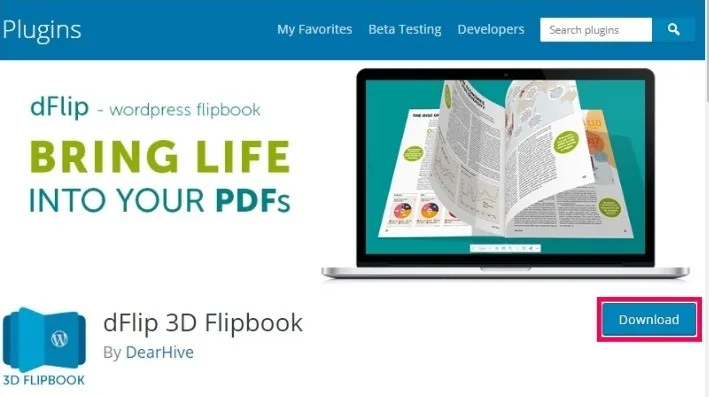
DearFlip turns your PDF into a 3D book that visitors flip through like a real book.
Embedded on the page or in a popup window
The embedded mode places the book directly on the page. It works well when there is a single book on it and you want the book to blend with the background. If you have several books on the same page, the option is the popup window: each book appears as a thumbnail and opens when clicked.
For the popup there is also a bookshelf, with a custom background image that you can set in the global settings or in the shortcode. If you need to group books, categories show them as a group or as a list, and new ones appear automatically without touching the shortcode.
From PDF to book, with three reading modes
You don't need to split the PDF into images: the plugin accepts the file directly and builds the table of contents from it, to which you can add more entries. You can also build a book from loose images, adding as many as you want.
Besides the 3D page flip, there are two modes designed for documents with text or with pages of different sizes, plus an alternative binding:
- Scroll view: the PDF is read by scrolling down the page, like in a desktop viewer.
- Slider view: suits documents with a presentation style.
- Spiral book: adds a spiral binding to the book.
What the free version solves and what the paid version unlocks
The free version includes basic features. What changes with the paid version is in this list:
- Included free: embedded book, thumbnail popup, PDF and images, table of contents, individual settings per book and categories.
- Paid version only: popups with buttons, links or custom triggers, clickable links inside the PDF, global settings, control customization, page stiffness, zoom with the mouse wheel, text translation, and Google Analytics tracking of when the book is opened and when the first page is turned.
- What you set up by hand: links inside the PDF must be defined explicitly, because the plugin does not turn a web address written as text into a link.
Buttons and triggers to open the book from your design
The book doesn't have to open only from its thumbnail. With the paid version you can use the buttons the plugin includes, customize them with a CSS class, or use your theme's buttons. Any HTML element with an id attribute, whether an image, a heading or a paragraph, can also act as a trigger and open the book in a popup window.
Magazines, photo albums and portfolios: where a 3D book shines most
The 3D book works well with visual content: photo albums, lookbooks, magazines and portfolios. For that material, the 3D book and the spiral book look great. If your document is mostly text, the scroll view is the better option.
Frequently asked questions about DearFlip 3D Flipbook
Do I need Flash for the book to work?
No. DearFlip does not depend on Flash, a technology that is almost obsolete. It is built with HTML5 and WebGL, which most browsers support, including mobile ones, so the visitor only needs a browser.
Can I use a PDF I already have?
Yes. The PDF is accepted directly, without converting it into images, and the table of contents is generated from the file itself.
What is the difference between the embedded book and the popup window?
The embedded book goes directly on the page and is designed for a single book. The popup window opens the book when a thumbnail is clicked, and it is the option when there are several books on the same page.
Can I open the book from my own buttons?
Yes, with the paid version. You can use theme buttons or any element on the page with an id attribute as a trigger.
Version history
-
v
1.7.29 Current 15 May 2024
Customer reviews
Sign in to leave a review. Only people who have the product can review it.
No reviews for this product yet.
Frequently asked questions
-
GPL (General Public License) is the license under which WordPress and most premium plugins/themes are distributed. It grants you the right to use, modify and redistribute the software in as many projects as you want, with no domain restrictions.
-
Yes. With membership you get automatic updates via our GPLClub Updater plugin (installed on your WP, detects new versions and applies them). With individual purchase, you get one year of manual updates from your account.
-
Depends on the plan. Monthly: 3 domains. Semi-annual: 7. Annual and Lifetime: 15. Individual purchase: 1 domain.
-
GPLClub offers its own support for installation, configuration and compatibility. For direct support from the original author (feature requests, product-specific bugs), a license purchased from the author is required.