Directorist Business Hour
Antivirus scan
Powered by ClamAV
✅ Verified clean
This product file has passed our security filters.
Want to run a fresh ClamAV scan right now? Takes a few seconds and shows scanner version, signature DB and live result.
This can take 5 to 30 seconds.
Clean file Threat detected
No threats detected in this file.
- File
- Size
- Scanned
- ClamAV
- Signature database
⚡ Powered by ClamAV
Scan could not be completed
Report product
If you detected an issue (broken file, malware, inappropriate content, etc.) let us know and we'll review it ASAP.
Sign in to report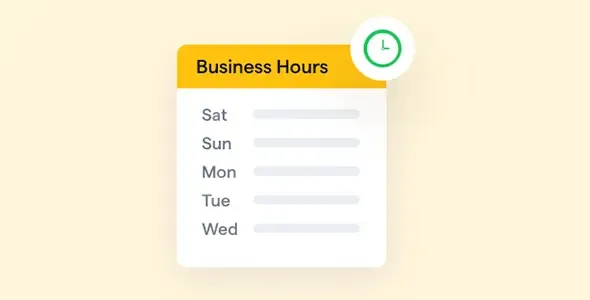
About Directorist Business Hour
A listing without hours forces people to call, and outdated hours are worse
Anyone searching a directory for a restaurant, a clinic or a law office wants to know one thing before leaving home: will the door be open? If the listing doesn't say, they have to call or go to another site. And if it says the wrong thing, in the visitor's eyes the one to blame isn't the business, it's your directory.
In a directory, third parties fill in the data, but the reliability of the information is yours. Directorist Business Hour turns opening hours into a proper data field on each listing, not a line lost in the description, which lets you display, highlight and filter them.
Directorist Business Hour step by step: how a restaurant listing looks
Imagine a restaurant creating its listing in your directory:
- The form. The owner sets the hours inside the listing form itself, day by day, with an opening and a closing time. If the business is open 24 hours, seven days a week, that can be set too.
- The time zone. It is adjusted so the displayed time is the one where the business operates. A New York venue doesn't need to appear in London time.
- The single listing. The hours can appear as a section inside the listing, as a sidebar widget, or in both places. The title is editable: "Opening hours", "Office hours" or whatever fits your directory.
- The badge. If the visitor arrives during opening hours, they see an "Open Now" badge; outside them, a "Closed Now" one. Both texts can be changed, so you can adapt them to your language and your tone.
- The all-listings page. The status badge also appears on the page with all listings, and you can filter by "open now", exactly what someone looking for food at ten at night wants.
There are limits in that flow worth knowing. It is an extension: it needs the Directorist plugin installed and doesn't work on its own. It displays hours, it doesn't manage bookings or appointments, so a restaurant or a medical practice will still need its own system for that. And it doesn't verify that the hours are true: whatever the owner enters is what gets shown. If your businesses close at midday or work split shifts, check in the demo how that is displayed before promising it to anyone.
Questions about Directorist Business Hour
Does it work without Directorist?
No. It is an add-on for the Directorist directory plugin and depends on it.
Can I change the badge texts?
Yes. Both the open and the closed text are customizable, as is the title of the hours block.
Does it work for a business that is always open?
Yes. You can set it as open 24 hours, seven days a week.
Where are the hours displayed?
On the listing page, in a sidebar widget, or in both. The status badge also appears on the page with all listings.
Does it allow booking a table or an appointment?
No. It tells visitors when the business is open, nothing more.
Hours visible on some listings and hidden on others
You can show or hide the hours on any listing. That's useful because not every listing needs them: a restaurant, a practice, a beauty salon, a real estate agency or a law firm all have service hours customers want to know, while other businesses may not make sense with fixed hours.
What it doesn't do is keep the hours up to date for the owners, so if data quality matters to you, remind them to review it whenever their hours change.
Topics
Version history
-
v
3.8.0 Current 29 Jun 2026
-
v
3.7.1 19 Mar 2026
Customer reviews
Sign in to leave a review. Only people who have the product can review it.
No reviews for this product yet.
Frequently asked questions
-
GPL (General Public License) is the license under which WordPress and most premium plugins/themes are distributed. It grants you the right to use, modify and redistribute the software in as many projects as you want, with no domain restrictions.
-
Yes. With membership you get automatic updates via our GPLClub Updater plugin (installed on your WP, detects new versions and applies them). With individual purchase, you get one year of manual updates from your account.
-
Depends on the plan. Monthly: 3 domains. Semi-annual: 7. Annual and Lifetime: 15. Individual purchase: 1 domain.
-
GPLClub offers its own support for installation, configuration and compatibility. For direct support from the original author (feature requests, product-specific bugs), a license purchased from the author is required.