Divi-Modules – Table Maker
Antivirus scan
Powered by ClamAV
✅ Verified clean
This product file has passed our security filters.
Want to run a fresh ClamAV scan right now? Takes a few seconds and shows scanner version, signature DB and live result.
This can take 5 to 30 seconds.
Clean file Threat detected
No threats detected in this file.
- File
- Size
- Scanned
- ClamAV
- Signature database
⚡ Powered by ClamAV
Scan could not be completed
Report product
If you detected an issue (broken file, malware, inappropriate content, etc.) let us know and we'll review it ASAP.
Sign in to report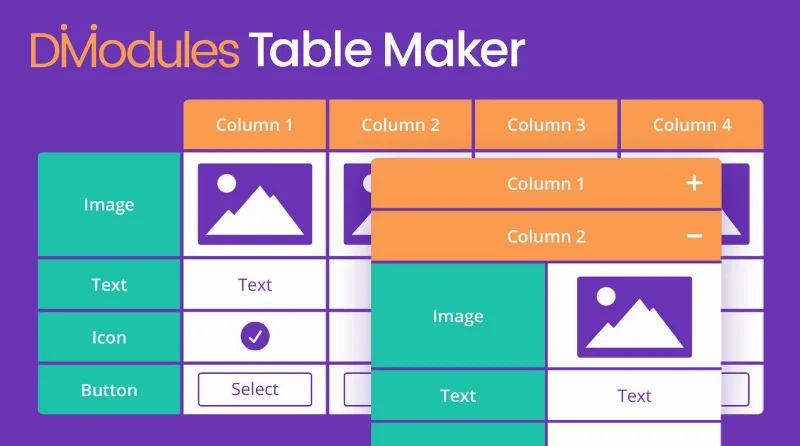
About Divi-Modules – Table Maker
Tables in Divi
Putting a table on a page often goes wrong: HTML copied from another site, columns that spill off the screen on mobile, or a shortcode nobody dares to touch when a figure has to change. If you already work with Divi, Divi-Modules – Table Maker is a Divi extension for creating tables.
This matters most if you work for clients. A table that only its creator understands turns into a support call every time a rate or a specification changes.
Responsive tables with Divi-Modules – Table Maker
The table is responsive: it is designed to adapt to small screens instead of forcing visitors to scroll sideways without knowing what is out of view.
Comparisons, rates and spec sheets: where a table pays off
Whoever installs a table module almost always faces a buying decision: comparing plans, models, services or features. The table is read at the moment the visitor hesitates, and usually on a phone. A table that looks great on desktop but is awkward on a small screen loses exactly the person who was about to decide.
That is why it helps to design around which piece of data should jump out: the price, the limit, the key difference.
A table with too many columns is still hard to read on mobile, no matter how much styling you give it. If your comparison has ten columns, consider trimming it.
Is a Divi module enough, or do you need a data table?
Table Maker is an extension for designing tables in Divi, not a data manager. Before choosing it, be clear about the following:
- It is an add-on for Divi: without the Divi Builder it makes no sense.
- It is meant for tables that you design and maintain yourself. If you need huge tables fed from spreadsheets, check in the demo how the data is loaded.
- If you are after data table features such as sorting or searching inside the table, verify in the demo whether they are included before buying.
Does it work with any theme?
It is a Divi extension, so you need the Divi Builder.
Is it good for comparing plans or products?
Yes, comparing is one of the uses of the extension.
Does it look good on mobile?
The tables are responsive. Still, check your specific table in the demo and on your own phone, because the number of columns greatly affects readability.
Topics
Version history
-
v
4.0.0 Current 2 Jun 2026
-
v
3.1.2 21 Feb 2025
Customer reviews
Sign in to leave a review. Only people who have the product can review it.
No reviews for this product yet.
Frequently asked questions
-
GPL (General Public License) is the license under which WordPress and most premium plugins/themes are distributed. It grants you the right to use, modify and redistribute the software in as many projects as you want, with no domain restrictions.
-
Yes. With membership you get automatic updates via our GPLClub Updater plugin (installed on your WP, detects new versions and applies them). With individual purchase, you get one year of manual updates from your account.
-
Depends on the plan. Monthly: 3 domains. Semi-annual: 7. Annual and Lifetime: 15. Individual purchase: 1 domain.
-
GPLClub offers its own support for installation, configuration and compatibility. For direct support from the original author (feature requests, product-specific bugs), a license purchased from the author is required.