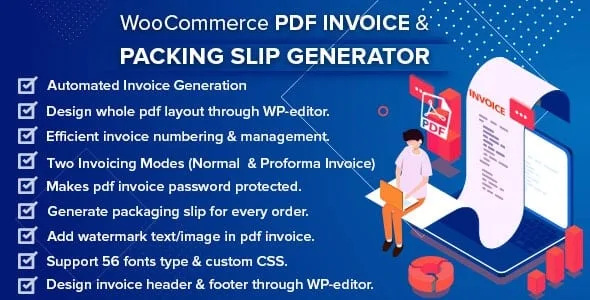
WooCommerce PDF Invoice and Packing Slip Generator
Antivirus scan
Powered by ClamAV
✅ Verified clean
This product file has passed our security filters.
Want to run a fresh ClamAV scan right now? Takes a few seconds and shows scanner version, signature DB and live result.
This can take 5 to 30 seconds.
Clean file Threat detected
No threats detected in this file.
- File
- Size
- Scanned
- ClamAV
- Signature database
⚡ Powered by ClamAV
Scan could not be completed
Report product
If you detected an issue (broken file, malware, inappropriate content, etc.) let us know and we'll review it ASAP.
Sign in to reportNewer version out, or a problem?
About WooCommerce PDF Invoice and Packing Slip Generator
WooCommerce PDF Invoice and Packing Slip Generator: invoices, packing slips and labels in PDF
When a WooCommerce store starts receiving many orders, the paperwork for each one (the customer's invoice, the packing slip for the warehouse and the shipping label for the carrier) usually ends up done by hand, with data copied from one place to another and mistakes that show up right in the busiest weeks. This plugin generates those documents as PDFs for your WooCommerce orders. You need WooCommerce active, since the plugin works on its orders.
How an invoice moves along: from proforma to normal invoice
When the customer completes their purchase, the plugin can create a proforma invoice automatically. That proforma updates every time you change something in the order.
The normal invoice is generated when the order is marked as completed. For it to be generated, the status the order is placed with and the status set in the normal invoice settings must be the same. If they don't match, the invoice is not generated, so it's worth checking that setting from the start.
You can enable both modes at once or keep just one, depending on how your store works. And if you need the invoice before the order is completed, you can generate the normal invoice by hand from the order's own page.
Frequently asked questions about WooCommerce PDF Invoice and Packing Slip Generator
What happens if I change something in the order after generating the invoice?
If you use the proforma, the document updates on its own with every change to the order. With the normal invoice, you can delete or regenerate it manually from the order page so it reflects those changes.
Is the invoice sent to the customer by email?
Yes. Each PDF invoice is attached automatically to the WooCommerce emails that correspond to the order. You can also choose which invoice mode is attached to the new order email that the store manager receives.
Does it adapt to my store's currency?
The plugin automatically detects your store's currency and settings. It is also compatible with WooCommerce Multi-currency and WooCommerce Sequential Order.
Can I change the design of the invoices?
Yes. The templates are customizable.
Packing slip and shipping label to prepare the parcel
To prepare the order in the warehouse, from the order edit page you can generate the packing slip with its button, and delete or regenerate it when needed. If your store ships with a label, you can turn it on and show a barcode and a QR code on it. If you prefer, you can also enter by hand the data that goes into those codes, and the label layout can be fully customized.
Credit notes when money is refunded
The plugin also generates credit notes. To use them, enable the credit note in its settings, inside the WooCommerce menu. The note is created when the order moves to fully refunded status.
Managing it from the order list and the store manager's email
From the orders table you can view and download the PDF invoices, and from each order's page you can do the same or act on that specific order.
- View and download invoices from the order list.
- Choose the invoice mode attached to the new order email sent to the manager.
- Download the invoices for a date range together in a single ZIP file.
Topics
Version history
-
v
2.4.0 Current 3 May 2024
Customer reviews
Sign in to leave a review. Only people who have the product can review it.
No reviews for this product yet.
Frequently asked questions
-
GPL (General Public License) is the license under which WordPress and most premium plugins/themes are distributed. It grants you the right to use, modify and redistribute the software in as many projects as you want, with no domain restrictions.
-
Yes. With membership you get automatic updates via our GPLClub Updater plugin (installed on your WP, detects new versions and applies them). With individual purchase, you get one year of manual updates from your account.
-
Depends on the plan. Monthly: 3 domains. Semi-annual: 7. Annual and Lifetime: 15. Individual purchase: 1 domain.
-
GPLClub offers its own support for installation, configuration and compatibility. For direct support from the original author (feature requests, product-specific bugs), a license purchased from the author is required.