Divi Protect
Antivirus scan
Powered by ClamAV
✅ Verified clean
This product file has passed our security filters.
Want to run a fresh ClamAV scan right now? Takes a few seconds and shows scanner version, signature DB and live result.
This can take 5 to 30 seconds.
Clean file Threat detected
No threats detected in this file.
- File
- Size
- Scanned
- ClamAV
- Signature database
⚡ Powered by ClamAV
Scan could not be completed
Report product
If you detected an issue (broken file, malware, inappropriate content, etc.) let us know and we'll review it ASAP.
Sign in to report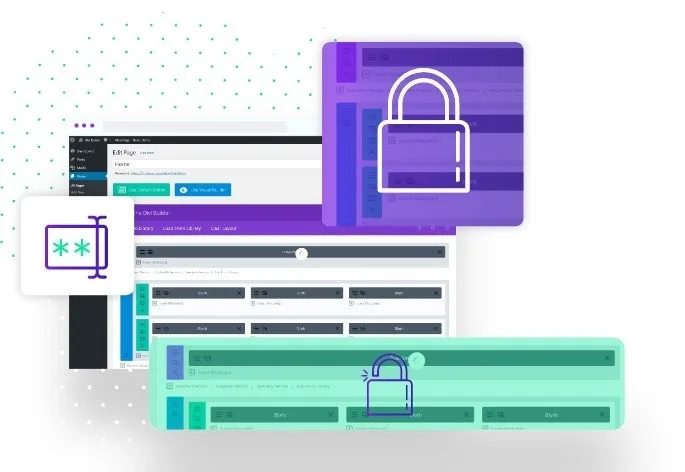
About Divi Protect
The text around the lock is what presents the closed content
You have a page for a course, a members' offer or a report. With the WordPress password, whoever arrives sees a form and nothing else: not what is behind it nor why asking for the key is worth it.
When the lock covers only one section, the rest of the page can explain what is behind it and give reasons to ask for the password.
Divi Protect password-protects a single section of a Divi page and leaves the rest visible. You can put several protected sections on the same page. You design what you hide in the builder with the same rows and modules as the rest of the site, and the accordions, tabs and sliders in a locked section keep working once it is unlocked.
How it is placed and what it offers
- Placement: you add the Protect module in the visual builder and choose which section it shows, or paste a shortcode in a code module.
- Passwords: each section has one password, and you can add others for different groups.
- Who skips the form: logged-in visitors if you turn it on, those in the roles you choose and members of a Divi Membership plan, which must be active.
- Access duration: the browser remembers the key for a number of days, in steps of 30 minutes, or only for the current visit until the browser closes.
- Text and layout around it: button, label, placeholder and wrong password message; text or a Divi layout above the form and another below, while the section stays closed.
- After a correct password: the visitor stays on the page or goes to another address, and the page can scroll to the opened section.
- Styling and comfort: field colors, font size, border and button, and the option to show or hide the key while typing.
Security and differences from the WordPress password
Passwords are stored hashed, not in plain text, and repeated wrong attempts are paused. On sites with Divi Nitro, someone who has already unlocked is not served the cached locked page.
Native WordPress protection locks the whole post or page, uses a single shared password, remembers access for ten days unless you add code and does not let anyone skip the form by session, role or membership. Changing labels, button or messages needs code. Divi Protect solves those pieces inside Divi, and in return it only works on sites with Divi.
A report page with a closed stretch
One possible combination: a page with the report's introduction and summary open, a closed stretch with the full data and, above the form, a text saying what it contains. For clients, a group password with access by days; for the team, the skip by role. It is only a suggestion; modify it for your project.
Requirements and first steps
You need Divi. The membership option also needs Divi Membership active.
- Install and activate Divi Protect on a site with Divi.
- Edit the page and design in a section the content you want to close.
- Add the Protect module, choose that section and set the password.
- Decide who can skip the form and how long access lasts.
- Write the form texts and the content above and below it.
Alternatives for restricting content
If you prefer a solution that does not depend on Divi, look at Password Protect WordPress Pro. To protect by category instead of by section, check Password Protected Categories.
Answers about Divi Protect
Can I protect more than one section on the same page?
Yes. One page can hold several protected sections.
Can I give each group a different password?
Yes. Each section has one password and you can add others for different groups.
How long does access last?
As long as you configure: a number of days, in steps of 30 minutes, or only the current visit.
Does it work on a site without Divi?
No. It requires Divi.
Topics
Version history
-
v
2.3.3 Current 31 Mar 2026
Customer reviews
Sign in to leave a review. Only people who have the product can review it.
No reviews for this product yet.
Frequently asked questions
-
GPL (General Public License) is the license under which WordPress and most premium plugins/themes are distributed. It grants you the right to use, modify and redistribute the software in as many projects as you want, with no domain restrictions.
-
Yes. With membership you get automatic updates via our GPLClub Updater plugin (installed on your WP, detects new versions and applies them). With individual purchase, you get one year of manual updates from your account.
-
Depends on the plan. Monthly: 3 domains. Semi-annual: 7. Annual and Lifetime: 15. Individual purchase: 1 domain.
-
GPLClub offers its own support for installation, configuration and compatibility. For direct support from the original author (feature requests, product-specific bugs), a license purchased from the author is required.