DiviSignatures
Antivirus scan
Powered by ClamAV
✅ Verified clean
This product file has passed our security filters.
Want to run a fresh ClamAV scan right now? Takes a few seconds and shows scanner version, signature DB and live result.
This can take 5 to 30 seconds.
Clean file Threat detected
No threats detected in this file.
- File
- Size
- Scanned
- ClamAV
- Signature database
⚡ Powered by ClamAV
Scan could not be completed
Report product
If you detected an issue (broken file, malware, inappropriate content, etc.) let us know and we'll review it ASAP.
Sign in to report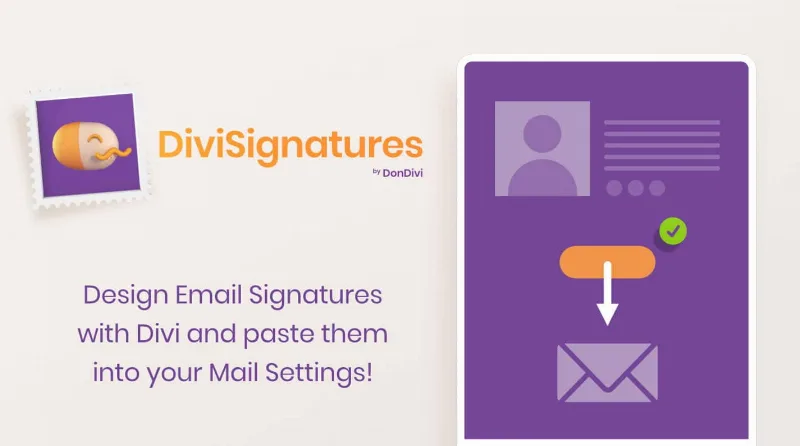
About DiviSignatures
Everyone on your team signs their email however they can
Your website has defined colors, chosen typography and a carefully made logo. Then someone in sales sends a quote with a signature copied from a colleague, someone else pastes a distorted image and a third person is still using the old phone number. Your clients see that signature on every message.
The email signature tends to be the brand asset nobody manages, because it lives scattered across the settings of each email program. DiviSignatures uses what you already have: if you design your site with Divi, you also design signatures in the builder, copy them with a button and paste them into your email settings.
What each signature holds
- Personal details: name, position and company, with photo and logo.
- Contact: address, phone numbers, email and website, in the order you choose by dragging each field.
- Labels in text (T, M, F), icons, custom icons or none.
- Social icons linked to each person's profiles. For WhatsApp, include the country code.
- Three layouts: one column, two columns in two rows or two columns in one row, applied to all signatures or a single one.
- Links and dividers, plus a guide showing the signature's actual width in email.
- Footer for a note below the contact section, available only in single signatures.
One signature for you or a directory for the whole company
A solo professional can create a single signature. In a team, common elements such as the logo, contact details and social networks are set once, and the photo, email and phone are edited per person.
The module shows all signatures together or one per member, with a directory that can be searched and filtered. So each person comes in, finds theirs and clicks Copy. For a shared mailbox, you can hide name and photo and leave a common signature.
It also suits agencies: signatures stay published online, so the client can share a URL with their team to copy each one with corporate logos, fonts and colors.
Email does not behave like a web page
What you see in Divi then passes through programs with their own rules, so these guidelines help:
- Images in JPG or PNG, under 300 pixels wide. GIF support is partial; avoid SVG and WebP.
- Outlook 2024: if the formatting changes, paste into Word first and then into Outlook.
- Apple Mail: if images fail, uncheck the option that always matches the default font.
- Thunderbird: check Use HTML when editing the signature.
- Blocked images: enable remote content or image downloads in your email program.
What you paste is a copy. If a position or phone number changes, update the signature in Divi and copy it again into each email account. The plugin does not hand out signatures for you either: among its features there is no automatic install into team accounts.
Your first signature in the builder
You need the Divi theme active. If your site runs on the latest generation of Divi, test it first on a copy of the site. Then follow this order:
- Upload the plugin from Plugins, Add New Plugin, Upload Plugin.
- Add the DiviSignatures module, which appears in the builder, to your layout.
- Click Add New Member and start from a template.
- Fill in the details and choose the layout.
- Click Copy and paste the result into your email's signature settings.
- Send yourself a test message and open it on your phone as well.
If you need a different kind of signature
The base is the Divi theme, which combines theme and builder. If what you actually want is clients signing contracts, WP E-Signature solves a different problem: it collects electronic signatures on documents inside WordPress.
Compatibility and signature tweaks
Which email programs does it work with?
Apple Mail, Mail for iOS, Microsoft Outlook, Mail for Windows, Outlook.com, Gmail and its app, and Thunderbird.
Does the Download button install the signature?
It saves an HTML file, intended mainly as a backup or for advanced editing. The usual route is Copy.
Can I change the phone labels?
Yes. You can use text, icons or none. There is also a filter to change the letter T to another label, such as PH.
Can I change the social icons?
Yes. A filter lets you replace the Facebook icon with your own image.
Can I add a notice at the end?
Yes, in the footer, only in single signatures.
Topics
Version history
-
v
1.5.5 Current 8 Jan 2025
Customer reviews
Sign in to leave a review. Only people who have the product can review it.
No reviews for this product yet.
Frequently asked questions
-
GPL (General Public License) is the license under which WordPress and most premium plugins/themes are distributed. It grants you the right to use, modify and redistribute the software in as many projects as you want, with no domain restrictions.
-
Yes. With membership you get automatic updates via our GPLClub Updater plugin (installed on your WP, detects new versions and applies them). With individual purchase, you get one year of manual updates from your account.
-
Depends on the plan. Monthly: 3 domains. Semi-annual: 7. Annual and Lifetime: 15. Individual purchase: 1 domain.
-
GPLClub offers its own support for installation, configuration and compatibility. For direct support from the original author (feature requests, product-specific bugs), a license purchased from the author is required.