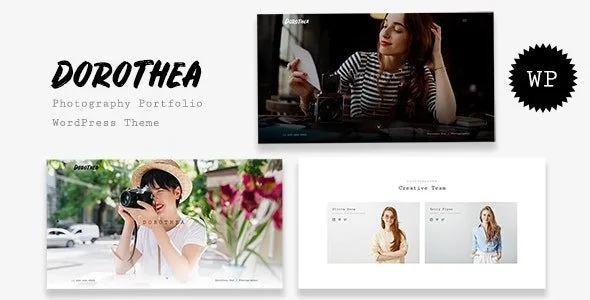
Dorothea – Photography Portfolio WordPress Theme
Antivirus scan
Powered by ClamAV
✅ Verified clean
This product file has passed our security filters.
Want to run a fresh ClamAV scan right now? Takes a few seconds and shows scanner version, signature DB and live result.
This can take 5 to 30 seconds.
Clean file Threat detected
No threats detected in this file.
- File
- Size
- Scanned
- ClamAV
- Signature database
⚡ Powered by ClamAV
Scan could not be completed
Report product
If you detected an issue (broken file, malware, inappropriate content, etc.) let us know and we'll review it ASAP.
Sign in to reportNewer version out, or a problem?
About Dorothea – Photography Portfolio WordPress Theme
Photographers who want their portfolio to look good on mobile
Many people who view a photography portfolio do it from their phone, usually through a link that reached them by message or email. If the gallery breaks on a small screen, the first impression is lost before they see a single photo. Dorothea is made for weddings, fashion, models, makeup, studios, personal photography and photo blogs, and for anyone who needs to present their work attractively and share it easily with clients.
The design adapts to desktop, laptop, tablet and phone, and is ready for retina screens.
How to set up the site with Dorothea
The theme includes page templates and layouts. You can import the demo with one click and start from the sample content in XML. To change the look of each page, a drag-and-drop visual builder is used.
If you want to adjust code, the theme includes a child theme. The code is clean and well structured, so any developer can extend it.
Requires Elementor to build the pages
Dorothea is built on Elementor, and the pages are assembled with that builder. That is why the plugin must be installed and active, and if you have never used it, keep that in mind before choosing the theme.
Galleries, blog and visual details of the theme
A portfolio gallery has to load without the visitor getting lost. Dorothea includes a Load More button and a standard blog template.
Dropdown menus work on touch devices, and the theme supports swipe and touch gestures. It comes with Font Awesome icons, animation effects for page elements and custom widgets designed for the theme. It also styles the Contact Form 7 plugin.
Admin panel, shortcodes and options
Dorothea's admin panel is extensive and lets you customize the theme quickly. It is based on Redux Options Framework, an options framework designed to be extended. The shortcode generator gives you access to the power of WordPress shortcodes in an easy way.
The markup is valid HTML5 and CSS3, it is built with SEO in mind, and it has been tested in Edge, Firefox, Safari, Chrome and Opera.
Frequently asked questions about Dorothea
Does it come with sample content to start with?
Yes. It includes a demo that imports with one click and sample data in XML format.
Can I make code changes without touching the original theme?
Yes, the theme includes a child theme.
Does it adapt to mobile phones and tablets?
Yes. The design adapts to desktop, laptop, tablet and phone, and the dropdown menu is designed for small screens.
How are long galleries handled?
With a Load More button. Before deciding, check in the demo how your type of gallery looks.
Forms, demo and the kind of project that suits Dorothea
Dorothea suits a photographer or studio that wants a visual website, with photo galleries, a blog and a contact form. If your project is different, for example a shop, check the demo before deciding to confirm that the sections you need are there.
For forms, the theme styles Contact Form 7, so you will want that plugin if you plan to use forms. The clean code also makes it easy for a developer to extend the site.
Topics
Version history
-
v
1.0 Current 18 Jun 2024
Customer reviews
Sign in to leave a review. Only people who have the product can review it.
No reviews for this product yet.
Frequently asked questions
-
GPL (General Public License) is the license under which WordPress and most premium plugins/themes are distributed. It grants you the right to use, modify and redistribute the software in as many projects as you want, with no domain restrictions.
-
Yes. With membership you get automatic updates via our GPLClub Updater plugin (installed on your WP, detects new versions and applies them). With individual purchase, you get one year of manual updates from your account.
-
Depends on the plan. Monthly: 3 domains. Semi-annual: 7. Annual and Lifetime: 15. Individual purchase: 1 domain.
-
GPLClub offers its own support for installation, configuration and compatibility. For direct support from the original author (feature requests, product-specific bugs), a license purchased from the author is required.