Embed Any Document Plus
Antivirus scan
Powered by ClamAV
✅ Verified clean
This product file has passed our security filters.
Want to run a fresh ClamAV scan right now? Takes a few seconds and shows scanner version, signature DB and live result.
This can take 5 to 30 seconds.
Clean file Threat detected
No threats detected in this file.
- File
- Size
- Scanned
- ClamAV
- Signature database
⚡ Powered by ClamAV
Scan could not be completed
Report product
If you detected an issue (broken file, malware, inappropriate content, etc.) let us know and we'll review it ASAP.
Sign in to report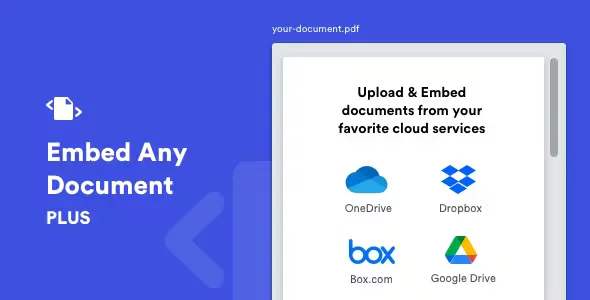
About Embed Any Document Plus
Removing the download link does not guard the document
You have a catalog, an annual report or a set of rules and you would rather have it read inside your page, without sending anyone to a loose file. You embed it, remove the download link and consider the matter closed. There is a catch: the document still reaches the browser through a viewer, and that viewer has its own buttons. Embed Any Document Plus can hide its link, but it does not control the viewer's download button.
That is why this plugin fits what you want to show, not what you want to protect. It displays PDF, Word, Excel and PowerPoint files in a post or page without the reader installing anything. For paid or confidential material, you need another layer.
Formats and sources for your documents
- Word: docx, docm, dotm and dotx.
- Excel: xlsx, xlsb, xls and xlsm.
- PowerPoint: pptx, ppsx, ppt, pps, pptm, potm, ppam, potx and ppsm.
- PDF.
- Cloud: Google Drive, including shared drives, Dropbox, Box.com and Microsoft OneDrive.
- Your site: upload to the media library, in wp-content/uploads.
- External URL: you paste the direct link and the plugin checks that the format is supported.
- Editors: Gutenberg Document block, Add Document button in the visual editor and the [embeddoc] shortcode.
Which viewer suits each case
The viewer decides much of the result, and it changes with the document:
- Google Docs Viewer: opens Word, Excel, PowerPoint, PDF, text, TIFF, Illustrator and SVG, up to 8 MB.
- Microsoft Office Online: for Word, Excel and PowerPoint, up to 10 MB. It caches the document for a few hours.
- Box.com: native viewer for files in that account, with a light or dark theme, and no option to swap it for another.
- Other viewers: a browser-based one, the native Dropbox one and the OneDrive Personal one.
Those caps belong to each service and can change, so for the first two it is best to stay under 5 MB. A larger file is better hosted on Google Drive or Box.com. If you update a document often, Office Online may show the previous version: rename the file when you embed it again, or use Google Docs Viewer with its option not to cache.
Limits of an embedded document
- It must be public. Google Docs Viewer and Office Online do not read local files, and a Google Drive file must be publicly accessible to show on your site.
- No video, audio or animations. Presentation transitions and embedded media do not play.
- No download link on Drive and Box.com. Those services give no access to the file's direct URL.
- You depend on third parties. Loading failures usually come from the viewer. Reloading helps, and so does switching viewers.
Each cloud's credentials and your first documents
A WordPress site published on a server is enough. The work is in the clouds: each one needs its own credentials, and without them you will only use your uploaded files and external URLs.
- Install the plugin and open its general settings.
- Set the default size, download link and preloader.
- Create the keys for each cloud you use. Google Drive needs Drive API and Google Picker API enabled, and in Dropbox your domain must be listed under Chooser/Saver Domain.
- Click Add Document, choose the source and check the result while logged out.
API changes can take 5 to 10 minutes to apply.
If you want a PDF reader or a whole library
When everything is PDF, PDF Embedder Premium offers continuous scrolling, jump to page, in-text search and per-file view and download counts.
When you have many documents, embedding them one by one stops being enough. Document Library Pro organizes them in tables, grids or folders, with search, filters and access restriction by user, role or password in its WordPress version.
Answers about viewers and downloads
Does the reader need to install anything?
No. Documents show on the page without additional software.
Can I limit downloads to logged-in users?
The plugin's download link accepts three values: all, logged and none. The viewer's own button stays outside that setting.
Why does it not show on my local install?
Because the viewers cannot reach local files. The document must be accessible online.
How large can a file be?
Up to 8 MB with Google Docs Viewer and 10 MB with Office Online, with 5 MB as the recommended figure.
Does it adapt to small screens?
Width accepts pixels or a percentage, and height can be responsive too.
Version history
-
v
2.8.9 Current 12 Dec 2025
Customer reviews
Sign in to leave a review. Only people who have the product can review it.
No reviews for this product yet.
Frequently asked questions
-
GPL (General Public License) is the license under which WordPress and most premium plugins/themes are distributed. It grants you the right to use, modify and redistribute the software in as many projects as you want, with no domain restrictions.
-
Yes. With membership you get automatic updates via our GPLClub Updater plugin (installed on your WP, detects new versions and applies them). With individual purchase, you get one year of manual updates from your account.
-
Depends on the plan. Monthly: 3 domains. Semi-annual: 7. Annual and Lifetime: 15. Individual purchase: 1 domain.
-
GPLClub offers its own support for installation, configuration and compatibility. For direct support from the original author (feature requests, product-specific bugs), a license purchased from the author is required.