Enter Addons Pro
Antivirus scan
Powered by ClamAV
✅ Verified clean
This product file has passed our security filters.
Want to run a fresh ClamAV scan right now? Takes a few seconds and shows scanner version, signature DB and live result.
This can take 5 to 30 seconds.
Clean file Threat detected
No threats detected in this file.
- File
- Size
- Scanned
- ClamAV
- Signature database
⚡ Powered by ClamAV
Scan could not be completed
Report product
If you detected an issue (broken file, malware, inappropriate content, etc.) let us know and we'll review it ASAP.
Sign in to reportNewer version out, or a problem?
About Enter Addons Pro
Building a client website with Enter Addons without piling up plugins
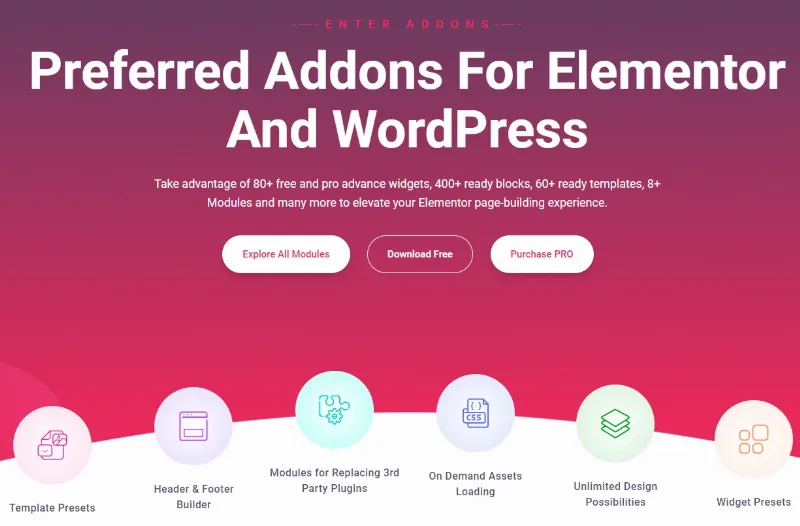
Building a site on Elementor often ends up with loose pieces: a header made with one plugin, a footer with another, image compression handled separately and a maintenance mode switched on by hand. Each piece has its own settings, and when several clash, the person who loses time is the one building the site. Enter Addons brings widgets, templates, blocks and several modules together in a single add-on. The walkthrough below follows someone building a website for a client, step by step.
Questions about Enter Addons if you already use free Elementor
Do I need Elementor Pro?
No. Enter Addons works with the free version of Elementor, so you don't have to buy Elementor Pro.
Does it work on a WordPress multisite network?
Yes, it is compatible with WordPress multisite.
Can I disable a widget or module I don't use?
Yes. Each widget and extension can be disabled, and anything disabled doesn't load its files.
Is there a knowledge base?
Yes, it has its own knowledge base.
Starting from one of the templates and adjusting its widgets
With the page created in Elementor, the first step is choosing one of the more than 170 ready templates. The presets are selected from a drop-down menu to change how the widgets look. The rest of the work is done with the more than 80 widgets, such as accordions, carousels, galleries, cards, Contact Form 7 forms or newsletter boxes.
Enter Addons is an Elementor add-on, so it needs Elementor installed and active. Several widgets have Pro in their name, such as Accordion Tab Pro, Marquee Image Pro or Image Hover Effect Pro. If your design depends on them, check what your version includes before building the whole page.
Header, footer and repeated sections without extra plugins
The site header and footer are designed with Header Footer Builder, the module that replaces a separate plugin for that job. The Header Footer Snippets module is also included. And when you need several Elementor sections working at once, Section Nesting lets you create as many as you need to organize the content.
Ready blocks you adjust in a few clicks
The more than 500 section blocks are dragged onto the page and customized in a few clicks.
Loading only the widgets each page uses
On-demand asset loading lets you switch each widget and extension on or off. Whatever you turn off doesn't load its files, so the page doesn't carry pieces nobody uses, which helps keep it fast. If you also want to keep an eye on speed, the Website Speed Up module is among the included ones.
Lighter images and maintenance mode before handover
Before handing over the site, three modules cover what usually goes in separate plugins:
- Image Compressor.
- Image Compress WebP Convert.
- Maintenance Mode.
Copying designs from one website to another across domains
Anyone managing several client websites can copy content from one site and paste it into sites on other domains with Cross Domain Copy Paste, instead of rebuilding the same section over and over. If you only build one website, you can leave this module for another time.
Version history
-
v
1.0.4 Current 8 Jan 2025
Customer reviews
Sign in to leave a review. Only people who have the product can review it.
No reviews for this product yet.
Frequently asked questions
-
GPL (General Public License) is the license under which WordPress and most premium plugins/themes are distributed. It grants you the right to use, modify and redistribute the software in as many projects as you want, with no domain restrictions.
-
Yes. With membership you get automatic updates via our GPLClub Updater plugin (installed on your WP, detects new versions and applies them). With individual purchase, you get one year of manual updates from your account.
-
Depends on the plan. Monthly: 3 domains. Semi-annual: 7. Annual and Lifetime: 15. Individual purchase: 1 domain.
-
GPLClub offers its own support for installation, configuration and compatibility. For direct support from the original author (feature requests, product-specific bugs), a license purchased from the author is required.