Epic Advertisement
Antivirus scan
Powered by ClamAV
✅ Verified clean
This product file has passed our security filters.
Want to run a fresh ClamAV scan right now? Takes a few seconds and shows scanner version, signature DB and live result.
This can take 5 to 30 seconds.
Clean file Threat detected
No threats detected in this file.
- File
- Size
- Scanned
- ClamAV
- Signature database
⚡ Powered by ClamAV
Scan could not be completed
Report product
If you detected an issue (broken file, malware, inappropriate content, etc.) let us know and we'll review it ASAP.
Sign in to report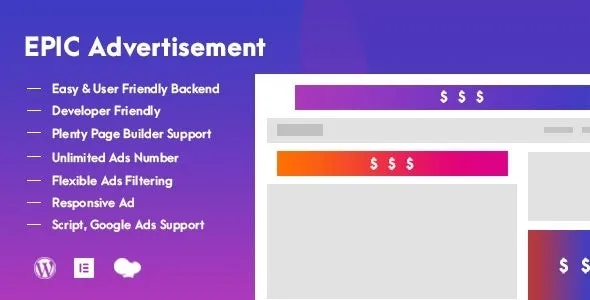
About Epic Advertisement
For site owners who monetize with ad slots and don't want to touch the template
Pasting an ad's code into a theme file seems quick, until you need to change it: every new banner, every size change or every page where it's out of place means editing templates. Epic Advertisement takes ads out of that code and manages them from the WordPress dashboard.
It suits anyone running a blog, a magazine or a site with lots of posts who wants to decide where each ad appears. It also suits developers who deliver themes or plugins with their own ad slots.
It doesn't suit you if you want a system to sell space to advertisers, with invoicing or click reports: what it offers is creating, placing and filtering ads. If statistics matter to you, check in the demo what the dashboard shows.
Image, script, shortcode or Google Ad: whichever format you already have
Each ad is one of these four types:
- Image
- Script
- Shortcode
- Google Ad
There is no limit on the number of ads you can create, so you can have variants for different sections without worrying about a cap.
Seven built-in positions and a filter that decides where each ad appears
The plugin comes with seven predefined locations, which can sit inside the content, in listings (the loop) or in a selector.
The filtering is what makes the difference on a site with varied content. You can show an ad on a single post, on a single category or on several pages at once. It also supports custom post types and custom taxonomies.
Sizes by device
There are more than 30 common market sizes to choose from. You can also set a different size for desktop, tablet and phone, so a wide banner doesn't wreck a small screen.
Epic Advertisement inside Elementor, WPBakery, widgets and shortcodes
It works as an extension for Elementor and WPBakery Page Builder. That route only helps if you use one of those builders; otherwise you have the shortcode, which you generate and paste into the content, and widget support for the areas of your theme that allow them.
It includes .po and .mo translation files, useful if the dashboard needs to be in your language.
For those who code: register a location and call it on the frontend
If you develop themes or plugins, the flow is to register a new ad location and call it wherever you want it displayed.
Questions before installing
Do I need to know how to code?
Not for normal use: ads are created and placed from the dashboard. You only need code if you want to register your own locations in a theme.
Does it work without Elementor or WPBakery?
Yes. You can use the predefined positions, shortcodes and widgets. The builders are one more option, not a requirement.
Can I use Google ads?
Yes, there is a specific Google Ad type, and also the script type for other networks.
Can I show an ad only in one category?
Yes, the filtering lets you limit it to a single post, a single category or several pages.
Topics
Version history
-
v
1.0.1 Current 16 May 2024
Customer reviews
Sign in to leave a review. Only people who have the product can review it.
No reviews for this product yet.
Frequently asked questions
-
GPL (General Public License) is the license under which WordPress and most premium plugins/themes are distributed. It grants you the right to use, modify and redistribute the software in as many projects as you want, with no domain restrictions.
-
Yes. With membership you get automatic updates via our GPLClub Updater plugin (installed on your WP, detects new versions and applies them). With individual purchase, you get one year of manual updates from your account.
-
Depends on the plan. Monthly: 3 domains. Semi-annual: 7. Annual and Lifetime: 15. Individual purchase: 1 domain.
-
GPLClub offers its own support for installation, configuration and compatibility. For direct support from the original author (feature requests, product-specific bugs), a license purchased from the author is required.