ERPlayer - Radio player for Elementor
Antivirus scan
Powered by ClamAV
✅ Verified clean
This product file has passed our security filters.
Want to run a fresh ClamAV scan right now? Takes a few seconds and shows scanner version, signature DB and live result.
This can take 5 to 30 seconds.
Clean file Threat detected
No threats detected in this file.
- File
- Size
- Scanned
- ClamAV
- Signature database
⚡ Powered by ClamAV
Scan could not be completed
Report product
If you detected an issue (broken file, malware, inappropriate content, etc.) let us know and we'll review it ASAP.
Sign in to reportNewer version out, or a problem?
About ERPlayer - Radio player for Elementor
Radio stations with their own stream that want to play it on their website
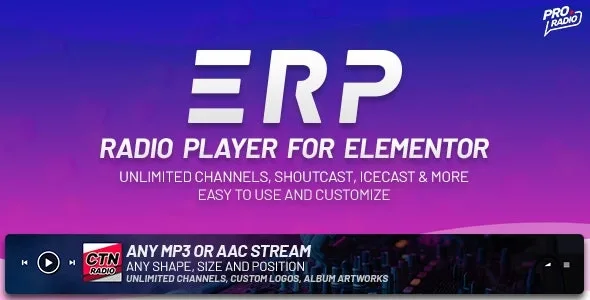
ERPlayer is made for those who already have their stream and want to play it inside their page with their own look.
You need your own stream, because the player takes the audio from your streaming provider and does not include any stations. It also requires Elementor installed and active, the latest version of WordPress and Elementor, and compatible MP3 or AAC streams.
Four ERPlayer designs and a style that follows your brand
You can choose among four player formats:
- Player card.
- Compact bar.
- Full-width bar.
- Minimal button.
The player can be customised in any aspect of its design: Google Fonts typography with size and letter spacing, background colours and opacity, background image, toggle button, margins, shadows and rounded corners. You can set an unlimited number of stations on the same website.
Three ways to place it: in the page, in a corner, or playing while browsing
The player can sit inline, at the point of the page where you place it. It can also appear fixed in a corner with a button to show or hide it. And in popup mode the music keeps playing while the visitor browses other pages of your website.
Popup mode works on desktop only, because mobile devices do not have popups, so it is worth deciding which position to use based on how your audience browses.
Song titles and artwork depending on your stream format
ERPlayer shows the title and artist from the most common formats: Shoutcast v2, Icecast, Radio.co, Airtime and Airtime Pro, Live365 (which requires a premium account), a text feed with the format "artist - title" and ICY audio headers, which are the default titles of many streams.
Optionally, it can also fetch the artwork of each song and use it as the player background, so the look changes with what is playing.
Volume and playlist, with their own settings
You can set the starting volume and decide whether the volume control and the playlist are shown.
Frequently asked questions about ERPlayer
Does it come with radio stations to listen to?
No. It is a player: the stations are yours, coming from your streaming provider.
Does popup mode work on mobile?
No. Popup works on desktop only, because mobile devices do not have popups.
Does it show the title of any station?
It shows titles for the compatible formats. If your stream uses Live365, you need a premium account with that service.
Can I see the artwork of each song?
Yes, optionally, and the artwork can be used as the player background.
Topics
Version history
-
v
1.2.2 Current 26 Feb 2025
Customer reviews
Sign in to leave a review. Only people who have the product can review it.
No reviews for this product yet.
Frequently asked questions
-
GPL (General Public License) is the license under which WordPress and most premium plugins/themes are distributed. It grants you the right to use, modify and redistribute the software in as many projects as you want, with no domain restrictions.
-
Yes. With membership you get automatic updates via our GPLClub Updater plugin (installed on your WP, detects new versions and applies them). With individual purchase, you get one year of manual updates from your account.
-
Depends on the plan. Monthly: 3 domains. Semi-annual: 7. Annual and Lifetime: 15. Individual purchase: 1 domain.
-
GPLClub offers its own support for installation, configuration and compatibility. For direct support from the original author (feature requests, product-specific bugs), a license purchased from the author is required.