Events Showcase For Elementor And The Events Calendar
Antivirus scan
Powered by ClamAV
✅ Verified clean
This product file has passed our security filters.
Want to run a fresh ClamAV scan right now? Takes a few seconds and shows scanner version, signature DB and live result.
This can take 5 to 30 seconds.
Clean file Threat detected
No threats detected in this file.
- File
- Size
- Scanned
- ClamAV
- Signature database
⚡ Powered by ClamAV
Scan could not be completed
Report product
If you detected an issue (broken file, malware, inappropriate content, etc.) let us know and we'll review it ASAP.
Sign in to reportNewer version out, or a problem?
About Events Showcase For Elementor And The Events Calendar
Events that read better as a showcase than as a list
A calendar of events without design ends up as a list of dates and titles that visitors scroll past without stopping. If your website depends on its events, the homepage and the agenda pages have to sell them, and that means paying attention to the image, the order and the pace at which upcoming and past dates are shown.
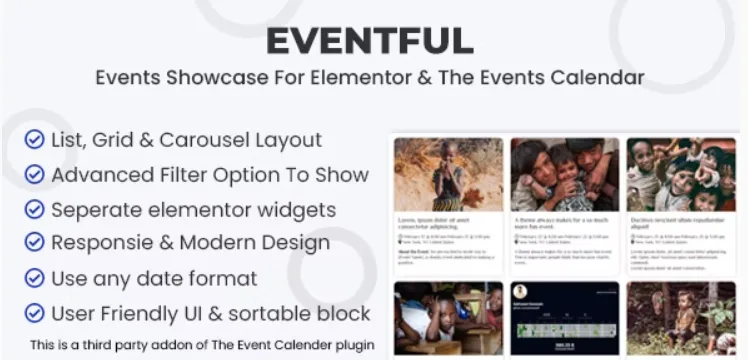
Events Showcase For Elementor And The Events Calendar takes the events you manage in The Events Calendar and displays them as visual blocks that you place and adjust inside the Elementor editor, dragging and dropping, without touching code.
Two formats and five grid styles
You can present events as a carousel or as a grid. Inside the grid there are five different styles to adjust the result to your site's look.
What each card shows and how the list is filtered
You decide which elements appear on each event: title, description, thumbnail, metadata, read more button and social sharing options.
Advanced query filtering defines exactly which events are listed, and you can sort them by event date. This works both to highlight upcoming dates and to show past ones. To split the list into pages there are five pagination styles.
- Visibility you can configure for each element of the card.
- Advanced event query filters.
- Sorting by event date.
- Five pagination styles.
Carousel with three modes and fine design settings
The carousel has three modes: Standard, Center and Ticker. You can set the space between columns, smooth the transitions between events and choose the navigation direction, left to right or right to left. RTL support is included for websites read in that direction.
For those who want to fine-tune every detail there is a custom CSS field. In addition, the backup option lets you replicate the setup across several websites without rebuilding it, and the plugin is ready for multilingual sites.
It needs Elementor and The Events Calendar installed and active, because the plugin extends the first and displays the events managed by the second.
Common questions about Events Showcase For Elementor
Can I also show past events?
Yes. It works both to highlight upcoming events and to show past dates, and the query filtering decides which ones appear.
Do I need to know how to code?
No. Everything is set up from the Elementor editor by dragging and dropping.
Can I take the same setup to another website?
Yes. The backup option lets you replicate the configuration across several websites.
Does it work on sites with several languages?
It is ready for that, with multilingual and RTL support.
When events are the main content of your website
Designed to highlight upcoming events, show past dates or give more attention to your event listings. If you publish only a few dates a year, a simple list from The Events Calendar may be enough.
Before deciding, think about which details each visitor needs to see for every event and whether you prefer a carousel or a grid, because that choice shapes the look of your agenda.
Topics
Version history
-
v
1.0.0 Current 8 Apr 2024
Customer reviews
Sign in to leave a review. Only people who have the product can review it.
No reviews for this product yet.
Frequently asked questions
-
GPL (General Public License) is the license under which WordPress and most premium plugins/themes are distributed. It grants you the right to use, modify and redistribute the software in as many projects as you want, with no domain restrictions.
-
Yes. With membership you get automatic updates via our GPLClub Updater plugin (installed on your WP, detects new versions and applies them). With individual purchase, you get one year of manual updates from your account.
-
Depends on the plan. Monthly: 3 domains. Semi-annual: 7. Annual and Lifetime: 15. Individual purchase: 1 domain.
-
GPLClub offers its own support for installation, configuration and compatibility. For direct support from the original author (feature requests, product-specific bugs), a license purchased from the author is required.