Exclusive Addons Elementor Pro
Antivirus scan
Powered by ClamAV
✅ Verified clean
This product file has passed our security filters.
Want to run a fresh ClamAV scan right now? Takes a few seconds and shows scanner version, signature DB and live result.
This can take 5 to 30 seconds.
Clean file Threat detected
No threats detected in this file.
- File
- Size
- Scanned
- ClamAV
- Signature database
⚡ Powered by ClamAV
Scan could not be completed
Report product
If you detected an issue (broken file, malware, inappropriate content, etc.) let us know and we'll review it ASAP.
Sign in to report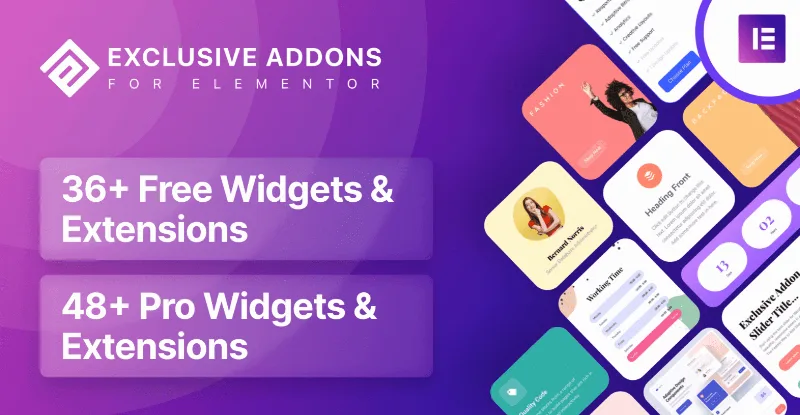
About Exclusive Addons Elementor Pro
Basic Elementor falls short when the client asks for something different
Building sites with Elementor often ends the same way: widgets you have already seen on a thousand sites, a menu that does not do what the client imagined, and sections you rebuild from scratch on every project. Anyone who builds sites for others knows clients do not judge the structure, they judge the details: the header, the motion, how the menu looks on mobile. Exclusive Addons Elementor Pro is an add-on made for that daily work: more widgets and extensions for Elementor, with plenty of styling options.
Exclusive Addons Elementor Pro: header, mega menu and copying between sites
These are the pieces that carry the most weight day to day:
- Header and footer builder: you create templates and place them at the top or bottom of the page. You can use the same ones across the whole site or different ones per page, and create as many as you want.
- Mega menu: horizontal or vertical, with a breaking point for small screens and editable styling for every menu item.
- Copy and paste between sites: you move widgets, columns, sections and almost any element from one WordPress site to another.
- Sticky: keeps any section fixed on screen while scrolling, with adjustable top spacing.
- Demo Previewer: with filters, a cover image, scrolling images, tags and prices.
What to keep in mind
It is an add-on: without Elementor installed it does nothing. The WooCommerce widgets need WooCommerce active and help you shape a store, not replace it. And Lottie animation starts from files you already have, either by pasting a URL or importing them from your computer; the widget does not create the animations for you.
Effects and widgets so the site does not look like one more template
This is where the visual resources come in: Lottie animation with several ways to trigger it and speed control, a frosted glass effect (glassmorphism), animated gradient backgrounds and floating particles in sections. For dynamic content there are several post widgets with different styles. It also includes a library of more than 3000 icons, plus ready-made templates and blocks. Use them in moderation: a particle background on every section tires the eye and weighs more than it adds.
Questions before installing Exclusive Addons Elementor Pro
Can I build the header and footer without another plugin?
Yes, the builder comes inside the add-on itself.
Can I turn off what I do not use?
Yes. From the admin area you can disable the widgets you do not need, so the editor stays cleaner.
Does copying between sites work with every element?
It covers almost all elements, not every one. Test your most complex designs before relying on it for a client project.
Disable the widgets you will not use before you start designing
With so many widgets, the Elementor panel fills up fast. The most practical approach is to open the add-on settings and leave active only what that project needs: the editor becomes easier to navigate and you do not load extra pieces. Then build the header and footer first, because they affect every page, and leave the effects (particles, gradients, Lottie) for last, once you can see how much the design can take. Check the mega menu breaking point on mobile before showing it to the client.
Version history
-
v
1.5.9.4 Current 3 Dec 2025
Customer reviews
Sign in to leave a review. Only people who have the product can review it.
No reviews for this product yet.
Frequently asked questions
-
GPL (General Public License) is the license under which WordPress and most premium plugins/themes are distributed. It grants you the right to use, modify and redistribute the software in as many projects as you want, with no domain restrictions.
-
Yes. With membership you get automatic updates via our GPLClub Updater plugin (installed on your WP, detects new versions and applies them). With individual purchase, you get one year of manual updates from your account.
-
Depends on the plan. Monthly: 3 domains. Semi-annual: 7. Annual and Lifetime: 15. Individual purchase: 1 domain.
-
GPLClub offers its own support for installation, configuration and compatibility. For direct support from the original author (feature requests, product-specific bugs), a license purchased from the author is required.