GF Google Sheet Connector
Antivirus scan
Powered by ClamAV
✅ Verified clean
This product file has passed our security filters.
Want to run a fresh ClamAV scan right now? Takes a few seconds and shows scanner version, signature DB and live result.
This can take 5 to 30 seconds.
Clean file Threat detected
No threats detected in this file.
- File
- Size
- Scanned
- ClamAV
- Signature database
⚡ Powered by ClamAV
Scan could not be completed
Report product
If you detected an issue (broken file, malware, inappropriate content, etc.) let us know and we'll review it ASAP.
Sign in to report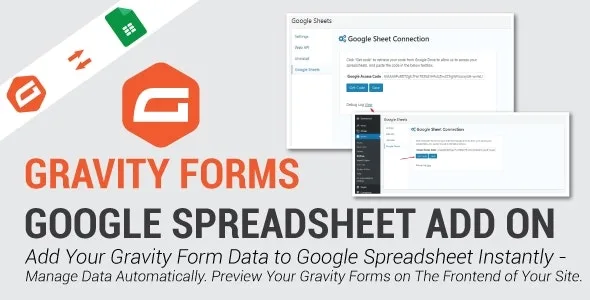
About GF Google Sheet Connector
Gravity Forms entries stay where nobody looks at them
Anyone who receives quote requests or registrations often has the problem the other way round from what it seems: the form works, but the data stays inside the WordPress dashboard, and the person who has to call, invoice or prepare the event never logs in there. They end up asking for manual exports or screenshots.
GF Google Sheet Connector sends the data from each submission to a Google Sheets spreadsheet after the user fills in the form. Each submission adds a new row, so your team works in the spreadsheet they already know, with their own filters, without needing access to your website's admin area.
One sheet per form and columns you decide
Each Gravity Forms form is linked to its own spreadsheet, and you can have as many forms connected as you like. In each form's settings you choose:
- Which sheet and which tab receives the data: you type the name of the sheet and of the main tab.
- Which fields are sent: all of them or only those that matter to whoever manages the data.
- What the columns are called: custom names or the same names as the form fields.
- Which data arrives: you can apply conditional logic to decide when the content is sent to the sheet.
It can also update the row when you edit an entry, send entry metadata (such as its ID and date) and export the sheet to CSV with one click.
Connecting to Google requires an access code and columns without spaces
The connection is made from Forms, in the Google Sheets option: you click to get a Google access code (while logged in to Gmail), paste it and save. There are also fields for the Google API Client ID and Client Secret. If something fails, the plugin's debug log shows the errors.
One detail that causes more than one headache: the column names in the sheet do not allow spaces or special characters. If your sheet already has headers such as Nombre completo, you will have to rename them or assign new names from the plugin.
Is connecting Gravity Forms to Google Sheets with this plugin worth it for you?
It is an add-on: it needs Gravity Forms installed and a Google account. Only one sheet can be linked to each form, so it is no use if you want to send the same form to several documents at once. The data is laid out horizontally, one row per submission, and the plugin does not create charts or reports by itself: you do that afterwards in Google Sheets.
Does it work with other form plugins?
No, it is built for Gravity Forms.
Can I send only some fields?
Yes. You can export all the fields or only the ones you choose, and decide which ones are shown in the sheet.
Can I send one form to two sheets?
No: each form supports a single sheet. If someone else needs the data, share that sheet with them or distribute the information from Google Sheets.
What do I do if the data does not arrive?
Check the plugin's debug log, make sure the Google access code is still saved and that the column names have no spaces or symbols.
Topics
Version history
-
v
1.0.9 Current 30 May 2024
Customer reviews
Sign in to leave a review. Only people who have the product can review it.
No reviews for this product yet.
Frequently asked questions
-
GPL (General Public License) is the license under which WordPress and most premium plugins/themes are distributed. It grants you the right to use, modify and redistribute the software in as many projects as you want, with no domain restrictions.
-
Yes. With membership you get automatic updates via our GPLClub Updater plugin (installed on your WP, detects new versions and applies them). With individual purchase, you get one year of manual updates from your account.
-
Depends on the plan. Monthly: 3 domains. Semi-annual: 7. Annual and Lifetime: 15. Individual purchase: 1 domain.
-
GPLClub offers its own support for installation, configuration and compatibility. For direct support from the original author (feature requests, product-specific bugs), a license purchased from the author is required.