Google Analytics Dashboard for WooCommerce By Advanced WC Analytics Pro
Antivirus scan
Powered by ClamAV
✅ Verified clean
This product file has passed our security filters.
Want to run a fresh ClamAV scan right now? Takes a few seconds and shows scanner version, signature DB and live result.
This can take 5 to 30 seconds.
Clean file Threat detected
No threats detected in this file.
- File
- Size
- Scanned
- ClamAV
- Signature database
⚡ Powered by ClamAV
Scan could not be completed
Report product
If you detected an issue (broken file, malware, inappropriate content, etc.) let us know and we'll review it ASAP.
Sign in to reportNewer version out, or a problem?
About Google Analytics Dashboard for WooCommerce By Advanced WC Analytics Pro
WooCommerce sales with data that explains what is happening
Many online stores look at Google Analytics visits and still cannot tell why orders are low: they see how many people arrive, but not at which step of the cart they drop off or which coupon actually drives the purchase. This plugin connects WooCommerce with Google Analytics and Facebook Pixel so that what happens in the store, and not only the pages viewed, reaches the reports.
What it measures in the cart, checkout and coupons
Every purchase is recorded, but the value lies in what happens before payment. Cart and checkout tracking records the events of each step of the process. Product reports show which items are viewed and the relationship between product page visits and purchases, which the plugin calls the buy-to-details ratio. You can also measure the performance of each coupon, that is, whether it really brings orders or just gives away discounts.
These insights help you understand customer behavior, optimize your product lineup and improve the payment flow.
Google Ads and Meta Pixel conversions in the same view
If you invest in ads, you need to know which sale comes from each campaign. This plugin records Google Ads conversions and Meta Pixel events.
A dashboard that summarizes audience, channels and devices
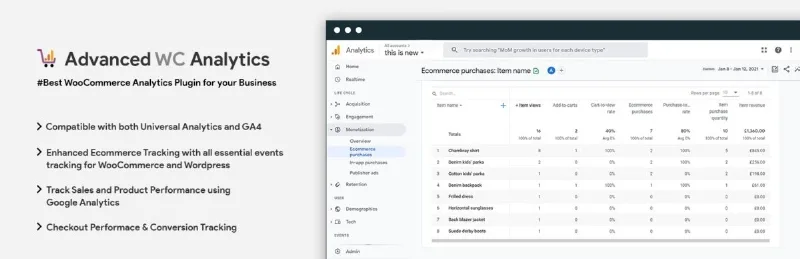
The dashboard analyzes data from more than 30 events to show you who visits the store: location, age, gender and language, where the traffic comes from (channels, resources and referrals) and which devices, browsers and screen resolutions they use. It also includes performance and engagement of users and content. Google user ID tracking helps you learn more about user behaviour. It is designed so that someone who is not technical can read the report.
Built on WooCommerce and sending data to your Google and Meta accounts
Before installing it, it is worth being clear about what it needs and what it already covers:
- Already covered: purchase, cart, checkout, customer account events and coupon tracking, plus audience and ad reports.
- Requires WooCommerce active: it is a store add-on, so without WooCommerce there are no purchase events to record.
- Requires your accounts: data is sent to Google Analytics, Google Ads and Facebook Pixel, so those accounts need to be set up.
Privacy, consent and data security
The plugin includes support features for data privacy, user consent and data security. Even so, your store's legal compliance depends on how you configure it, so review it with whoever handles the legal side.
Frequently asked questions about Google Analytics Dashboard for WooCommerce
Does it work on any WordPress site?
It is compatible with WordPress.org installations. If your site is hosted on WordPress.com, you need a plan that allows adding external plugins to use it.
Can I measure Google Ads and Meta ads?
Yes. It records Google Ads conversions and Meta Pixel events, and shows Google Ads performance reports for WooCommerce.
How does it handle visitors' privacy?
It includes support for privacy, consent and data security. To check whether your store meets the regulations in your country, consult your legal advisor.
Topics
Version history
-
v
3.2.0 Current 14 May 2024
Customer reviews
Sign in to leave a review. Only people who have the product can review it.
No reviews for this product yet.
Frequently asked questions
-
GPL (General Public License) is the license under which WordPress and most premium plugins/themes are distributed. It grants you the right to use, modify and redistribute the software in as many projects as you want, with no domain restrictions.
-
Yes. With membership you get automatic updates via our GPLClub Updater plugin (installed on your WP, detects new versions and applies them). With individual purchase, you get one year of manual updates from your account.
-
Depends on the plan. Monthly: 3 domains. Semi-annual: 7. Annual and Lifetime: 15. Individual purchase: 1 domain.
-
GPLClub offers its own support for installation, configuration and compatibility. For direct support from the original author (feature requests, product-specific bugs), a license purchased from the author is required.