Gravity Forms EmailOctopus Addon
Antivirus scan
Powered by ClamAV
✅ Verified clean
This product file has passed our security filters.
Want to run a fresh ClamAV scan right now? Takes a few seconds and shows scanner version, signature DB and live result.
This can take 5 to 30 seconds.
Clean file Threat detected
No threats detected in this file.
- File
- Size
- Scanned
- ClamAV
- Signature database
⚡ Powered by ClamAV
Scan could not be completed
Report product
If you detected an issue (broken file, malware, inappropriate content, etc.) let us know and we'll review it ASAP.
Sign in to report
About Gravity Forms EmailOctopus Addon
When every subscriber reaches your list by hand, or never does
Copying emails from form responses into your email tool is a task that gets postponed, half done, and leaves people out of your next campaign. Gravity Forms EmailOctopus Addon closes that gap: when someone submits the form, their details go to the EmailOctopus list you choose.
EmailOctopus is built for small, specific audiences: newsletters, communities, personal projects. On a list like that, piling up thousands of names doesn't matter; what matters is that each person is on the right list and has agreed to be there. That's why the add-on's value isn't just sending the contact, but deciding when and where.
What happens with each form submission
You define these rules:
- Target list: you choose which EmailOctopus list each subscriber is added to.
- Field mapping: you send the name, the email and any other form data to the list.
- Automations: if you have an email sequence in EmailOctopus, it can start as soon as the person subscribes.
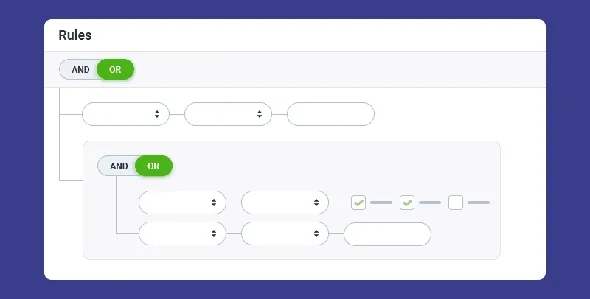
- Conditional logic: you add only those who tick the consent box, send each person to a different list based on their answers, or discard submissions that don't meet your criteria.
Email templates, the drag-and-drop editor and the statistics on opens, clicks, bounces and unsubscribes live in EmailOctopus, not in WordPress.
Three ways to use it depending on your project
Niche newsletter or community
A signup form with name and email, a consent checkbox and a welcome sequence that starts on its own. If the box isn't ticked, the contact doesn't enter the list.
Business with customers who have different interests
Ask in the form what each person is interested in and, with conditional logic, send them to the matching list. Segmenting at signup saves you from cleaning and reorganizing the list months later.
Agency building forms for third parties
Before suggesting it, confirm that the client uses or accepts that platform.
Common questions when connecting your forms to EmailOctopus
Can I trigger automations from the form?
Yes. Once the subscriber is in EmailOctopus, you can activate automations, send campaigns and manage their journey from that platform.
Can I add only people who agree to receive emails?
Yes. With conditional logic, the submission is sent to EmailOctopus only if the person ticks the consent box.
Can I send to different lists from a single form?
Yes, based on the answers each person gives.
Do I design the emails from WordPress?
No. Designs and reports are handled in EmailOctopus, which offers customizable templates, a drag-and-drop editor and real-time analytics.
It needs Gravity Forms and an EmailOctopus account
It's an add-on: it doesn't work alone, and requires Gravity Forms installed and an EmailOctopus account. It also doesn't create or send campaigns, it only takes contacts to the list. And the consent checkbox and its text are something you add to the form yourself.
Topics
Version history
-
v
2.0.0 Current 8 May 2026
-
v
1.4.0 26 Mar 2025
Customer reviews
Sign in to leave a review. Only people who have the product can review it.
No reviews for this product yet.
Frequently asked questions
-
GPL (General Public License) is the license under which WordPress and most premium plugins/themes are distributed. It grants you the right to use, modify and redistribute the software in as many projects as you want, with no domain restrictions.
-
Yes. With membership you get automatic updates via our GPLClub Updater plugin (installed on your WP, detects new versions and applies them). With individual purchase, you get one year of manual updates from your account.
-
Depends on the plan. Monthly: 3 domains. Semi-annual: 7. Annual and Lifetime: 15. Individual purchase: 1 domain.
-
GPLClub offers its own support for installation, configuration and compatibility. For direct support from the original author (feature requests, product-specific bugs), a license purchased from the author is required.