Green Donations for WordPress – Accept and Manage Donations 1.0
Antivirus scan
Powered by ClamAV
✅ Verified clean
This product file has passed our security filters.
Want to run a fresh ClamAV scan right now? Takes a few seconds and shows scanner version, signature DB and live result.
This can take 5 to 30 seconds.
Clean file Threat detected
No threats detected in this file.
- File
- Size
- Scanned
- ClamAV
- Signature database
⚡ Powered by ClamAV
Scan could not be completed
Report product
If you detected an issue (broken file, malware, inappropriate content, etc.) let us know and we'll review it ASAP.
Sign in to reportNewer version out, or a problem?
About Green Donations for WordPress – Accept and Manage Donations 1.0
Several causes open at once
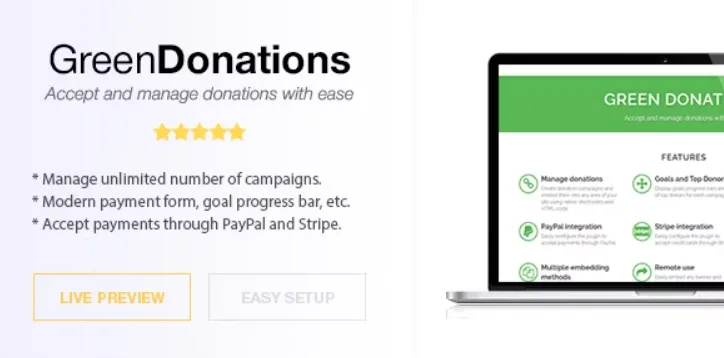
Green Donations groups all donations into campaigns, and each campaign has its own form, goal bar and top donors list. You can set up as many campaigns as you like.
Creating the campaign and setting its goal
First you create the campaign from the plugin's admin panel. Each one gets its own unique shortcode, so you can run as many causes as you like without donations getting mixed up. When you are ready, paste that shortcode into the page where you want the payment form, the goal progress bar or the top donors list for that campaign.
Collecting payments with PayPal or Stripe and notifying each donor
The visitor chooses the amount they want to give to that campaign and pays through PayPal or Stripe. To collect payments you need an account on one of these two platforms. After each successful payment, the plugin sends custom email notifications to both the donor and the administrator. You work directly with donors, and you don't have to pay any commission to third-party donation services.
Showing goals and top donors on the website
Progress bars and the top donors list can be placed in any area of the site, using shortcodes, HTML snippets or widgets. The donor list loads through AJAX, so it does not affect the SEO score of the page. If your cause also appears on another website, you can copy and paste a couple of JS/HTML snippets to embed the form, the goal or the donors on an external site.
If you came from the old Donation Manager, you start from scratch
Green Donations is not compatible with the old Donation Manager, so you have to install it from scratch. It is installed like any other WordPress plugin.
Frequently asked questions about Green Donations
Which payment gateways does it accept?
PayPal and Stripe. Each one is configured from the plugin to accept payments.
Can I use it on a multisite network?
Yes, the plugin is ready for WordPress multisite installations.
Can I put the form on a website that is not mine?
Yes. With the JS/HTML snippets for remote use you can embed forms, goals and donors on third-party sites.
Do I have to pay a commission to a donation service?
You don't have to pay any commission to third-party donation services, because you work directly with donors.
Topics
Version history
-
v
3.07 Current 11 May 2024
Customer reviews
Sign in to leave a review. Only people who have the product can review it.
No reviews for this product yet.
Frequently asked questions
-
GPL (General Public License) is the license under which WordPress and most premium plugins/themes are distributed. It grants you the right to use, modify and redistribute the software in as many projects as you want, with no domain restrictions.
-
Yes. With membership you get automatic updates via our GPLClub Updater plugin (installed on your WP, detects new versions and applies them). With individual purchase, you get one year of manual updates from your account.
-
Depends on the plan. Monthly: 3 domains. Semi-annual: 7. Annual and Lifetime: 15. Individual purchase: 1 domain.
-
GPLClub offers its own support for installation, configuration and compatibility. For direct support from the original author (feature requests, product-specific bugs), a license purchased from the author is required.