WooCommerce Multisite Product Sync
Antivirus scan
Powered by ClamAV
✅ Verified clean
This product file has passed our security filters.
Want to run a fresh ClamAV scan right now? Takes a few seconds and shows scanner version, signature DB and live result.
This can take 5 to 30 seconds.
Clean file Threat detected
No threats detected in this file.
- File
- Size
- Scanned
- ClamAV
- Signature database
⚡ Powered by ClamAV
Scan could not be completed
Report product
If you detected an issue (broken file, malware, inappropriate content, etc.) let us know and we'll review it ASAP.
Sign in to report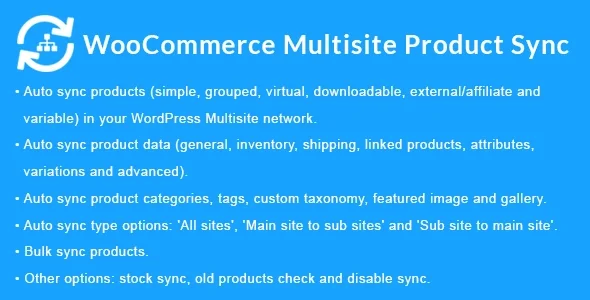
About WooCommerce Multisite Product Sync
Anyone running several WooCommerce stores inside one Multisite network knows the routine: create the product on one site, copy it by hand to the others, repeat images, categories and variations, and find out weeks later that the price or stock no longer match. Every manual copy is an error waiting to happen.
When the catalog is the same but the stores are many
What almost nobody tells you about multi-store networks is that the problem is not publishing the product, but keeping it identical everywhere. A listing is created once and edited twenty times, and it is in the edits that stores start to drift apart. WooCommerce Multisite Product Sync starts from that fact: you edit the product on one site and the network replicates it on the others.
It works with all three types of WordPress Multisite network: multi-domain, subdomains and subdirectories.
What WooCommerce Multisite Product Sync copies and what it leaves out
It syncs simple, grouped, virtual, downloadable, external/affiliate and variable products. When syncing it carries over general data, inventory, shipping, linked products, attributes, variations and advanced settings. It also replicates categories, tags and custom taxonomies, plus media files: featured image, gallery and downloadable files.
You choose the direction of the sync:
- All sites: products are replicated across all stores in the network.
- Main site to sub-sites: the main site leads and the others receive.
- Sub-site to main site: useful if the catalog is fed from one specific store.
Other options worth knowing:
- Disable sync when creating or updating a specific product.
- Enable or disable stock sync separately, so each store can keep its own inventory if you need it.
- Delete the product on destination sites when you trash it on the source site.
- Exclude specific metadata so it does not travel from one store to another.
- Bulk sync of several products at once.
Custom fields have limits
It supports WordPress custom fields and is compatible with Advanced Custom Fields and its PRO version, but only with these field types: text, text area, number, email, password, Wysiwyg editor, image, file, select, checkbox, radio button, true/false, Google Map, date picker, color picker and message. If your listings use other types (repeaters, for example), do not count on them being copied. It is also a Multisite-only plugin: it does not connect independent WordPress installations.
Questions buyers ask
Does it work for two separate WordPress sites?
No. It is designed only for sites within the same Multisite network.
Can I keep different stock in each store?
Yes, stock sync is turned on or off with its own option.
What happens if I delete a product on the source site?
If you enable the delete option, it is also removed on the destination sites. If not, it stays where it was.
Can I sync only part of the catalog?
You can disable sync product by product and exclude specific metadata. Check in your test environment how it fits the way you work.
What about products that already existed in the destination stores?
It has an option to sync older products with those that already exist, designed for this case.
Direction first, bulk catalog second
Before launching a bulk sync, decide which site is the source of truth and choose the matching direction. If you leave the all-sites option on without thinking, an edit on any store can spread to the others. Test with a few variable products that have images and downloads, and check categories, attributes and stock on the destination before syncing the whole catalog. Back up the network: cascading deletion is convenient, but also irreversible.
Topics
Version history
-
v
2.3.1 Current 11 Dec 2025
Customer reviews
Sign in to leave a review. Only people who have the product can review it.
No reviews for this product yet.
Frequently asked questions
-
GPL (General Public License) is the license under which WordPress and most premium plugins/themes are distributed. It grants you the right to use, modify and redistribute the software in as many projects as you want, with no domain restrictions.
-
Yes. With membership you get automatic updates via our GPLClub Updater plugin (installed on your WP, detects new versions and applies them). With individual purchase, you get one year of manual updates from your account.
-
Depends on the plan. Monthly: 3 domains. Semi-annual: 7. Annual and Lifetime: 15. Individual purchase: 1 domain.
-
GPLClub offers its own support for installation, configuration and compatibility. For direct support from the original author (feature requests, product-specific bugs), a license purchased from the author is required.